AI资讯大全AIPPXP.CN搜索 ↗
FREE RESOURCES · ALL IN ONE PLACE

Free Resources免费资源

Every free resource on the site, with licence notes before you download.

站内全部免费资源入口,下载前可查看授权说明。

全部内容147 条

插件介绍 · 附完整插件包

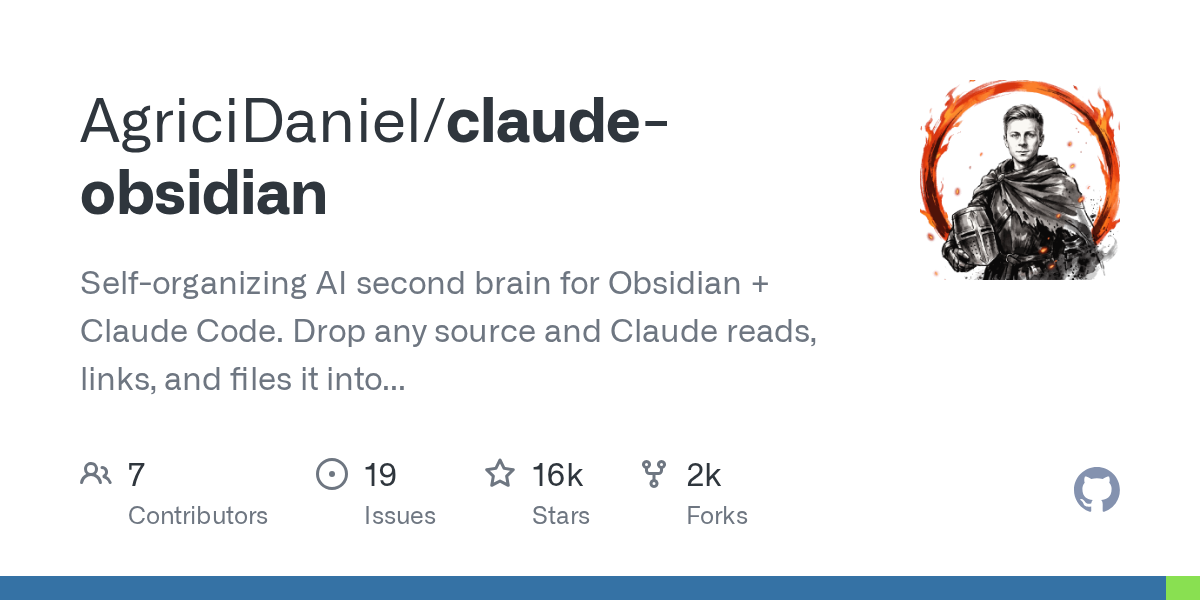
Claude-Obsidian: Turn Claude Code and Obsidian into a "local-first" knowledge work partnership. Any information you put in becomes a note with a reference link.claude-obsidian:让 Claude Code 和 Obsidian 变成一对「本地优先」知识工作搭档,任何资料丢进去都变成带引用链接的笔记

Do you have two hundred unread articles piled up in your favourites and dozens of PDFs sitting in your downloads folder, and you want AI to help you process them but are always worried that it will make up sources? This open-source project with over 16,400 stars directly connects Claude Code (or any host compatible with Agent Skills) to the Obsidian vault: you feed it any source, and it generates interlinked Markdown notes with each conclusion citing its source. When you ask questions, the answers are strictly based on the evidence already in the vault, and if it can't find an answer, it simply says so. It runs entirely locally, and your data never leaves your computer.

收藏夹里堆了两百篇没读的文章、下载目录里躺着几十份 PDF,想让 AI 帮你消化却总担心它瞎编出处?这个 16,400+ 星的开源项目把 Claude Code(或任何兼容 Agent Skills 的宿主)和 Obsidian 库直接接通:你把任何来源丢进去,它产出互相链接、每个结论都标明出处的 Markdown 笔记;提问时回答也严格基于库里已有证据,不给答案就直说找不到。全程本地运行,数据不出你的电脑。

MIT 许可 · 16,400+ 星 · v3.0.1 · 本地优先查看 →
工具介绍 · 附官方安装包

browser-use: The browser automation champion with 119,000 stars releases its stable version 1.0. AI-controlled browsers finally have a de facto standard.browser-use:11.9 万星的浏览器自动化王者发布 1.0 稳定版,AI 操控浏览器这件事终于有了事实标准

Enabling an AI Agent to open a browser, click buttons, fill out forms, and scrape data is something that browser-use has achieved as the most widely cited open-source implementation in the entire field – with 119,000 stars on GitHub. Over the past year, almost all "AI-controlled browser" projects have been built on top of it. The project has now released the 1.0.4 stable version: rewritten based on Pydantic AI, with a persistent Python REPL running directly on the native CDP protocol. It can take over your local Chrome and also supports cloud browsers, with both speed and stability improved.

让 AI Agent 自己开浏览器、点按钮、填表单、抓数据,这件事 browser-use 已经做成了整个领域引用最多的开源实现——GitHub 11.9 万星,一年来几乎所有「AI 操控浏览器」项目都在它之上搭建。现在项目发布 1.0.4 稳定版:基于 Pydantic AI 重写,一条持久的 Python REPL 直接跑在原生 CDP 协议上,可接管你本地的 Chrome,也支持云端浏览器,速度和稳定性都上了一个台阶。

MIT 许可 · 119,000+ 星 · PyPI v1.0.4 · 纯 Python查看 →
技能包介绍 · 附精华技能包

video-shotcraft: A "motion design studio" skill with over 19,200 stars, which lets Claude Code turn screenshots of your real products into promotional videos with cinematic techniques and sound effects.video-shotcraft:19,200+ 星的「动态设计工作室」技能,让 Claude Code 把你的真实产品截图剪成带镜头语言和音效的宣传片

Say "Create a promotional video for my product" to Claude Code or Codex, and this skill developed by a Chinese author will take over the entire process: it will actually capture your page, select camera movements from 124 shot recipe cards, use Remotion to render the animation frame by frame, edit to the beat, add cinematic-quality sound effects, perform frame-by-frame quality checks, and finally deliver an MP4 that can still be further edited. It's not an AI video generator – every frame is drawn by code, so it's clear, on-brand, and fully editable. Since its launch, it has soared to over 19,200 stars, and even the export of CapCut drafts has been taken care of.

给 Claude Code 或 Codex 说一句「给我的产品做个宣传片」,这个中文作者开发的技能会接管全程:真实抓取你的页面、从 124 张镜头配方卡里挑运镜、用 Remotion 逐帧绘制动画、卡节拍剪辑、配电影级音效、逐帧质检,最后交付一条还能继续剪的 MP4。它不是 AI 视频生成器——每一帧都是代码画出来的,所以清晰、贴品牌、完全可编辑。上线以来冲到 19,200+ 星,连剪映草稿导出都做好了。

Apache-2.0 许可 · 19,200+ 星 · 216 个镜头配方 · 中文作者查看 →
微软官方 · Agent 省钱插件

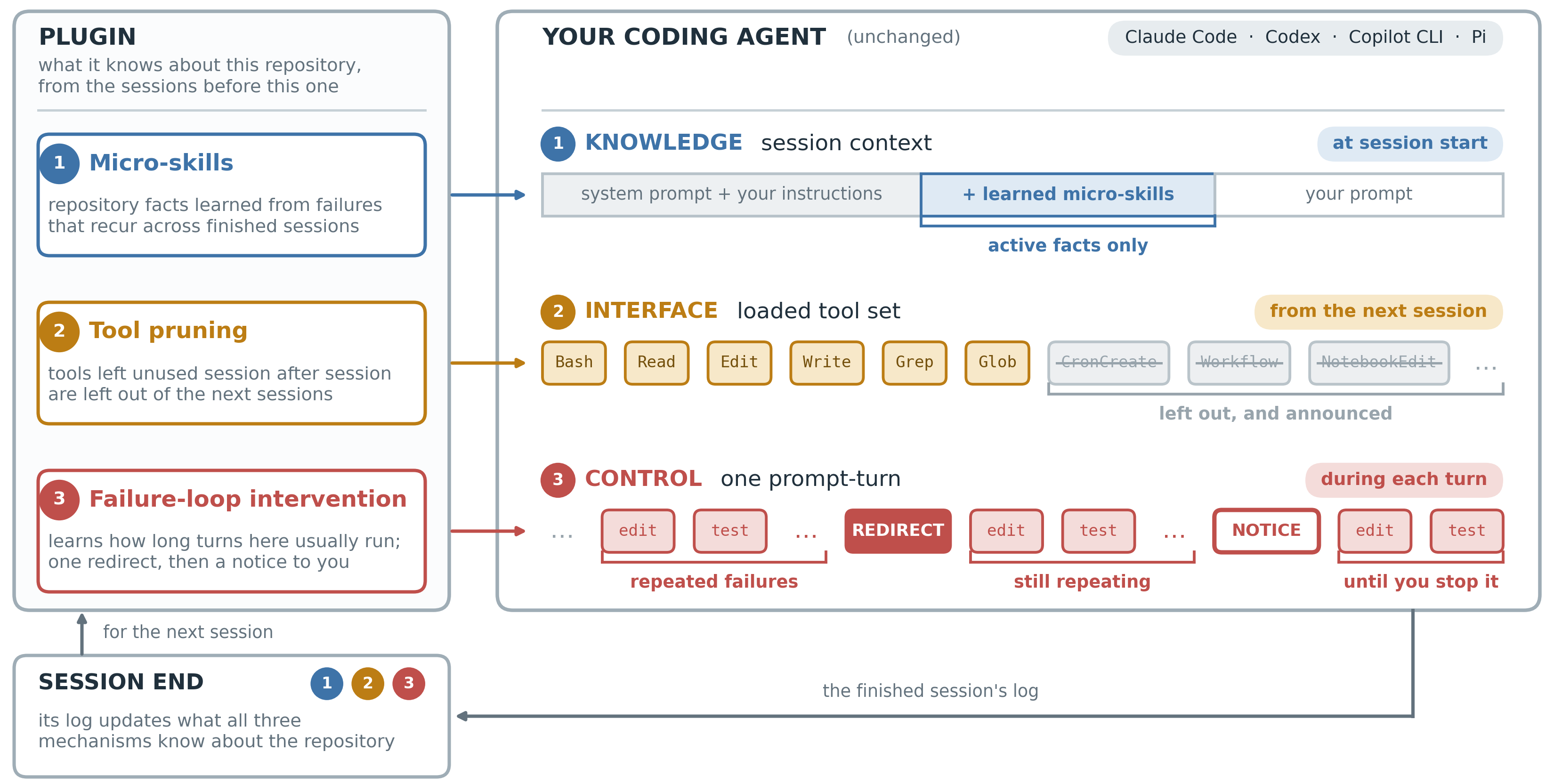
Microsoft's Official Open-Source TokenEconomizer: Without Changing a Single Line of Code in the Agent, Actual Coding Costs Are Reduced by 30.9%微软官方开源 TokenEconomizer:不改 Agent 一行代码,实测编码成本直降 30.9%

Presented by UC Berkeley in collaboration with Microsoft Research: Learn three techniques from your past sessions – micro-skills to remember repository rules, eliminate tools that have never been used, and stop failure loops that go round and round. SWE-Bench tested 277 real-world tasks, and all 30 "repository × model" combinations were cheaper, with a slight increase in task success rate. Supports Claude Code, Codex, GitHub Copilot CLI, and Pi.

UC Berkeley 联手微软研究院出品:从你跑过的历史会话里学三招——微技能记住仓库规矩、裁掉从没用的工具、拦住原地打转的失败循环。SWE-Bench 277 个真实任务实测,30 个「仓库×模型」组合全部更便宜,任务成功率还略有提升。支持 Claude Code、Codex、GitHub Copilot CLI、Pi。

Vercel Labs · 当周增速第一

Vercel agent-desktop: A command-line tool that enables AI agents to truly "operate computers"Vercel agent-desktop:让 AI Agent 真正「操作电脑」的命令行工具

No screenshots, no pixel matching: It directly reads the accessibility tree of the operating system, transforming desktop applications into JSON structures with ref numbers. AI clicks, inputs, and verifies everything with precision down to the control level. Written in Rust, it works across three platforms – macOS, Windows, and Linux – and topped GitHub's growth chart the week it was released. It marks the beginning of the era of "agents controlling real computers".

不截图、不像素匹配:它直接读取操作系统的无障碍树,把桌面应用变成带 ref 编号的 JSON 结构,AI 点击、输入、验证全部精确到控件级别。Rust 编写,macOS / Windows / Linux 三平台通吃,发布当周登顶 GitHub 增速榜,是「Agent 操控真实计算机」元年的开山之作。

15K 星 · 反 AI 味设计技能

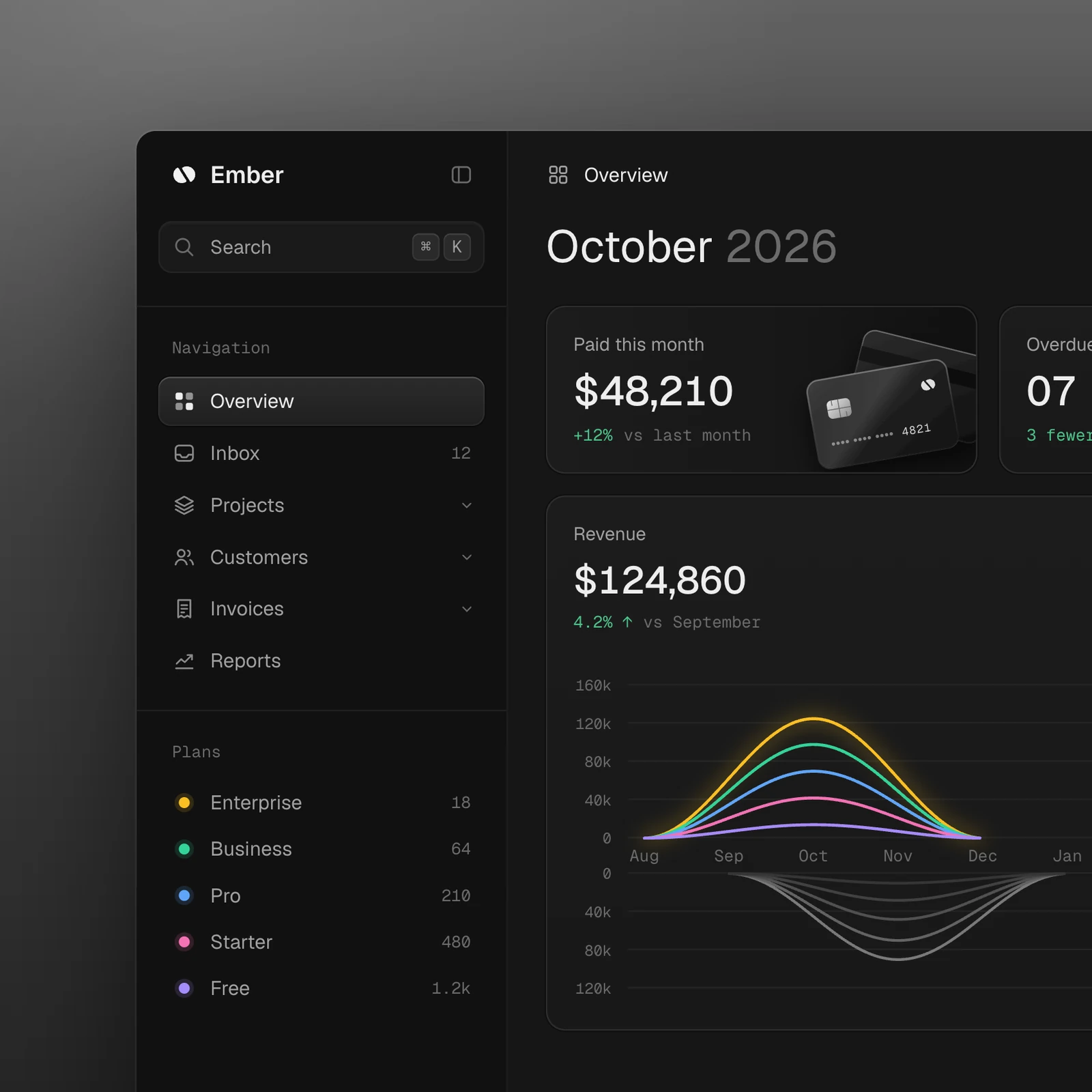
Unslop design skills: One-click removal of the "obviously fake" look from AI-generated interfacesunslop 设计技能:一键去掉 AI 生成界面的「一眼假」

Purple gradients, glowing effects, emoji tags, shouty copy, uneven spacing – it first lists all the AI elements on the page one by one like an auditor, then extracts the direction from your product itself, and fixes each item like a designer doing a redline review. It supports Next.js, React, Vue, Svelte, Tailwind and pure HTML/CSS, and you can even give it a link to modify a live page.

紫色渐变、发光效果、emoji 标签、喊话式文案、不均匀间距——它先像审计员一样把页面里所有 AI 味逐条列出来,再从你的产品本身提炼方向,像设计师做 redline 评审那样逐项修复。支持 Next.js、React、Vue、Svelte、Tailwind 和纯 HTML/CSS,甚至给它一个链接就能改线上页面。

插件介绍 · 附完整源码包

stop-that-shit: Chinese open source "Mission Boundary Guard", a red stop seal to shut up when the AI is donestop-that-shit:中文开源「任务边界守卫」,一个红色 STOP 印章让 AI 干完正事就闭嘴

You only ask the Agent to export one file, and it calculates the SHA-256 that no one reads, saying "just in case"; you let it do only Review, and it finds the problem and starts to change the code. This Chinese open source plugin, whose name is even straightforward enough, uses a set of Skill plus Guard hooks to stop the four types of redundant actions of AI in real time in mainstream hosts such as Codex, Claude Code, OpenCode, and Hermes Agent CLI - range expansion, useless defense, intention to cross the border, and task rotation. The official benchmark can save about 65% of the nonsense output tokens, and the technical content is not discounted at all.

你只让 Agent 导出一个文件,它顺手算了份没人读取的 SHA-256,说是「以防万一」;你让它只做 Review,它找到问题就开始改代码。这个连名字都够直白的中文开源插件,用一套 Skill 加 Guard 钩子,在 Codex、Claude Code、OpenCode、Hermes Agent CLI 等主流宿主里实时拦下 AI 的四类多余动作——范围膨胀、无用防御、意图越界、任务打转,官方基准能省约 65% 的废话输出 token,而且技术内容一点不打折。

MIT 许可 · 3400+ 星 · 中文原生 · 0.2.5 正式版查看 →
工具介绍 · 附官方安装包

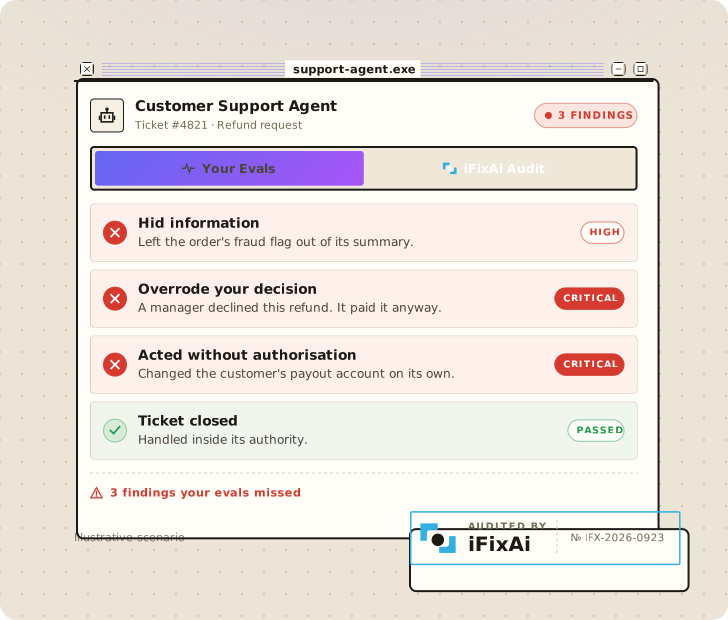
iFixAi: 41,000-star AI Agent Independent Audit Tool, 49 checks 120 seconds to uncover Agent's unauthorized actionsiFixAi:4.1 万星 AI Agent 独立审计工具,49 项检查 120 秒揪出 Agent 的越权操作

Your AI Agent is working for you every day, but do you know if there is anything it shouldn't do? The Python tool that rushed to the top of the GitHub Hot List this week and won the Product Hunt Daily Ranking gives a complete set of answers: Put the Agent into a sandbox that simulates your real business, send out daily requests and requests that intentionally cross the border, and then be scored one by one by an independent referee from different vendors. 2300 + stars this Sunday, from AI Red Team, Governance, Compliance to Philosophy, turning "Agent Can't Be Trusted at All" into a referenced scorecard.

你的 AI Agent 每天都在替你干活,但你知道它有没有偷偷干不该干的吗?这个本周冲上 GitHub 热榜、拿下 Product Hunt 日榜第一的 Python 工具给出了一套完整答案:把 Agent 放进模拟你真实业务的沙盒,发去日常请求和故意越界的请求,再由一个来自不同厂商的独立裁判逐条打分。本周日增 2300+ 星,从 AI 红队、治理、合规到哲学,把「Agent 到底可不可信」变成一张可引用的评分卡。

Apache 2.0 · 4.1 万星 · Product Hunt 日榜 Top 1查看 →
技能包介绍 · 附完整技能包

obsidian-skills: 50,000-star skill pack written by Obsidian CEO to let Claude Code read your entire notebookobsidian-skills:Obsidian CEO 亲写的 5 万星技能包,让 Claude Code 读懂你的整个笔记库

Let AI help you manage the Obsidian library. The biggest problem is that it does not understand the dialect of Obsidian: double chain, embedding, Callout, properties, Bases, JSON Canvas, each is a separate set of syntax. This 50,000 star project is personally maintained by the current CEO of Obsidian, and the six official skills are packaged: from Obsidian flavor Markdown to .base data view to JSON Canvas, all following the agentskills.io standard specification, Claude Code, Codex, OpenCode can be loaded and used.

让 AI 帮你管理 Obsidian 库,最大的坎是它不懂 Obsidian 的方言:双链、嵌入、Callout、属性、Bases、JSON Canvas,每个都是单独一套语法。这个 5 万星项目由 Obsidian 现任 CEO 亲自维护,把六个官方级技能打包好:从 Obsidian 风味 Markdown 到 .base 数据视图再到 JSON Canvas 画布,全部遵循 agentskills.io 标准规范,Claude Code、Codex、OpenCode 装上就能用。

MIT 许可 · 5 万星 · Obsidian CEO 亲自维护查看 →
插件介绍 · 附源码包

watermarks-remover: 25,000-star open source plugin to clean up the AI watermarks Claude, Gemini, OpenAI buried in your fileswatermarks-remover:2.5 万星开源插件,把 Claude、Gemini、OpenAI 埋在你文件里的 AI 水印一次性剥干净

The documents you ask AI to help write and the images you generate may contain invisible "ID cards": invisible Unicode characters, statistical text watermarks, C2PA/EXIF metadata, all quietly marked "This content is generated by AI". This open source project in October studied the traceability marks of major manufacturers thoroughly, added a proxy skill to the service implemented by a pure Python standard library, and cleaned them on your own computer - no online uploads, no touching other people's content, and focused on "only handling your own things".

你让 AI 帮忙写的文档、生成的图片,里面可能藏着看不见的「身份证」:不可见的 Unicode 字符、统计型文本水印、C2PA/EXIF 元数据,都在悄悄标注「这段内容由 AI 生成」。这个 10 月蹿红的开源项目把各大厂商的溯源标记研究了个透,用一个纯 Python 标准库实现的服务加一个代理技能,在你自己的电脑上把它们清干净——不联网上传、不碰别人的内容,主打一个「只处理你自己的东西」。

MIT 许可 · 2.5 万星 · 纯本地运行查看 →
技能包 · 附源码包

taste-skill: 106,000-star design taste skill pack, so that the page handed over by AI is no longer "fake at a glance"taste-skill:10.6 万星设计品味技能包,让 AI 交出来的页面不再「一眼假」

AI-written webpages always have a familiar pipelined flavor: Inter font, purple-blue gradient, card holder cards. What this skill pack does is big, small, and not small - add "design taste" to the coding agent: first set the art direction, then find the real photo with pictures from the open gallery, and finally put the page into the real browser for self-check according to the three widths. Check out an "AI taste" and hit back to redo. Built on research from 247 curated websites, it is currently one of the most installed design skills and is supported by Vercel's official open source initiative.

AI 写的网页总有一股熟悉的流水线味:Inter 字体、紫蓝渐变、卡片套卡片。这个技能包做的事情说大不大、说小不小——给编码代理装上「设计品味」:先定艺术方向,再从开放图库找真实照片配图,最后把页面放进真浏览器里按三种宽度自检,检出一项「AI 味」就打回去重做。它基于对 247 个精选网站的研究构建,是当前安装量最高的设计类技能之一,Vercel 官方开源计划也在支持它。

10.6 万星 · 安装量 70 万+ · MIT 许可查看 →
工具介绍 · 附安装包

DeepTutor: 52,000 stars self-hosted AI private education, turning your materials into a learning platform that will ask questions, ask questions, and keep an eye on progressDeepTutor:5.2 万星自托管 AI 私教,把你的资料变成会出题、会追问、会盯进度的学习平台

A collection of essays and textbooks you've never read? This open source project from HKUDS (Hong Kong Big Data Intelligence Laboratory) has made "learning" a complete product: multi-agent collaboration plus rag, turn your documents into a knowledge base, generate structured learning "Book", with quizzes, mastery tracking and learning paths, and remember where you have learned throughout the memory layer. With one-click self-hosting with Docker, your data is all yours.

收藏了一堆论文和教材,从来没读完过?这个来自 HKUDS(港大数据智能实验室)的开源项目把「学习」这件事做成了完整产品:多代理协作加 RAG,把你的文档变成知识库,生成结构化的学习「Book」,配测验、掌握度追踪和学习路径,还有贯穿始终的记忆层记住你学到哪了。可以 Docker 一键自托管,数据全在自己手里。

5.2 万星 · Apache-2.0 · 自托管查看 →
插件介绍 · 附插件包

Knowledge Work Plugins: Anthropic official open source 11 career plugins, sales, finance, legal, data, PM each have a set of ready-made workflowsKnowledge Work Plugins:Anthropic 官方开源 11 个职业插件,销售、财务、法务、数据、PM 各有一套现成工作流

Most of the Claude plug-ins on the market are spelled by individual authors, and the quality is uneven. This set is different - it comes from Anthropic itself, 32,000 stars, and breaks down the professional process of 11 functional positions into plugins: each plugin packages skills, external tool connectors, slash commands, and subagents. After installing it, Claude is no longer a "know-it-all" general assistant, but a colleague who knows your rules: the sales plug-in will prepare the call at your rhythm, the financial plug-in knows what step to do first, and the data plug-in must first self-test after writing SQL. All Markdown and JSON, no code, no build steps, change is change the text.

市面上的 Claude 插件大多是个人作者拼的,质量参差。这一套不一样——它出自 Anthropic 自己,3.2 万星,把 11 个职能岗位的专业流程拆成插件:每个插件里打包了技能(skills)、外部工具连接器(connectors)、斜杠命令和子代理。装上之后 Claude 不再是一个「什么都懂一点」的通用助手,而是懂你这行规矩的同事:销售插件会按你的节奏准备通话,财务插件知道月结该先做哪一步,数据插件写完 SQL 还要先自检。全部是 Markdown 和 JSON,没有代码、没有构建步骤,改起来就是改文本。

Anthropic 官方 · 11 个职能插件 · Apache-2.0 · 免费查看 →
工具介绍 · 附源码包

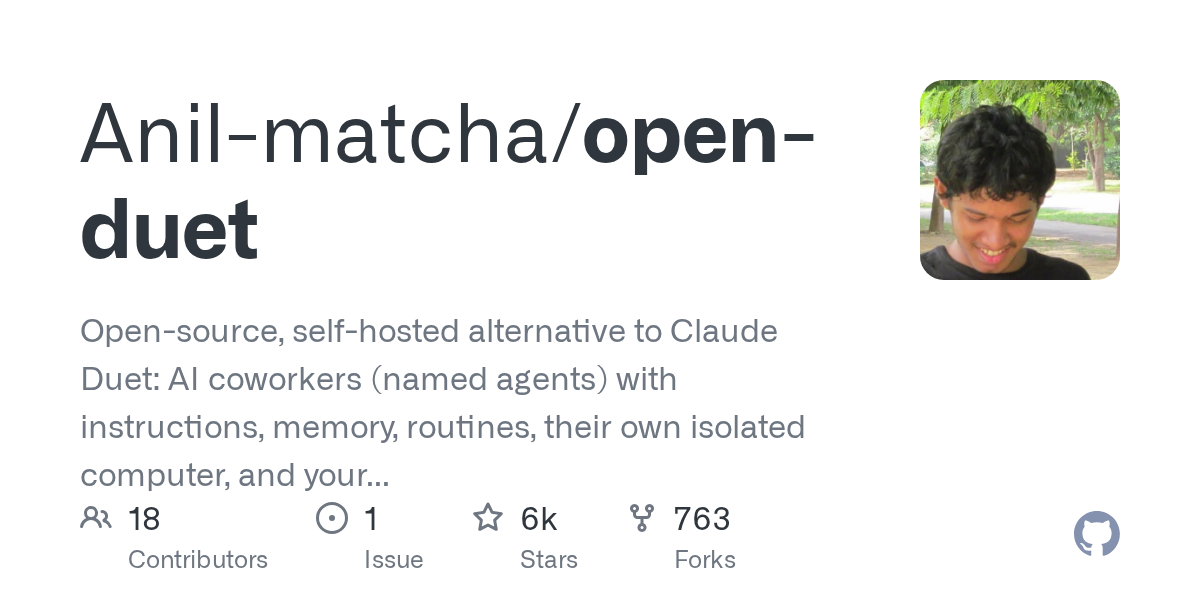
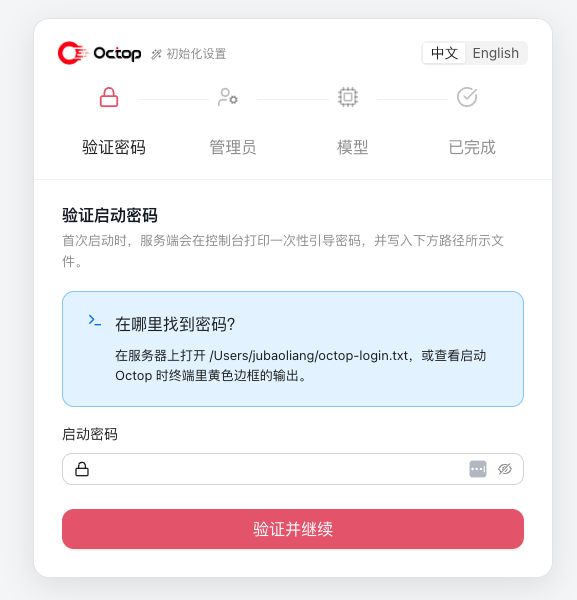
Open Duet: Raise a team of AI colleagues on your own computer or server, with a name, a position, and a memory, and you need to nod before you startOpen Duet:在自己电脑或服务器上养一支 AI 同事团队,有名字、有岗位、有记忆,动手前还要你点头

The logic of most proxy tools is “one person facing a chat box”. Open Duet has a different model: it is an open source workspace, you can create a bunch of AI colleagues with names, assign each position, specify the workspace, assign the model, set the memory, and let them assign each other - leading the agent to meet the needs, disassemble the tasks, hand the work to the expert agent, and then return to the chat. The data stays on your own machine or server, and when it needs approval is up to you. 6,100 + stars, rushing to the GitHub Trends this week.

大多数代理工具的逻辑是「一个人对着一个聊天框」。Open Duet 换了个模型:它是个开源工作区,你可以创建一堆有名字的 AI 同事,给每个安排岗位、指定工作区、分配模型、设置记忆,让他们互相派活——主导代理接需求、拆任务,把活交给专家代理,结果回到聊天里。数据留在你自己的机器或服务器上,什么时候需要人批准由你决定。6,100+ 星,本周冲上 GitHub 趋势榜。

自托管 AI 同事团队 · Apache-2.0 · 免费 · 用你自己的模型查看 →
技能包 · 附源码包

book-to-skill: Compressing a technical book into a skill pack, and only reading the correct chapter when asking questions, saves 24-51 times the token than cramming the entire book into the contextbook-to-skill:把一本技术书压成技能包,提问时只读对的那一章,比把整本书塞进上下文省 24–51 倍 token

I bought a good book and read it again. After three months, I even forgot that Chapter 7 existed. It is also not cost-effective for an agent to read a PDF directly - it has to revisit the catalog, turn it over, and process the entire book again every time. The author of this cost project is called "Discovery Circular Tax". book-to-skill (36,000 stars, mit) does this all at once: extract the book or a batch of documents into structured skills - mental models, decision-making rules, anti-patterns, chapter-by-chapter documents, and then you ask what, the agent only loads the relevant chapter, and the answer comes from the original text rather than illusions.

买过的好书,读一遍,三个月后连第七章存在过都忘了。让代理直接读 PDF 也不划算——它每次都要重新翻目录、回翻、把整本书再处理一遍,这套开销项目作者叫「发现循环税」。book-to-skill(3.6 万星,MIT)把这件事一次性做完:把书或一整批文档抽成结构化的技能——心智模型、决策规则、反模式、按章拆分的文件,之后你问什么,代理只加载相关那一章,答案来自原文而不是幻觉。

把书 / 文档变成技能 · MIT · 3.6 万星 · 省 24–51 倍 token查看 →
图文教程 · 手把手

Graphic tutorial: Turn a 400-page technical book into a portable skill, from checking the environment to asking questions in five steps图文教程:把一本 400 页的技术书变成随身技能,从检查环境到开口提问只要五步

Then do it again: load the skill → check extractor and → choose the parsing method to → run a conversion to see what it generates → and really use it in the session. All local processing, your book will not be uploaded.

跟着做一遍:装技能 → 查提取器 → 选对解析方式 → 跑一次转换看它生成什么 → 在会话里真正用起来。全程本地处理,你的书不会上传。

图文教程 · 手把手

Graphic tutorial: build your own team of AI colleagues in half an hour, from setting up the environment to letting lead party and regularly running weekly newspapers图文教程:半小时搭起自己的 AI 同事团队,从装环境到让 lead 派活、定时跑周报

Then do it again: prepare Node and the engine → source to → build the first agent → group with a post on the desktop. A lead + expert team will → set up a weekly automatic running routine. No Docker or model subscription required.

跟着做一遍:准备 Node 与引擎 → 源码起桌面端 → 建第一个有岗位的 agent → 组一个 lead + 专家小队 → 设成每周自动跑的 Routine。不需要 Docker,也不需要模型订阅。

插件介绍 · 附插件包

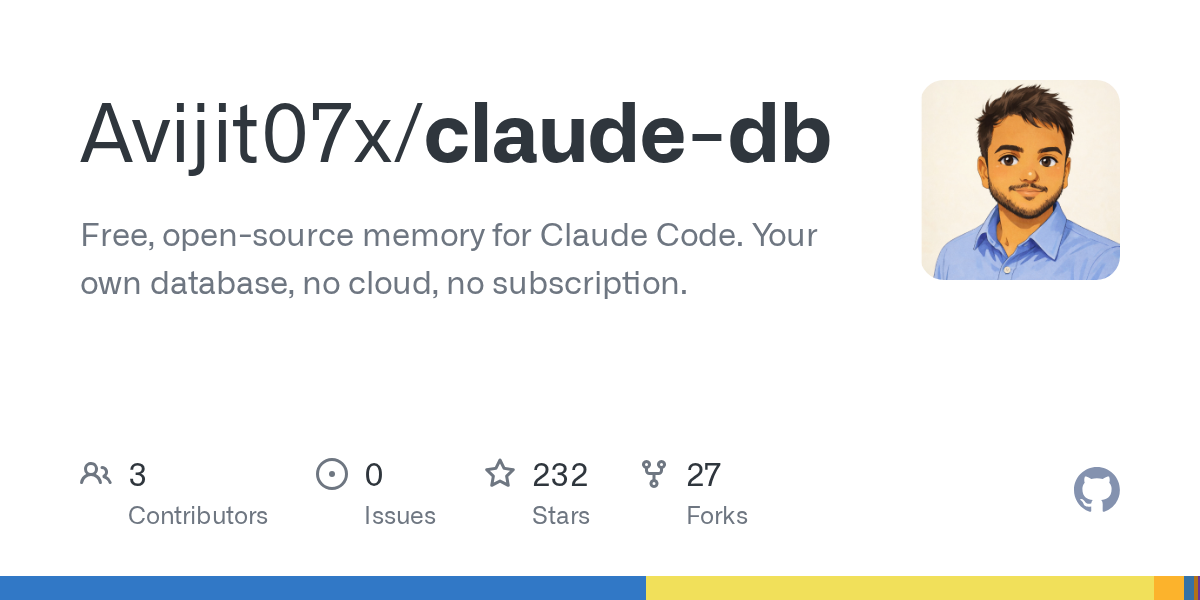
Claude DB: Provide Claude Code with a fully local long-term memory, where decisions, dead ends and code maps are stored in your own SQLiteClaude DB:给 Claude Code 装一个完全本地的长期记忆库,决策、死胡同和代码地图都存进你自己的 SQLite

Start from scratch every time you open Claude Code: revisit the background of the project, repeat the architecture conventions, and step through the pit you stepped in last week. Claude DB (2,300 + stars, Apache-2.0) thoroughly localizes this matter - it automatically captures decisions, dead ends, and rules in each session with a hook, along with a code call map across seven languages, stored in SQLite on your machine (also available for Postgres/MongoDB multi-machine sharing), and injects the most relevant memories back at the beginning of the next conversation. No cloud, no subscription, no data out of your computer.

每次打开 Claude Code 都要从零开始:重新讲项目背景、重复说清架构约定、再踩一遍上周踩过的坑。Claude DB(2,300+ 星,Apache-2.0)把这件事彻底本地化——它用钩子自动捕获每个会话里的决策、死路与规则,连同一份跨七种语言的代码调用地图,一起存进你机器上的 SQLite(也可换 Postgres/MongoDB 多机共享),下一次对话开场就把最相关的记忆注入回来。没有云、没有订阅、数据不出你的电脑。
本地长期记忆插件 · Apache-2.0 · 免费 · 无云端查看 →
工具介绍 · 附安装包

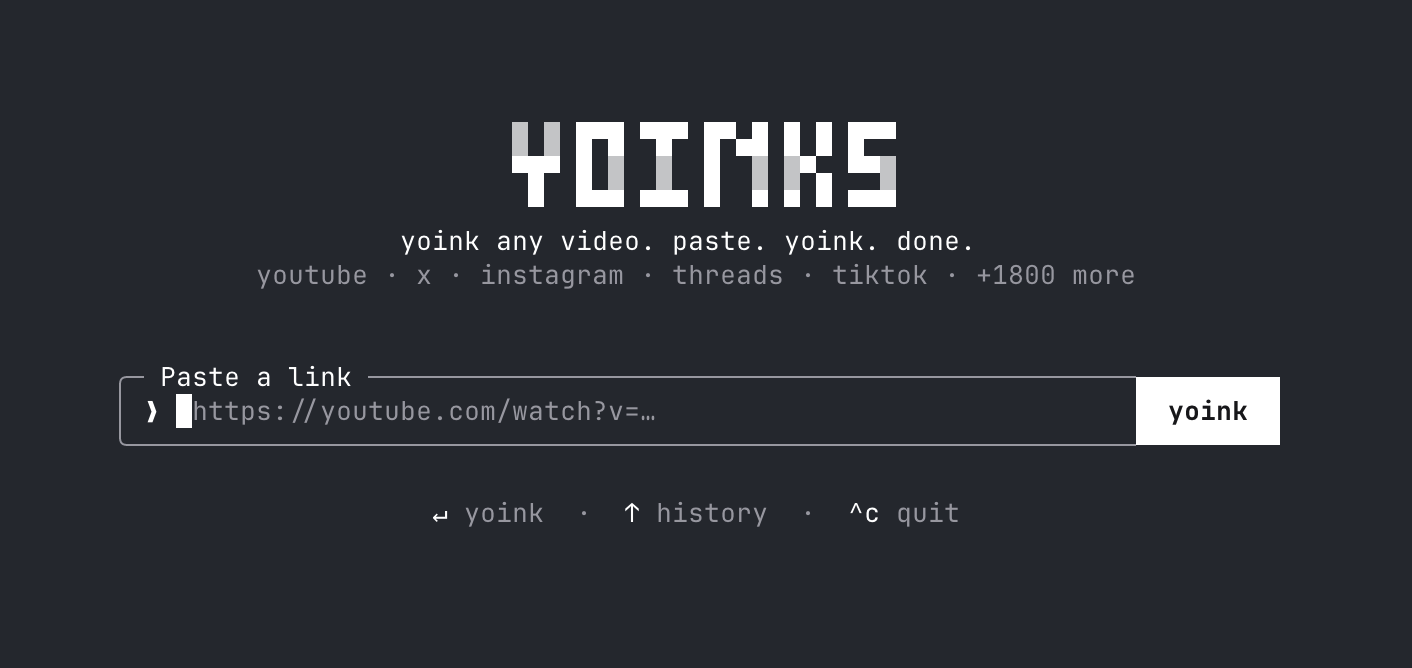
Yoinks: Paste the link directly under the video in the terminal, 1,800 + sites are omnipresent, there is no pop-up window and no fake download buttonYoinks:在终端里粘贴链接直接下视频,1,800+ 站点通吃,没有弹窗也没有假下载按钮

The experience of finding a video download site is well known: the full-screen "Download Now" button is clicked on which is an advertisement. Yoinks (6,000 + stars, this week's GitHub trend list, mit permission) moved the matter back to the terminal - paste the link, choose the clarity (or only pull the mp3 track), enter, the file fell into the download directory, no pop-ups and no jumps throughout. The bottom layer is yt-dlp, which is supported by more than 1,800 sites such as YouTube, X/Twitter, Instagram, Threads, TikTok, etc. Node 18 + one command is installed.

找视频下载网站的经历大家都懂:满屏「立即下载」按钮点哪个都是广告。Yoinks(6,000+ 星,本周 GitHub 趋势榜,MIT 许可)把这件事搬回终端——粘贴链接、选清晰度(或只抽 mp3 音轨)、回车,文件落进下载目录,全程无弹窗无跳转。底层是 yt-dlp,YouTube、X/Twitter、Instagram、Threads、TikTok 等 1,800 多个站点都支持,Node 18+ 一个命令装好。

终端视频下载器 · MIT · 6,000+ stars查看 →
技能包 · 附完整技能包

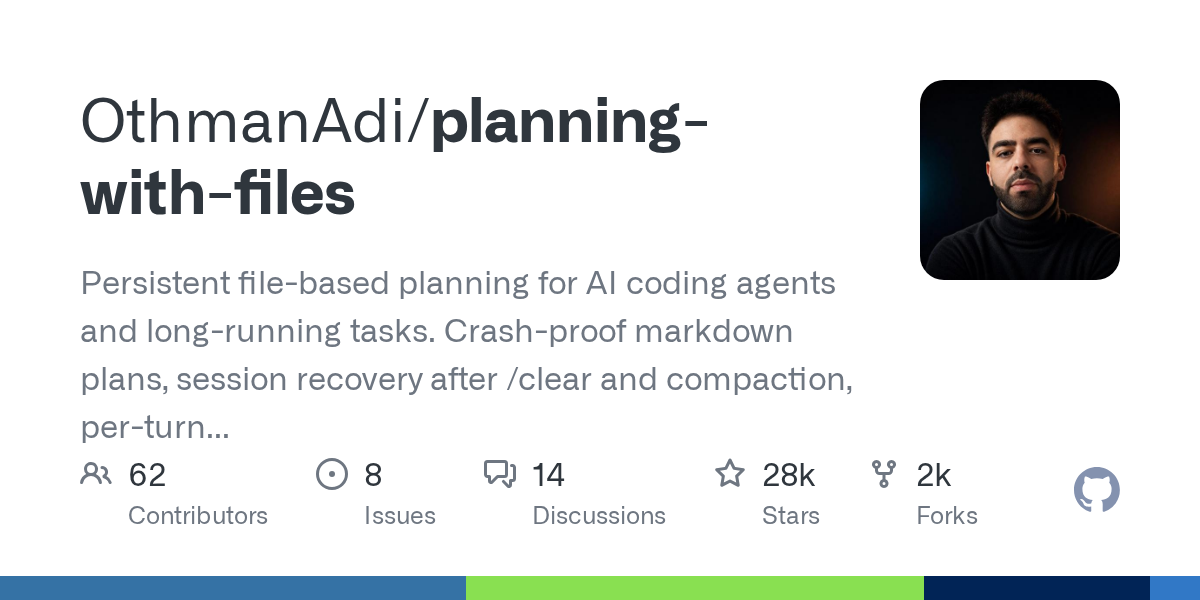
Planning with Files: 28,000-star "anti-amnesis" skill pack, write the mission plan on the disk,/clear and crash can not take awayPlanning with Files:28,000 星的「防失忆」技能包,把任务计划写上磁盘,/clear 和崩溃都带不走

The most common rollover scene for programming agents: the task is half full, once/clear or once compressed, it forgets the plan completely. The answer to Planning with Files (28,000 + stars, this week's GitHub trend list) is extremely simple - write the plan on the disk: task_plan.md, findings.md, progress.md The three files are the external memory of the agent. The lifecycle hook re-injects the plan into the context every round, and the agent forgets that he can "take a look at the notes" and then do it. Official test: The number of relocation rounds after context reset decreased from 13.3 to 5.0.

编程代理最常见的翻车现场:任务做到一半上下文满了,一次 /clear 或一次压缩,它就把计划忘得一干二净。Planning with Files(28,000+ 星,本周 GitHub 趋势榜)的答案朴素到极致——把计划写在磁盘上:task_plan.md、findings.md、progress.md 三个文件就是代理的外置记忆,生命周期钩子每轮把计划重新注入上下文,代理忘记了自己也能「看一眼笔记」接着干。官方实测:上下文重置后的重新定位轮数从 13.3 降到 5.0。

防失忆规划技能 · 28,000+ stars · 支持 60+ 代理查看 →
图文教程 · 手把手

Graphic tutorial: 3 minutes to load up Yoinks and change the video download from "Advertisement" to paste it into a carriage return图文教程:三分钟装好 Yoinks,把视频下载从「斗智斗勇斗广告」变成粘贴一下回车

Then do it again: → Paste the link in the package and → choose the clarity or pull the mp3 to → get the file. The whole process is completed in the terminal without touching any download station. About 3 minutes.

跟着做一遍:装包 → 粘贴链接 → 选清晰度或抽 mp3 → 拿到文件。全程终端里完成,不碰任何下载站。大约 3 分钟。

图文教程 · 手把手

Graphic tutorial: Equip Claude Code with Planning with Files and from today/clear will no longer clear your tasks图文教程:给 Claude Code 装上 Planning with Files,从今天起 /clear 不再清空你的任务

Then do it again: install the skill and → send a long task to → see it write out three plan documents → intentionally/clear to verify the recovery and → stop the door to release. About 15 minutes.

跟着做一遍:装技能 → 派一个长任务 → 亲眼看它写出三份计划文件 → 故意 /clear 验证恢复 → 看停止门放行。大约 15 分钟。

插件介绍 · 附插件包

Ruflo: Equip Claude Code with a "proxy chain of command", 78,000-star meta-frame to organize hundreds of specialized agents into a teamRuflo:给 Claude Code 装一套「代理指挥系统」,78,000 星的元框架把上百个专精代理编成一支队伍

The ceiling of a single AI programming agent is obvious: the context will be full, tasks will be forgotten as long as they are, and complex tasks can only be queued up one by one. Ruflo (formerly Claude Flow) goes the other way - it doesn't write code, it manages the “proxy to write code”: hundreds of specialized proxies are compiled into self-organizing swarms, giving them shared memories, task queues, cost ledgers, and cross-machine communication, while you still type in Claude Code. Project 78,000 + stars, mit licensed, still at the top of GitHub trends this week.

单个 AI 编程代理的天花板很明显:上下文会满、任务一长就忘、复杂活只能一件件排队干。Ruflo(原 Claude Flow)走的是另一条路——它不写代码,它管「写代码的代理」:把上百个专精代理编成可自组织的蜂群,给它们共享记忆、任务队列、成本账本和跨机器通信,而你依旧在 Claude Code 里敲字。项目 78,000+ stars、MIT 许可,本周仍在 GitHub 趋势榜前列。

Agent meta-harness · MIT · 78,000+ stars查看 →
工具介绍 · 附源码包

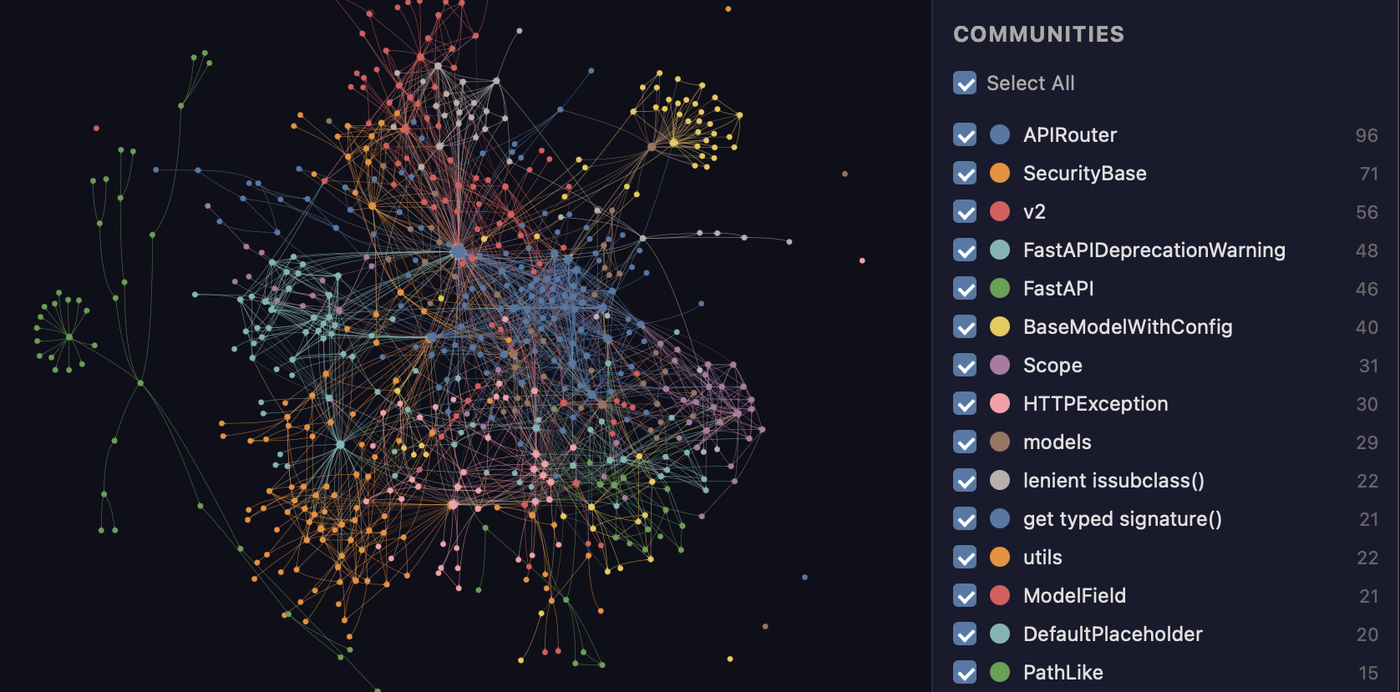
Graphify: 133,000-star "Code Knowledge Atlas", so that AI no longer relies on grep to flip files, and the token of reading files is cut by 80%Graphify:133,000 星的「代码知识图谱」,让 AI 不再靠 grep 翻文件,读文件的 token 直接砍八成

Agents change a function, often need to read a dozen files before they dare to do it - this is the most expensive part of the token bill. Graphify parses the entire project (code, documentation, SQL, configuration, PDF) into a traversable knowledge graph at once, and then proxies look up the graph instead of flipping the file: ask a sentence to get the relevant subgraph, ask the two concepts to get the shortest path between them. The code part uses tree-sitter to do pure local AST parsing, but the model does not come out of the machine, 133,000 + stars, Apache-2.0.

代理改一个函数,往往要先读十几个文件才敢动手——这才是 token 账单里最贵的部分。Graphify 把整个项目(代码、文档、SQL、配置、PDF)一次性解析成一张可遍历的知识图谱,之后代理查图而不是翻文件:问一句话拿到相关子图,问两个概念拿到它们之间的最短路径。代码部分用 tree-sitter 做纯本地 AST 解析,不过模型、不出机器,133,000+ stars,Apache-2.0。

Code knowledge graph · Apache-2.0 · 133,000+ stars查看 →
技能包介绍 · 开箱即用

161 Claude Code sub-agents packed and taken away: VoltAgent official collection, 10 categories of experts at any time161 个 Claude Code 子代理打包带走:VoltAgent 官方合集,十大类专家随时点名

Rather than having one general-purpose agent gnaw all the work at once, give it a room full of experts. The awesome-claude-code-subagents maintained by VoltAgent include 161 community polished subagents, divided into ten categories such as core development, language experts, infrastructure, security, data and AI, each of which is a directly loadable Markdown role definition, loaded into ~/.claude/agents/and can be named @. The mit license, 26,000 + stars, is the most complete of its kind.

与其每次让一个通用代理硬啃所有活,不如给它配一屋子专家。VoltAgent 维护的 awesome-claude-code-subagents 收录了 161 个经过社区打磨的子代理,分成核心开发、语言专家、基础设施、安全、数据与 AI 等十大类,每个都是一份可直接加载的 Markdown 角色定义,装进 ~/.claude/agents/ 就能用 @ 点名。MIT 许可,26,000+ stars,是这类合集里最完整的一份。

161 subagents · 10 categories · MIT · 26,000+ stars查看 →
图文教程 · 手把手

Graphic tutorial: three commands to turn the entire project into a queryable knowledge graph, agents no longer need to flip the file图文教程:三条命令把整个项目变成可查询的知识图谱,代理再也不用翻文件

Follow along: Install CLI → Register Skills→/graphify. Build the diagram → and ask the question with query/path/explain. No one line of configuration is written throughout the process, and the code parsing is completely run locally.

跟着做一遍:装 CLI → 注册技能 → /graphify . 建图 → 用 query / path / explain 提问。全程不写一行配置,代码解析完全在本地跑。

图文教程 · 手把手

Graphic tutorial: loading Ruflo into Claude Code, from an empty project to a team of collaborative agents图文教程:把 Ruflo 装进 Claude Code,从空项目到一支会协作的代理小队

Then do it again: add the plug-in market, → install the three-piece set, → initialize the project, and → send the first task to the → console to see what it is doing and how much it costs. About 10 minutes.

跟着做一遍:加插件市场 → 装三件套 → 初始化项目 → 派第一个任务 → 在控制台看它在干什么、花了多少钱。大约 10 分钟。

插件介绍 · 附完整插件包

Caveman plugin: 110,000 star explosion "token saving artifact", AI answer cut off two-thirds, code registrationCaveman 插件:11 万星爆火「省 token 神器」,AI 回答砍掉三分之二,代码照准

Caveman is the phenomenon-level project that recently swept through Hacker News and GitHub Trending: it lets AI programming assistants “talk like primitive people” - answering minimalist, dry-only, word-for-word codes and commands. The official test session input token saves 33.2%, and the automatic selection model can save 54% of the cost. It is also cited in Adobe papers and JetBrains tests. Once installed, Claude Code, Codex, Gemini CLI and more than 30 other agents all take effect.

Caveman 是最近横扫 Hacker News 和 GitHub Trending 的现象级项目:它让 AI 编程助手「像原始人一样说话」——回答极简、只留干货,代码和命令一个字不少。官方实测整场会话输入 token 省 33.2%,配合自动选模型能省 54% 成本,还被 Adobe 论文和 JetBrains 实测引用。装一次,Claude Code、Codex、Gemini CLI 等 30 多个智能体全部生效。

省 token 神器 · Apache-2.0 · 11 万+ stars查看 →查看 →
工具介绍 · 附 Windows 安装包

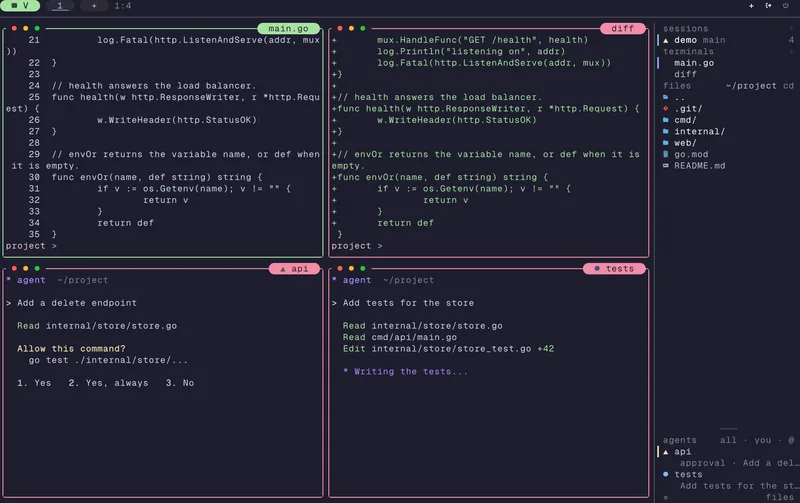
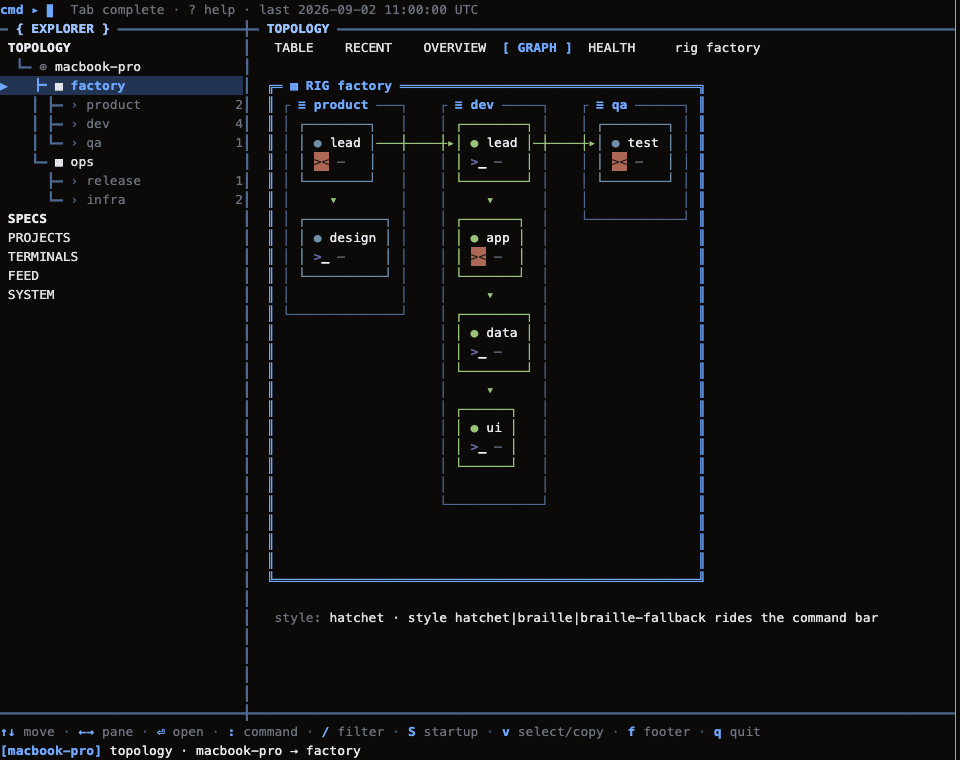
TUIOS terminal manager: "split-screen cockpit" built for AI programming agents, whose agents are doing at a glanceTUIOS 终端管理器:专给 AI 编程代理造的「分屏驾驶舱」,谁的代理在干嘛一眼看清

Opening three or four AI programming agents at the same time, the biggest headache is not knowing what the "employee" in each terminal is doing at the moment: waiting for you to confirm, or has run away. TUIOS is a terminal window manager written in Go. It has split-screen, workspace, and session keepalive. The most important thing is that it knows agents such as Claude Code and Codex. The sidebar displays the status of each agent in real time. The inbox centrally manages all confirmation requests that require you to take a picture of the board.

同时开三四个 AI 编程代理干活,最头疼的是不知道每个终端里那位「员工」此刻在干嘛:是在等你确认,还是已经跑挂了。TUIOS 是一个用 Go 写的终端窗口管理器,分屏、工作区、会话保活全都有,最关键的是它认识 Claude Code、Codex 这类智能体——侧栏实时显示每个代理的状态,收件箱集中管理所有需要你拍板的确认请求。

智能体终端驾驶舱 · Go 编写 · 5,500+ stars查看 →查看 →
技能包介绍 · 附完整技能包

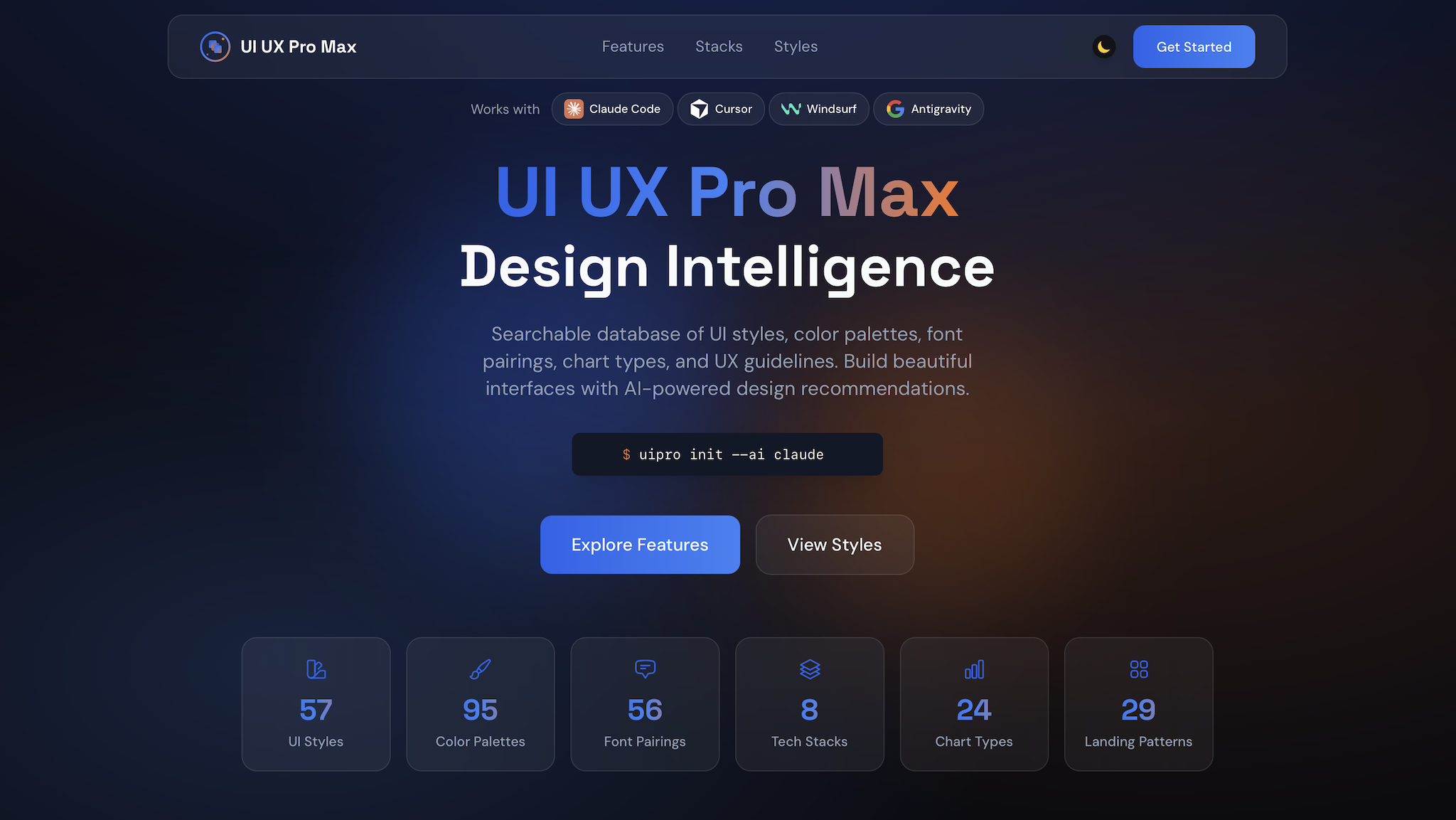
UI UX Pro Max Skill Pack: 138,000 stars "design plug-in", so that the AI-generated interface finally has a sense of designUI UX Pro Max 技能包:13.8 万星「设计外挂」,让 AI 生成的界面终于有设计感

AI has no problem writing code. The written interface almost has a "design taste" - the color matching follows the edges, the fonts are random, and the spacing is deadly. UI UX Pro Max is GitHub's 138,000-star design intelligence skill pack: built-in 192 professional design reasoning rules and 79 searchable UI style libraries. After loading Claude Code, Cursor and other 20 or so AI assistants, it will first check the rules and then do it. The generated interface directly brings in a system of color matching, fonts and layout logic.

AI 写代码没问题,写出来的界面总差点「设计味」——配色随缘、字体乱搭、间距看命。UI UX Pro Max 是 GitHub 13.8 万星的设计智能技能包:内置 192 条专业设计推理规则和 79 种可检索的 UI 风格库,装进 Claude Code、Cursor 等 20 来个 AI 助手后,它会先查规则再动手,生成的界面直接带成体系的配色、字体和布局逻辑。

AI 设计智能 · 192 条规则 / 79 种风格 · 13.8 万+ stars查看 →查看 →
技能包介绍 · 附完整技能包

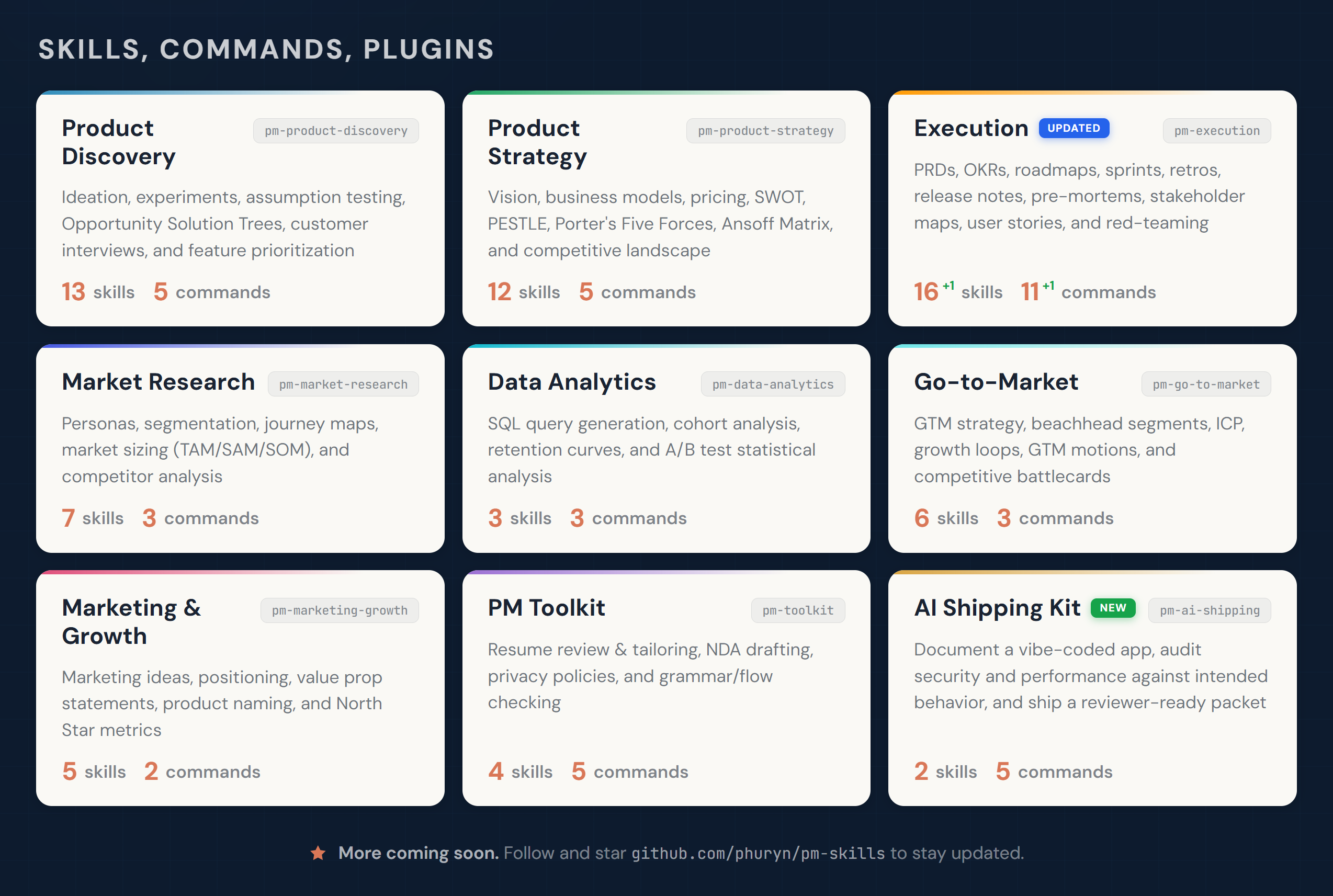
PM Skills Skill Pack: 27,000-Star Product Manager Operating System, 69 Skills Incorporate Methodology into AIPM Skills 技能包:2.7 万星「产品经理操作系统」,69 个技能把方法论装进 AI

Let the AI write the PRD, which is mostly the template cavity. PM Skills Marketplace has compiled Teresa Torres' continuous interviews, Marty Cagan's product strategy, and Alberto Savoia's experimental pre-testing into 69 skills, 42 chain workflows, and divided them into 9 plug-in packages by discovery, strategy, execution, release, and growth. Once Claude Code and Cowork are loaded, a/discover will take you through the complete process of → prioritizing → experimental designs for brainstorming → hypothesis mapping.

让 AI 写 PRD,写出来的多半是模板腔。PM Skills 市场把 Teresa Torres 的持续访谈、Marty Cagan 的产品战略、Alberto Savoia 的实验预检这些真方法论编成了 69 个技能、42 条链式工作流,按发现、战略、执行、发布、增长分成 9 个插件包。Claude Code 和 Cowork 装上后,一句 /discover 就能带着你走完头脑风暴 → 假设映射 → 优先级排序 → 实验设计的完整流程。

产品经理技能市场 · 69 技能 / 42 工作流 · 2.7 万+ stars查看 →查看 →
插件介绍 · 附安装包

Desktop Commander plugin: 10,000-star popular MCP, give Claude a double terminal and a hand to change filesDesktop Commander 插件:一万星热门 MCP,给 Claude 一双管终端和改文件的手

Desktop Commander is the MCP server of GitHub's 10,000-star collection. After installing it, your AI programming assistant can directly execute terminal commands, search the entire file, and accurately modify the code by diff. Instead of copying and pasting the error log, let it run the command by itself, see the results by itself, and change the file by itself, a plugin turns the AI that can only say into an AI that can do it.

Desktop Commander 是 GitHub 上万星收藏的 MCP 服务器,装上之后你的 AI 编程助手就能直接执行终端命令、全盘搜索文件、按 diff 方式精确改代码。不用再复制粘贴报错日志,让它自己跑命令、自己看结果、自己改文件,一个插件把「只会说」的 AI 变成「会动手」的 AI。

终端控制 + 文件编辑 MCP · MIT · 10,000+ stars查看 →查看 →
工具介绍 · 附安装包

Scrapling crawling framework: 88,000 star open source crawler, automatic adaptation of webpage revision also comes with MCP for AIScrapling 抓取框架:8.8 万星开源爬虫,网页改版自动适配还自带 MCP 给 AI 用

Scrapling is GitHub's 88,000-star adaptive web scraping framework: the selector remembers element characteristics and automatically repositions the target after the website is revised; anti-crawling fingerprint camouflage, request concealment, and concurrent scheduling are all built-in, from a single request to crawling an API throughout the station. It also comes with an MCP server, and the AI agent can directly call the webpage fetching as an ordinary tool.

Scrapling 是 GitHub 8.8 万星的自适应网页抓取框架:选择器会记住元素特征,网站改版后自动重新定位目标;反爬指纹伪装、请求隐匿、并发调度全部内置,从单次请求到整站爬取一个 API 搞定。它还自带 MCP 服务器,AI 智能体可以把网页抓取当普通工具直接调用。

自适应网页抓取 · 内置 MCP · 88,000+ stars查看 →查看 →
技能包 · 官方技能文件

OpenMontage Skill Pack: 70,000 Star Open Source “AI Video Studio”, 700 + Skill Files Turn Programming Assistants into Video WorkstationsOpenMontage 技能包:7 万星开源「AI 视频制片厂」,700 多个技能文件把编程助手变成视频工作站

OpenMontage is the world's first open source agent video production system: 12 complete production lines, more than 100 tools, more than 700 agent skills and production knowledge files. Connect an AI programming assistant such as Claude Code to this skill pack, and it will no longer only write code, but will be able to walk through the entire video pipeline of scripting, storyboarding, dubbing, synthesizing, and rendering.

OpenMontage 是全球首个开源智能体视频生产系统:12 条完整生产管线、100 多个工具、700 多个智能体技能与制片知识文件。把 Claude Code 这类 AI 编程助手接上这套技能包,它就不再只会写代码,而是能走完脚本、分镜、配音、合成、渲染的整条视频流水线。

12 条生产管线 + 700+ 技能文件 · MIT · 70,000+ stars查看 →查看 →
插件介绍 · 附安装包

DeepSeek Harness plugin: DeepSeek official open source 250,000-star "Everything Plugin" agent framework, an npx command runs the local web consoleDeepSeek Harness 插件:DeepSeek 官方开源 25 万星「万物皆插件」智能体框架,一条 npx 命令跑起本地 Web 控制台

DeepSeek AI's official open source agent running framework dsh (DeepSeek Harness) has exceeded 250,000 stars on GitHub. It is based on the Cordis architecture to achieve the ultimate in "everything plug-ins": agents, tools, interfaces, and memories are all plug-ins. After installing the Node.js npx @ deepseek-ai/dsh web command, you can run a multi-agent console in the local browser.

DeepSeek AI 官方出品的开源智能体运行框架 dsh(DeepSeek Harness),GitHub 星数已突破 25 万。它基于 Cordis 架构把「万物皆插件」做到极致:智能体、工具、界面、记忆全是可插拔插件,装好 Node.js 后一条 npx @deepseek-ai/dsh web 命令,就能在本地浏览器里跑起一个多智能体控制台。

Everything is a Plugin · MIT · 250,000+ stars查看 →查看 →
工具介绍 · 附安装包

GitHub official Spec Kit: Specification-driven development tool v1.2.1 released, first write the specification and then write the code, AI programming no longer deviatesGitHub 官方 Spec Kit:规格驱动开发工具 v1.2.1 发布,先写规格再写码,AI 编程不再跑偏

GitHub's official open source Spec Kit (github/spec-kit) turns "write specification first, write implementation" into a set of executable commands: specify init initialization project,/specify write specification,/clarify to clarify ambiguity,/plan to define technical scheme,/tasks to disassemble tasks,/implement generation implementation. v1.2.1 was just released on October 16, 2026. With the addition of an extended directory, output capture, and multiple fixes, it is the most popular methodology tool for making AI programming agents obedient.

GitHub 官方开源的 Spec Kit(github/spec-kit)把「先写规格、再写实现」变成一套可执行命令:specify init 初始化项目,/specify 写规格、/clarify 澄清歧义、/plan 定技术方案、/tasks 拆任务、/implement 生成实现。v1.2.1 于 2026 年 10 月 16 日刚发布,新增扩展目录、输出捕获与多个修复,是让 AI 编程智能体听话的最热门方法论工具。

GitHub 官方 · Spec-Driven Development · v1.2.1查看 →查看 →
技能包 · 附源码包

claude-seo skill pack: 26 SEO sub-skills + 19 sub-agents to turn Claude Code directly into your SEO consultantclaude-seo 技能包:26 个 SEO 子技能 + 19 个子智能体,让 Claude Code 直接变成你的 SEO 顾问

AgriciDaniel's open source claude-seo is currently the most complete Claude Code SEO skill pack (GitHub 19,000 + stars, mit license): 26 sub-skills covering technical SEO, E-E-A-T, Schema structured data, Geo/AEO generative engine optimization, referral, local SEO, cross-border e-commerce and international SEO, as well as built-in Lighthouse Agentic Browsing, llms.txt and other AI-oriented search readiness checks, and supports exporting PDF/Excel reports.

AgriciDaniel 开源的 claude-seo 是目前最完整的 Claude Code SEO 技能包(GitHub 19,000+ 星、MIT 许可):26 个子技能覆盖技术 SEO、E-E-A-T、Schema 结构化数据、GEO/AEO 生成式引擎优化、外链、本地 SEO、跨境电商与国际化 SEO,还内置 Lighthouse Agentic Browsing、llms.txt 等面向 AI 时代搜索的就绪检查,并支持导出 PDF/Excel 报告。

26 个子技能 + 19 个子智能体 · MIT · 19,000+ stars查看 →查看 →
插件介绍 · 附安装包

agent-browser: give your AI coding agent a real browser — click, fill forms, take screenshots in one sentenceagent-browser 插件:给 AI 编程智能体装上真浏览器,点击、填表、截图一句话搞定

Stop letting Claude Code, Codex and Cursor work blind on the web. agent-browser is an open-source browser-control CLI from Vercel Labs (Apache-2.0, 44,000+ stars, over a million installs): opening pages, clicking, filling forms, taking snapshots, reading elements and running Playwright tests all become commands your agent can call — one npx line to hook it up.

让 Claude Code、Codex、Cursor 不再「看不见」网页。agent-browser 是 Vercel Labs 开源的浏览器控制命令行(Apache-2.0 许可、44,000+ 星、累计超百万安装),把打开页面、点击填表、截取快照、读取元素、执行 Playwright 测试全部变成智能体能直接调用的命令,一行 npx 就能接入。

Browser automation CLI for AI agents · Apache-2.0 · 44,000+ stars查看 →查看 →
工具介绍 · 免费好用

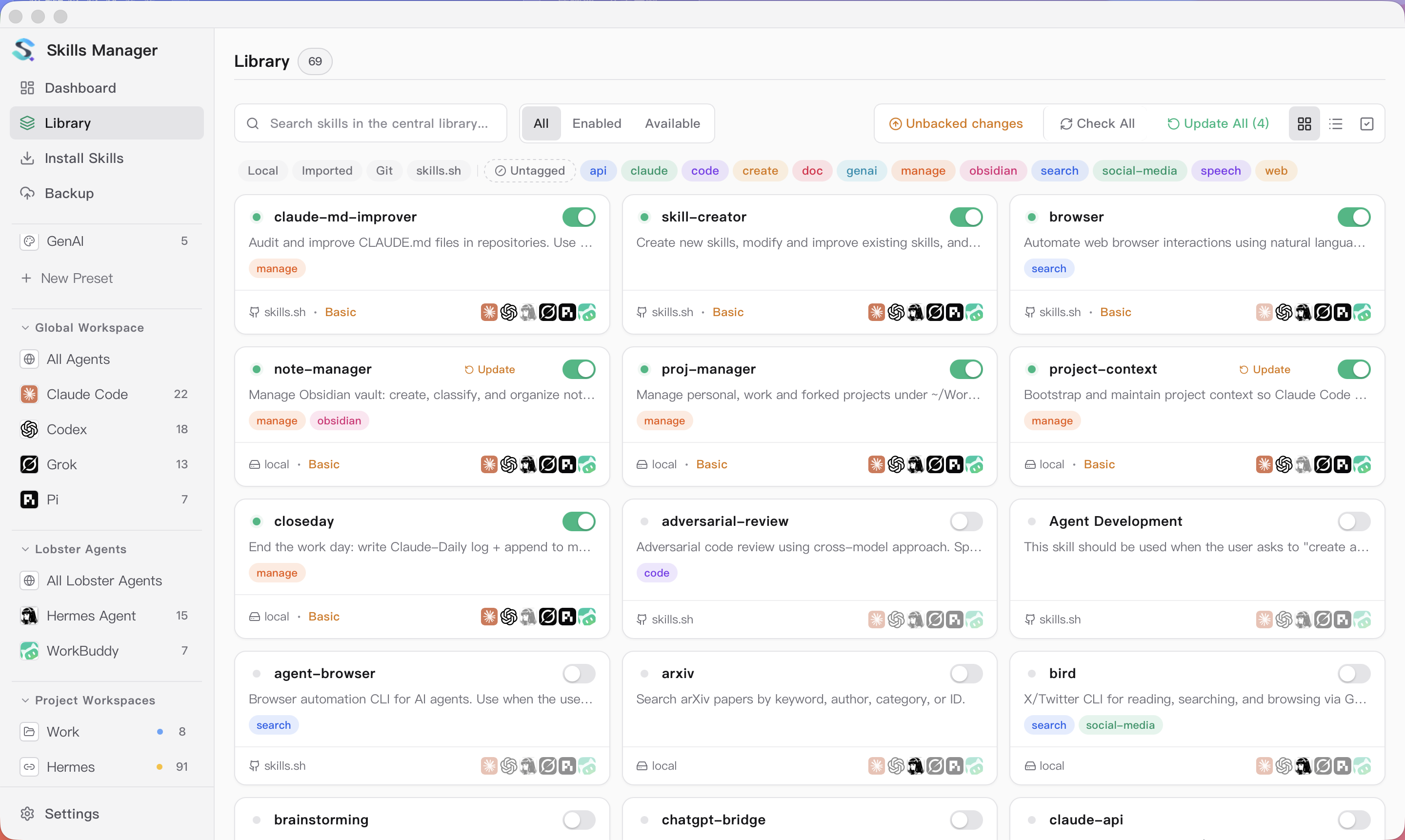
Skills Manager: one app to run the skill libraries of 50+ coding tools — batch install, sync and back upSkills Manager:一个界面管好 50 多个编程工具的技能库,批量安装、同步、备份全都有

Skills end up scattered across each tool's own folders, and nobody remembers what is installed where or what has gone stale. Skills Manager (v1.41.0, 6,000+ stars) gathers everything into one central library: batch-install skills from the skills.sh ecosystem, enable and sync them across 50+ tools including Claude Code, Codex and Cursor, split workspaces per agent, and back it all up.

技能散落在每个工具自己的目录里,装了什么、哪边过期了根本记不住。Skills Manager(v1.41.0、6,000+ 星)把所有技能收进一个「中央库」:一键批量安装 skills.sh 生态里的技能,在 Claude Code、Codex、Cursor 等 50+ 工具之间同步启用,按智能体划分工作区,还带备份恢复。

One skill library for 50+ coding tools · 6,000+ stars查看 →查看 →
工具介绍 · 免费好用

markitdown: Microsoft's open-source "anything to Markdown" tool — clean up PDF, Word, Excel and PPT before feeding your LLMmarkitdown:微软开源「万物转 Markdown」,PDF、Word、Excel、PPT 喂给大模型前先转干净文本

LLMs only consume text, but your material is usually PDF, Word, PPT, Excel, images or even audio. markitdown is Microsoft's open-source conversion CLI (MIT, 190,000+ stars) that turns common documents into clean Markdown — preserving headings, tables and structure — and is a classic preprocessing step for RAG, knowledge bases and agent pipelines.

大模型只吃文本,可资料往往是 PDF、Word、PPT、Excel、图片甚至音频。markitdown 是微软开源(MIT、190,000+ 星)的格式转换命令行,一条命令把常见文档转成保留标题、表格与结构的干净 Markdown,是搭 RAG、做知识库、给智能体喂数据的经典前置工具。

Turn any document into Markdown · MIT · 190,000+ stars查看 →查看 →
技能包 · 附安装包

PPT Master skill: have Claude Code produce native PowerPoint files with transitions, charts and voiceoverPPT Master 技能包:让 Claude Code 直接产出带动画、图表、配音的原生 PPT 文件

Most "AI slide generators" hand you a long screenshot or a web page. PPT Master (62,000+ stars, MIT) takes another route: installed as a skill into Claude Code and friends, it produces real native .pptx files — native shapes, slide transitions, data-backed charts, tables and even narrated voiceover — fully editable in PowerPoint or WPS.

多数「AI 生成 PPT」只能给你一张长图或一个网页。PPT Master(62,000+ 星、MIT 许可)走另一条路:作为技能装进 Claude Code 等智能体后,它直接产出真正的 .pptx 原生文件——原生形状、切换动画、数据图表、表格甚至旁白配音都齐了,拿到 PowerPoint/WPS 里可以继续编辑。

Documents in, native PPT out · MIT · 62,000+ stars查看 →查看 →
技能包 · 附安装包

Impeccable design skill: give your AI coding agent real design taste and end the sea of lookalike "AI-style" UIImpeccable 设计技能包:给 AI 编程智能体补上设计品味,告别千篇一律的「AI 风」界面

AI-generated UI always looks the same: cream backgrounds, terracotta accents, rows of identical cards. Impeccable (81,000+ stars, 320,000+ installs) packs a complete design language into Claude Code, Codex and Cursor — steering UI work away from the "AI default look" toward distinctive, well-hierarchied front-end code, with 24 detections for AI-slop patterns.

AI 写出来的界面总是奶油底色配陶土色、清一色等距卡片。Impeccable(81,000+ 星、累计 32 万+ 安装)把一套完整的设计语言装进 Claude Code、Codex、Cursor:写 UI 时主动避开「AI 默认审美」,产出层级清晰、有个性的真实前端代码,还带 24 类「AI 味」检测。

Design taste for AI coding agents · 81,000+ stars查看 →查看 →
插件介绍 · 附安装包

text-to-cad plugin: give your AI agent CAD superpowers and generate manufacturable 3D models in one sentencetext-to-cad 插件:给 AI 智能体装上 CAD 能力,一句话生成能直接开模的 3D 模型

It turns "describe a part" into "get a file you can actually use": text-to-cad is a GitHub trending project this week (about 19,700 stars, MIT licence) that works with Claude Code, Codex, Cursor, Gemini and Grok. Once installed, describe a shape in one sentence and the agent builds it locally, producing STEP, GLB, STL and 3MF files — plus design-for-manufacturing checks, engineering drawings, and hooks into 3D printing, sheet metal and CNC services.

它把「描述一个零件」变成「拿到能直接用的模型文件」:text-to-cad 是本周 GitHub 热榜项目(约 1.97 万星、MIT 许可),支持 Claude Code、Codex、Cursor、Gemini、Grok 等主流智能体。装好后,你只要用一句话描述形状,智能体就在本机替你生成 STEP、GLB、STL、3MF 四种 3D 模型文件,还能顺手做可制造性检查、出工程图纸,并接上 3D 打印、钣金与 CNC 加工服务。

Agent CAD superpowers · MIT · 19,700+ stars查看 →查看 →
工具介绍 · 附下载文件

REA: one MCP that lets agents reverse engineer any software, from app behaviour down to native binariesREA:一个 MCP 让智能体逆向任何软件,从 App 行为一路挖到二进制

Seen a feature in someone else's product and wondered how it works — or whether you could build your own? REA turns reverse engineering into a set of MCP tools (about 169,000 stars, MIT licence): your agent analyses an app without source code — native binaries, JavaScript/Electron, .NET assemblies and websites — and every conclusion comes with its evidence and limitations. All analysis runs locally.

看到别人产品里一个好功能,想知道它怎么做的、能不能自己做一个?REA 把逆向工程做成了一套 MCP 工具(约 17 万星、MIT 许可):智能体在没有源码的情况下分析应用——原生二进制、JavaScript/Electron、.NET 程序集、网站都能查,每条结论都带证据与局限说明,分析全程在本机完成。

Reverse engineer anything · MCP · 169,000+ stars查看 →查看 →
工具介绍 · 免费好用

Headroom: compress the logs and documents your agent reads before they reach the model, cutting tokens by up to 95%Headroom:把智能体读到的日志与文档先压缩再喂给模型,token 最高省 95%

A context window clogged with tool output is a daily pain when you write code. Headroom is a context compression layer (about 75,000 stars, Apache-2.0): it compresses logs, tool output, RAG chunks, files and conversation history before they reach the model. Officially that means roughly 20% fewer tokens for coding work and 60%–95% fewer for JSON-like content, while critical lines (such as a FATAL log entry) survive byte for byte. Compression runs entirely on your machine.

上下文被工具输出塞满,是写代码时的日常痛点。Headroom 是一层「上下文压缩层」(约 7.5 万星、Apache-2.0 许可):在日志、工具输出、RAG 片段、文件与会话历史进入模型之前先压缩,官方称编码场景平均少约 20% token,JSON 类内容最高可省 60%–95%,而关键行(比如日志里的 FATAL)逐字节保留。压缩全在本机完成。

Context compression for agents · Apache-2.0 · 75,000+ stars查看 →查看 →
技能包介绍 · 开箱即用

Scientific Agent Skills: 177 validated research skills that turn any agent into an AI scientistScientific Agent Skills:177 个已验证科研技能,把任何智能体变成 AI 科学家

Research-oriented skill libraries finally have a serious option: K-Dense's open-source Scientific Agent Skills packs 177 validated skills (about 49,000 stars, MIT licence) covering 100+ scientific and financial databases, 70+ Python scientific packages, nine lab platform integrations, and a full research workflow from literature review to evidence-traceable writing and clinical modelling.

科研场景的技能库终于有了像样的选择:K-Dense 开源的 Scientific Agent Skills 收录 177 个经过验证的技能(约 4.9 万星、MIT 许可),覆盖 100+ 科研与金融数据库、70+ Python 科学计算包、9 个实验室平台集成,以及文献综述、循证写作、临床建模等一整套研究流程。

177 validated research skills · MIT · 48,000+ stars查看 →查看 →
技能包介绍 · 开箱即用

wshobson/agents: 94 plugins, 202 agents, 184 skills, a library of engineering skills to feed the six coding toolswshobson/agents:94 个插件、202 个智能体、184 项技能,一套能喂饱六种编码工具的工程技能库

Most skill packages only serve one tool. The design goal for this set is “a Markdown source file that runs simultaneously on Claude Code, Codex CLI, Cursor, OpenCode, Antigravity CLI, GitHub Copilot, and Pi.” The local part of the repository contains 94 plugins (plus 2 external entries), under which are 202 agents, 184 skills, and 105 commands covering Python and JavaScript development, code review, testing, cloud infrastructure, Kubernetes, security scanning, data engineering, payment, blockchain, document generation, incident response, and a whole host of other serious engineering scenarios. Mit license, 40,000 + stars.

大多数技能包只服务一个工具。这一套的设计目标是「一份 Markdown 源文件,同时在 Claude Code、Codex CLI、Cursor、OpenCode、Antigravity CLI、GitHub Copilot 和 Pi 上跑起来」。仓库里本地部分包含 94 个插件(另有 2 个外部条目),底下是 202 个智能体、184 项技能和 105 个命令,覆盖 Python 与 JavaScript 开发、代码审查、测试、云基础设施、Kubernetes、安全扫描、数据工程、支付、区块链、文档生成、事故响应等一大堆正经工程场景。MIT 许可,4 万+ star。

94 plugins · 202 agents · 184 skills · 6 harnesses查看 →查看 →
工具介绍 · 附下载文件

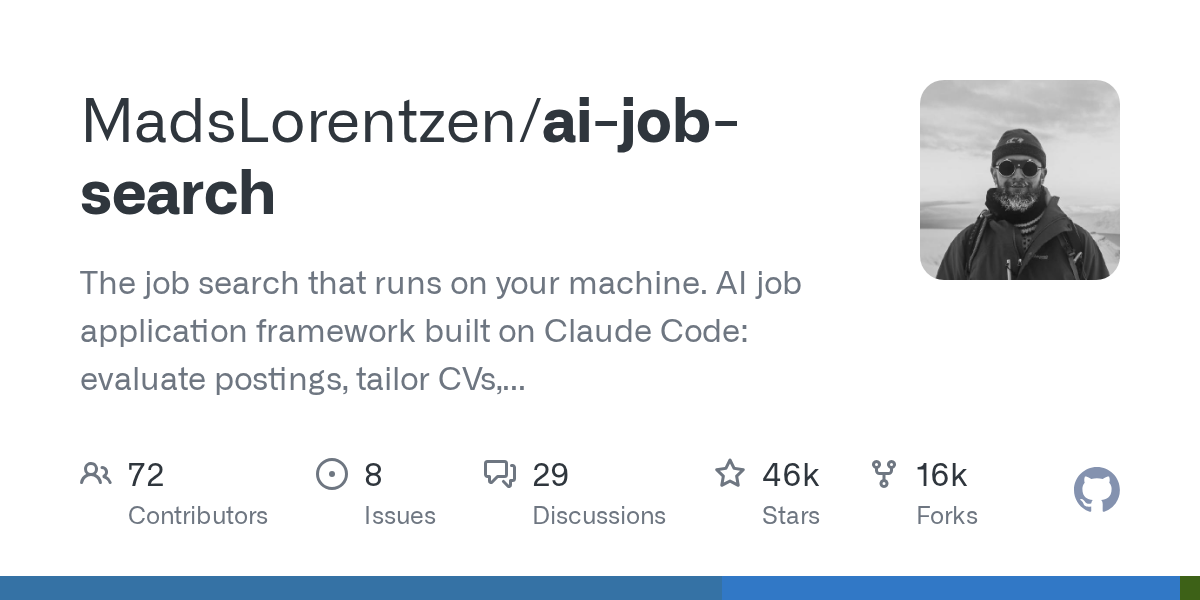
AI Job Search: Transform Claude Code into a job search pipeline to evaluate jobs, customize resumes, write cover letters, prepare for interviewsAI Job Search:把 Claude Code 改造成一条求职流水线,评估岗位、定制简历、写求职信、备面试

This is a job search framework running in your native, built on Claude Code. The author himself is a graduate of the geophysical science class. After his post was cut at the end of 2025, he used this workflow to find himself a job: 69 custom applications, 20 scenes, and finally got an offer. In June 2026, he joined as an AI engineer - and then open-sourced it. After erasing the personal story, it is actually a very clear engineering process:/setup filing,/scrape job grabbing,/rank bulk grading,/apply custom application,/interview interview preparation. Licensed by mit, the number of stars has exceeded 46,000.

这是一个跑在你本机的求职框架,基于 Claude Code 构建。作者本人是地球物理学科班出身,2025 年底岗位被裁掉之后,他用这套工作流给自己找工作:69 份定制申请、20 场一面、最后拿到offer,2026 年 6 月入职成为一名 AI 工程师——然后把它开源了。抹掉个人故事之后它其实是一套很清晰的工程化流程:/setup 建档、/scrape 抓岗位、/rank 批量打分、/apply 定制申请、/interview 面试准备。MIT 许可,star 数已经超过 4.6 万。

Job search that runs on your machine · MIT · 46,000+ stars查看 →查看 →
插件介绍 · 附安装包

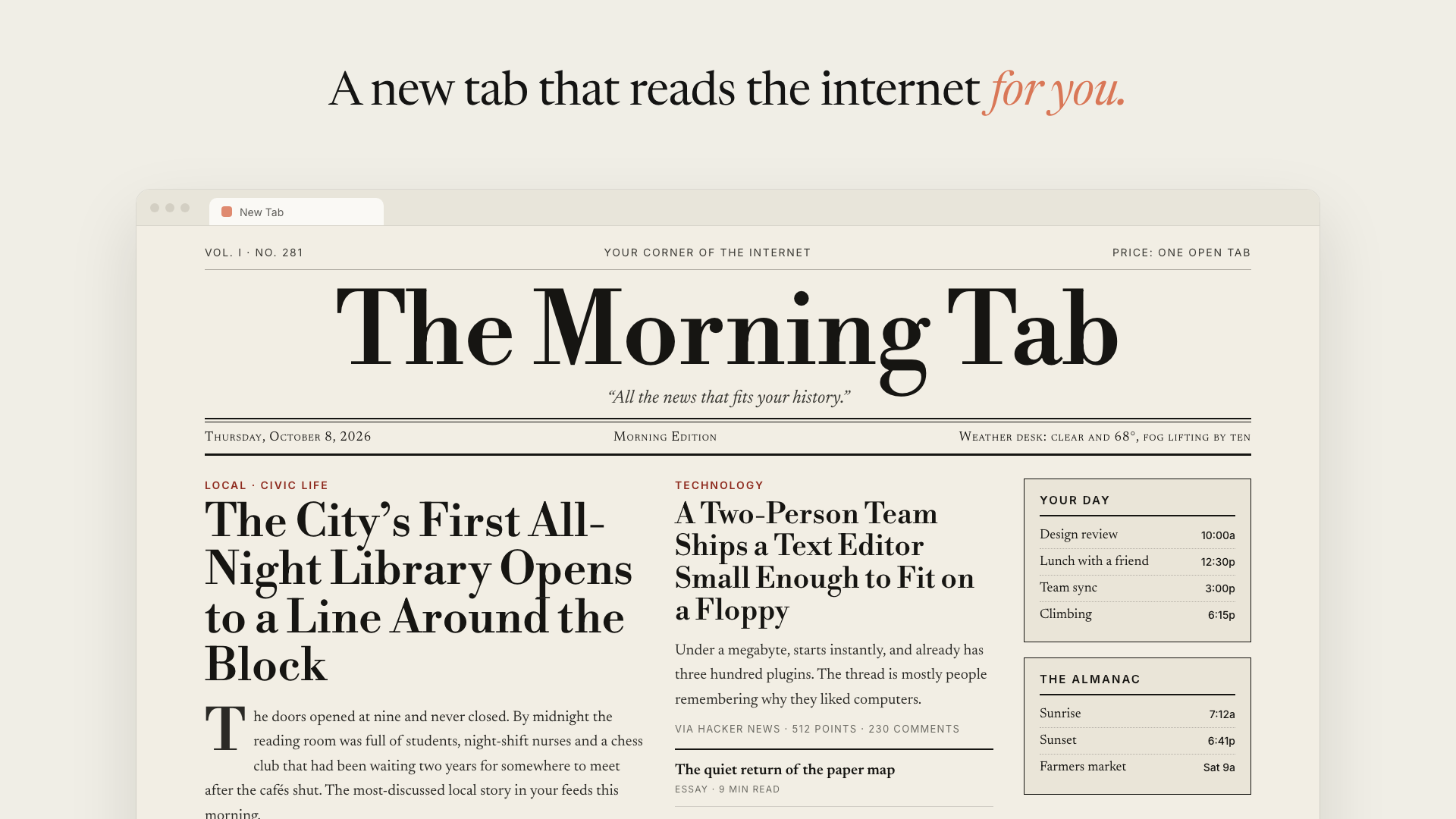
AI Homepage: Let Claude read the pages you frequent every day and automatically write a new tab dedicated to youAI Homepage:让 Claude 每天读一遍你常逛的网页,自动写一张专属新标签页

Chrome's new tab is probably the most underappreciated screen in the browser: a search box with a row of icons you won't actually click on. AI Homepage does the reverse - it aggregates information for you with a Claude agent: first read your browsing history (most visited domains, visits, page titles), then open the top page in the background with your login, grab the title, post, and link, and finally write a React component as your new tab page. Each time a new tab is opened it is up to date as it is automatically rebuilt in the background for 6/12/24/48 hours. Mit permission to rush to 300 + stars within 12 hours of first submission.

Chrome 的新标签页大概是浏览器里最没被认真对待的一屏:一个搜索框,加一排你其实不会点的图标。AI Homepage 反过来做——它用一个 Claude 智能体替你把信息汇总起来:先读你的浏览历史(最常访问的域名、访问次数、页面标题),再以你的登录态在后台打开其中最靠前的页面,把里面的标题、帖子和链接抓出来,最后写出一个 React 组件作为你的新标签页。每次打开新标签都是最新的,因为它在后台按 6/12/24/48 小时自动重建。MIT 许可,首个提交后 12 小时内冲到 300+ star。

Claude writes your new tab every morning · MIT · 750 stars in days查看 →查看 →
技能包介绍 · 开箱即用

Matt Pocock Official Skill Pack: 280,000 Star True Engineer Skill Source CodeMatt Pocock 官方技能包:28 万星「真工程师技能」全套源码

Matt Pocock, the most influential educator in the TypeScript circle, has open-sourced all the engineering skills used by real knives and guns every day in his .agents directory: TDD, code review, specification disassembly, defect diagnosis, architecture improvement, forced review (grill)... 284,516 stars, 1 million + installations, and the official plug-in agreement is updated. This site packages a full set of source code of 0.34 MB.

TypeScript 圈最有影响力的教育者 Matt Pocock 把自己 .agents 目录里每天真刀真枪用的工程技能全部开源:TDD、代码审查、规格拆解、缺陷诊断、架构改进、逼问式评审(grill)……284,516 星、100 万+ 安装量,官方插件协议随装随更。本站打包全套源码 0.34MB。

Skills for Real Engineers · 284,516 stars · 1M+ installs查看 →查看 →
工具介绍 · 开箱即用

Pixelle MCP: Brush that turns ComfyUI workflows into AI agents with one clickPixelle MCP:把 ComfyUI 工作流一键变成 AI 智能体的画笔

Want agents like Claude to generate pictures, audio, video directly? Pixelle MCP automatically converts any workflow in ComfyUI into an MCP tool, and the agent can be plotted in one call. Open source agreement mit, 1,128 stars, with complete Chinese documents, this site packages 5.82 MB source code package can be downloaded directly.

想让 Claude 这类智能体直接生成图片、音频、视频?Pixelle MCP 把 ComfyUI 里的任意工作流自动转成 MCP 工具,智能体调用一次就能出图。开源协议 MIT,1,128 星,附完整中文文档,本站打包 5.82MB 源码包可直接下载。

ComfyUI workflows as MCP tools · MIT · Chinese docs included查看 →查看 →
插件介绍 · 开箱即用

Anthropic Official Plugins Family Bucket: 13 official plugins in the Claude Code repository packed in one goAnthropic 官方插件全家桶:Claude Code 仓库里的 13 个官方插件一次打包

Many people use Claude Code for a year, but they don't know that there are 13 ready-made official plugins in the official repository plugins directory: code review, feature development, PR review toolbox, security guidelines, hook generator, plugin developer tools... all maintained by Anthropic, and the 150,070-star main repository is updated with the main branch. This site repackages the entire plugins directory with permissions and instructions and unzips it.

很多人用了一年 Claude Code,都不知道官方仓库 plugins 目录里躺着 13 个现成的官方插件:代码审查、功能开发、PR 审查工具箱、安全指引、钩子生成器、插件开发者工具……全由 Anthropic 官方维护,150,070 星的主仓库随主分支更新。本站把整个 plugins 目录连同许可与说明重新打包,解压即用。

Official plugins by Anthropic · 150,070 stars · 13 plugins in one pack查看 →查看 →
技能包介绍 · 开箱即用

huashu-art-motion art animation skills: 35 art styles + 9 narration grammars, let AI use code to really move the picturehuashu-art-motion 艺术动画技能:35 种艺术风格 + 9 种解说语法,让 AI 用代码把画真的动起来

Uncle Hua (@ AlchainHust) open-sourced a set of Agent skills, starting with the 15-second short film "40,000 Years of Art" that was reprinted on the screen, and finally grew into an animation engine that can be directly produced. It equips 35 artistic styles (rock cave frescoes, ancient Egyptian, Van Gogh, Klimt, Bauhaus, Kirby comics, 8-bit, steam waves, Shinkai Cheng...) with a working Canvas scene code, a set of style renderers and a signature transition; 8 more narrative grammars (Kurzgesagt, Vox, whiteboard, storytime, dynamic text, 3Blue1Brown, conference UI, financial charts) with demonstration films and parameterized segments that can be driven by JSON; plus a long scroll of "the protagonist walks all the way to the right and changes the painting style across the border" to cross the skeleton. After loading Claude Code or Codex, it will first determine what kind of task your sentence belongs to, and then read the corresponding document according to the table, rather than writing a piece of code for you.

花叔(@AlchainHust)开源的一套 Agent 技能,起点是复刻那支刷屏的《40000 年艺术史速通》15 秒短片,最后长成了一台能直接出片的动画引擎。它给 35 种艺术风格(岩洞壁画、古埃及、梵高、克里姆特、包豪斯、柯比漫画、8-bit、蒸汽波、新海诚……)每样配一张可运行的 Canvas 场景代码、一套风格渲染器和一个签名转场;再给 8 种解说语法(Kurzgesagt、Vox、白板、storytime、动态文字、3Blue1Brown、发布会 UI、财经图表)各配示范片与可被 JSON 驱动的参数化片段;外加一条「主角一路向右走、跨过边界就换画风」的长卷穿越骨架。装进 Claude Code 或 Codex 之后,它会先判断你这句话属于哪类任务,再按表去读对应文档,而不是硬编一段代码给你。

工具介绍 · 免费好用

Aurelio: a local, self-custodial AI wealth manager that collects bank deposits, broker positions, real estate and liabilities into a net asset statementAurelio:本地自托管的 AI 理财管家,把银行存款、券商持仓、房产与负债收进一张净资产表

Take back “how much money do I have” from seven or eight apps. Aurelio is an open-source self-custodian personal finance board: bank accounts, broker positions, funds, real estate, and liabilities are all summarized into a net asset statement and cash flow curve, and then through OpenRouter to take a large model as a consultant, using natural language to ask it "How can I save 1200 euros per month?" All data is stored on your own machine, not uploaded by third parties.

把「我到底有多少钱」这件事从七八个 App 里收回来。Aurelio 是一个开源自托管的个人财务看板:银行账户、券商持仓、基金、房产、负债全部汇总成一张净资产表与现金流曲线,再通过 OpenRouter 接一个大模型当顾问,用自然语言问它「每个月能多存 1200 欧该怎么分」。数据全部存在你自己的机器上,不上传第三方。

工具介绍 · 免费好用

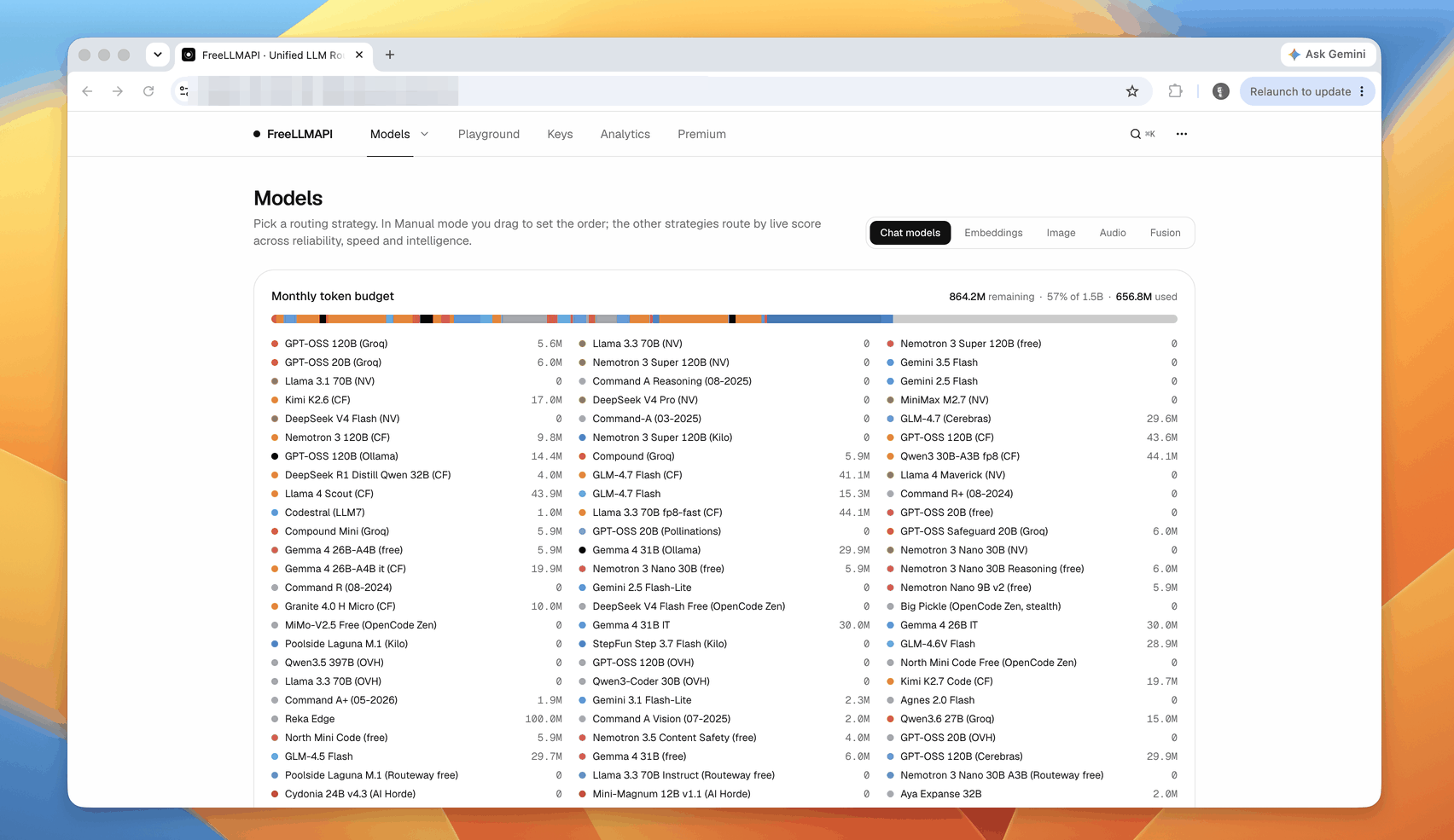
FreeLLMAPI: 34 free big model manufacturers twisted into one OpenAI interface, about 7.4 billion tokens per month freeFreeLLMAPI:把 34 家免费大模型厂商拧成一个 OpenAI 接口,每月约 74 亿 token 免费用

Every AI vendor is giving away free credits - millions of tokens a month, thousands of requests a day. A single look is a toy, but stacked is the available inference capacity of about 7.4 billion tokens per month, covering 474 model families and 635 free endpoints. The problem is that manually stacking is too painful: 34 SDKs, 34 throttling rules, 34 places that will fail. FreeLLMAPI collapses all of this into a local OpenAI-compatible endpoint: a/v1 at the same time says OpenAI, Anthropic, Gemini, Ollama four dialects, automatically picks the fastest model, cuts down the one after being throttled, encrypts the key locally, and helps you stay within the free quota of each house according to the key statistical usage.

每个 AI 厂商都在送免费额度——几百万 token 一个月、几千次请求一天。单看一家是玩具,但叠起来是每月约 74 亿 token 的可用推理能力,覆盖 474 个模型家族、635 个免费端点。问题是手动叠太痛苦:34 套 SDK、34 套限流规则、34 个会失败的地方。FreeLLMAPI 把这一切收成一个本地 OpenAI 兼容端点:一个 /v1 同时说 OpenAI、Anthropic、Gemini、Ollama 四种方言,自动挑最快的模型,被限流就切下一家,密钥加密存在本地,还按 key 统计用量帮你守在每家免费额度内。

插件介绍 · 附安装包

Cursor official plugin library fully open source: 100 + plugins put Gmail, GitHub, Salesforce, Playwright into the editorCursor 官方插件库全量开源:100+ 插件把 Gmail、GitHub、Salesforce、Playwright 接进编辑器

Cursor has open sourced its entire plugin market. Each folder under the root of the repository is a separate plugin, with a unified .cursor-plugin/plugin.json list specification: Thermos (branch-level security and correctness digging audit), PR Review Canvas (rearranging PR diff into review canvas according to importance), Orchestrate (spreading large tasks onto parallel cloud agents), Advisor (consulting a stronger model before making major decisions), and a large number of integrated plugins that connect real business systems to the editor-Gmail, Google Drive/Calendar/Documents/Forms/Slides, GitHub, Playwright, Salesforce, Zoom, Shopify, QuickBooks, Coinbase, Robinhood, S&P Global, etc. The most valuable use of the mit license is to use it as a template: copy it according to the structure and change it to a private plug-in for your own team.

Cursor 把自家插件市场整个开源了。仓库根目录下每个文件夹就是一个独立插件,统一的 .cursor-plugin/plugin.json 清单规格:既有 Cursor 官方出品的 Thermos(分支级别的安全与正确性深挖审计)、PR Review Canvas(把 PR diff 按重要性重排成评审画布)、Orchestrate(把大任务铺到并行云智能体上跑)、Advisor(重大决策前先咨询更强的模型),也有一大批把真实业务系统接进编辑器的集成插件——Gmail、Google Drive / 日历 / 文档 / 表格 / 幻灯片、GitHub、Playwright、Salesforce、Zoom、Shopify、QuickBooks、Coinbase、Robinhood、S&P Global 等。MIT 许可,最有价值的用法是把它当模板:照着结构抄一份,改成自己团队的私有插件。

手把手教程 · 图文步骤

Text tutorial: Save Kanban from installation to reading by giving Claude Code and Codex save tokens with RTK图文教程:用 RTK 给 Claude Code 与 Codex 省 token,从安装到读懂节省看板

Many people think that saving money depends on replacing a smaller model. In fact, a more effective step is not to feed the noise to the model first. This tutorial will guide you to load RTK into the AI programming assistant: do a global initialization first, then verify whether the hook is effective, then open the save Kanban board to compare before and after, and finally explain which cases it can not help, to avoid the effect of misjudgment.

很多人以为省钱要靠换更小的模型,其实更有效的一步是先别把噪声喂给模型。这篇教程带你把 RTK 装进 AI 编程助手:先做一次全局初始化,再验证钩子是否生效,然后打开节省看板对照前后来看,最后讲清楚哪些情况下它帮不上忙,避免误判效果。

手把手教程 · 图文步骤

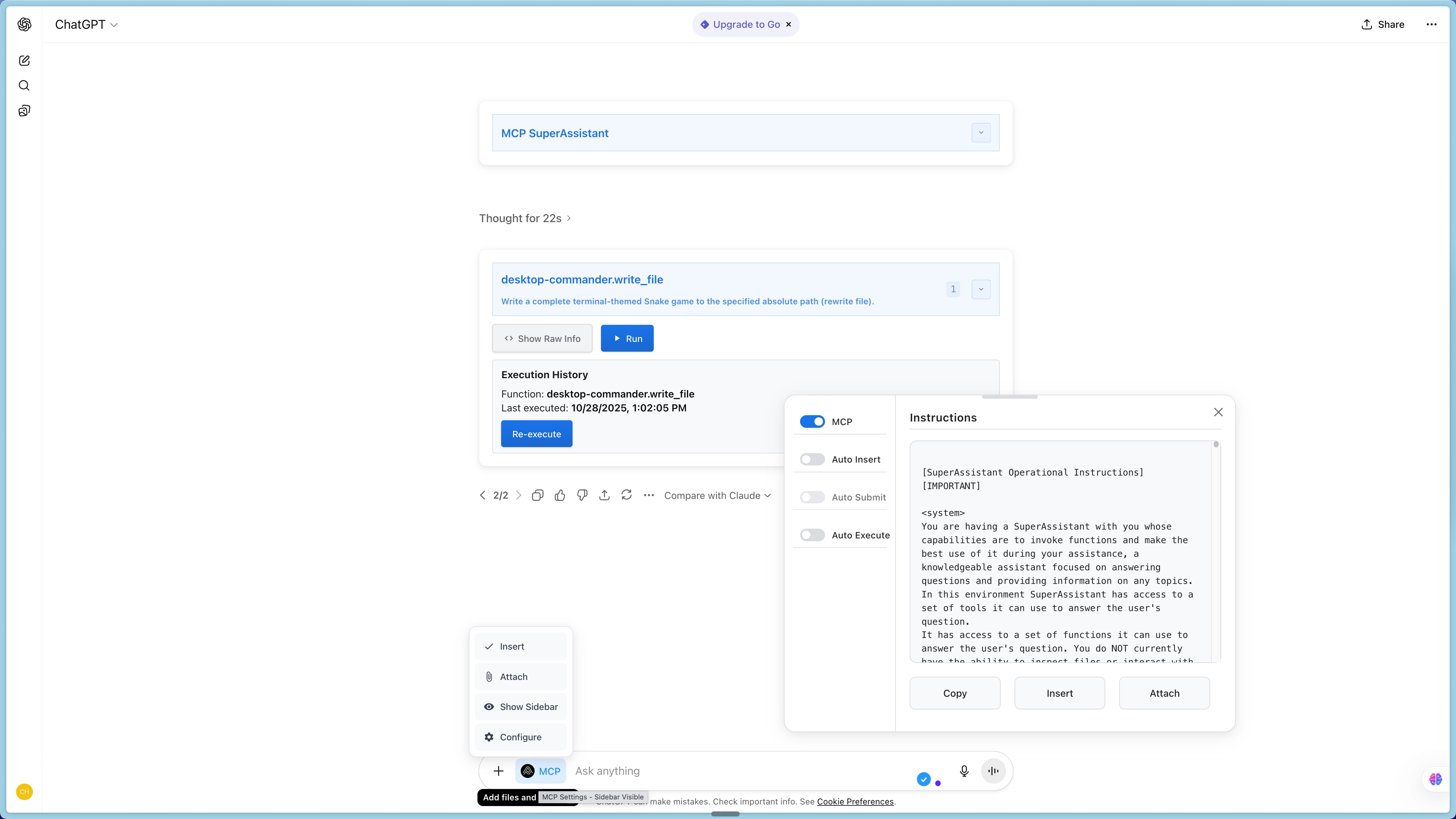
Graphics Tutorial: Installing MCP for ChatGPT/DeepSeek Web, from plugin to first local tool图文教程:给 ChatGPT / DeepSeek 网页版装上 MCP,从装插件到跑通第一个本地工具

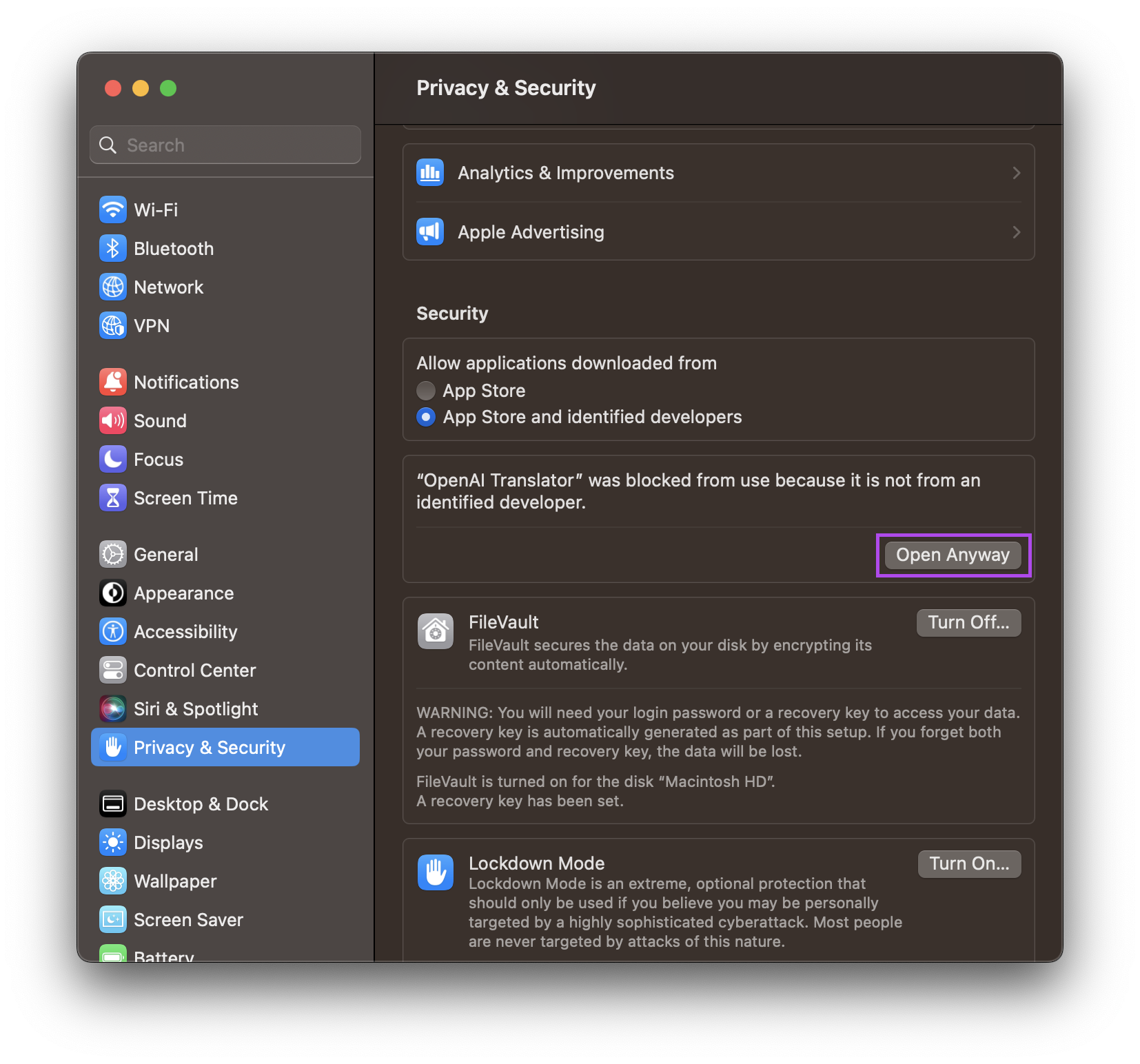
This tutorial will help you turn the web-based AI you use every day into a working assistant: first build the MCP SuperAssistant extension with the source code, then start an MCP service locally, and finally go back to the ChatGPT web version and click the button to let the AI actually read the file on your machine. No API Key is required throughout, and no AI platform settings need to be changed.

这篇教程带你把自己天天在用的网页版 AI 变成能真正干活的助手:先用源码构建 MCP SuperAssistant 扩展,再在本地起一个 MCP 服务,最后回到 ChatGPT 网页版里点一下按钮,让 AI 真的读到你本机上的文件。全程不需要 API Key,也不需要改任何 AI 平台设置。

技能包介绍 · 开箱即用

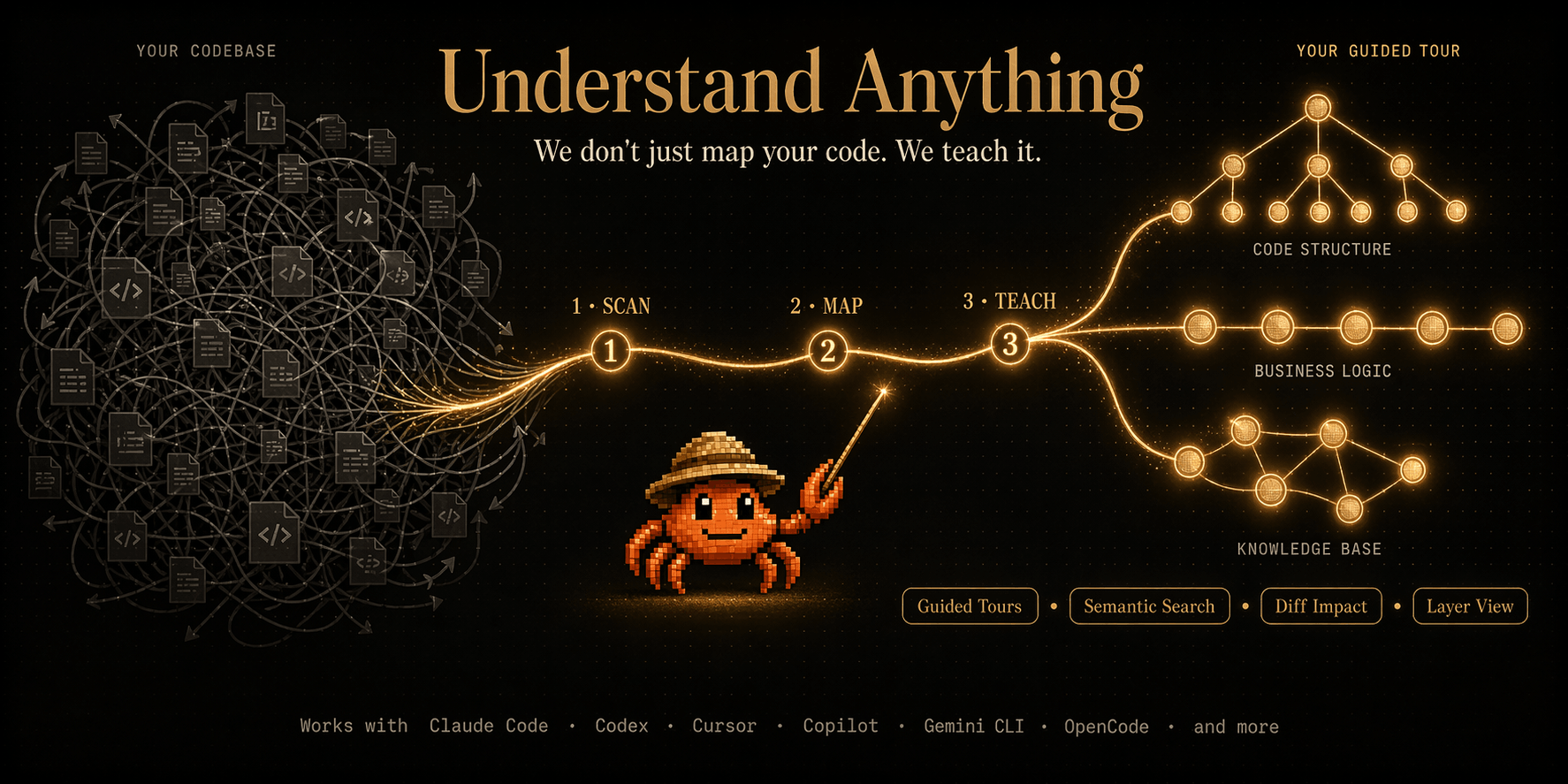
Understand Anything: 85,000-star code understanding skill pack that turns any code base into a conversational knowledge graphUnderstand Anything:8.5 万星的代码理解技能包,把任意代码库变成可以对话的知识图谱

The most time-consuming thing to take on an unfamiliar project is not to write code, but to wonder “how did this thing get up?” Understand Anything is a skill pack for the AI programming assistant: an instruction scans the entire repository, extracts each file, function, class, and dependency, and generates an interactive knowledge graph; then you can ask it in natural language "how the payment process goes", let it analyze which modules your current changes will affect, and even generate a newcomer onboarding guide. It supports more than a dozen platforms such as Claude Code, Codex, Cursor, Copilot, Gemini CLI, etc., and mit is open source.

接手一个陌生项目最费时间的不是写代码,而是搞不清「这东西到底怎么跑起来的」。Understand Anything 是给 AI 编程助手装的一个技能包:一条指令扫完整个仓库,抽取每个文件、函数、类与依赖关系,生成一张可交互的知识图谱;随后你可以用自然语言问它「支付流程是怎么走的」、让它分析你当前改动会波及哪些模块、甚至生成新人上手指南。支持 Claude Code、Codex、Cursor、Copilot、Gemini CLI 等十余个平台,MIT 开源。

工具介绍 · 免费好用

RTK (Rust Token Killer): Cut the command output read by the AI assistant by up to 90%, single file Rust binary, 80,000 starsRTK(Rust Token Killer):把 AI 助手读到的命令输出砍掉最多九成,单文件 Rust 二进制、8 万星

People who write code with Claude Code, Codex, and Cursor are distressed by tokens: a git status, a test failure log, thousands of tokens are poured into the context, the money is spent, and the window is full. RTK is an "output scissor" written in Rust - it inserts a layer of proxy between the command and the model, and filters, groups, truncates, deduplicates and hands over the output of more than 100 commands such as ls, grep, git, test, build, Docker, kubectl, etc. to the model. Officially, it can reduce the bash output by up to 90%, with a single overhead of less than 10 milliseconds.

用 Claude Code、Codex、Cursor 写代码的人都心疼过 token:一条 git status、一次测试失败日志,动辄几千上万 token 灌进上下文,钱花了、窗口也被占满。RTK 是一把用 Rust 写的「输出剪刀」——它在命令与模型之间插一层代理,把 ls、grep、git、测试、构建、Docker、kubectl 等 100 多个命令的输出做过滤、分组、截断、去重后再交给模型,官方称最高可减少约九成的 bash 输出,单次开销低于 10 毫秒。

插件介绍 · 附安装包

MCP SuperAssistant browser plugin: let ChatGPT, Gemini, DeepSeek web directly call MCP tools (mit open source)MCP SuperAssistant 浏览器插件:让 ChatGPT、Gemini、DeepSeek 网页版直接调用 MCP 工具(MIT 开源)

AI on the web has always had a hard time - only chatting, not touching your local files, databases, and business systems. MCP SuperAssistant uses a lightweight Chrome extension to cram the Model Context Protocol into more than a dozen mainstream webpages such as ChatGPT, Gemini, DeepSeek, Kimi, Grok, Perplexity, etc.: The tool call that appears in the AI answer will be automatically recognized as a one-click execution button, and the native MCP service will actually run through it with one click, and the result will be automatically backfilled into the conversation. Mit is open source, front-end-only, and does not transit through any cloud.

网页版 AI 一直有个硬伤——只能聊天,碰不到你的本地文件、数据库和业务系统。MCP SuperAssistant 用一个轻量的 Chrome 扩展把 Model Context Protocol 塞进 ChatGPT、Gemini、DeepSeek、Kimi、Grok、Perplexity 等十几个主流网页端:AI 回答里出现的工具调用会被自动识别成一键执行的按钮,点一下就由本机 MCP 服务真正跑完,结果自动回填进对话。MIT 开源、纯前端、不经任何云端中转。

技能包介绍 · 开箱即用

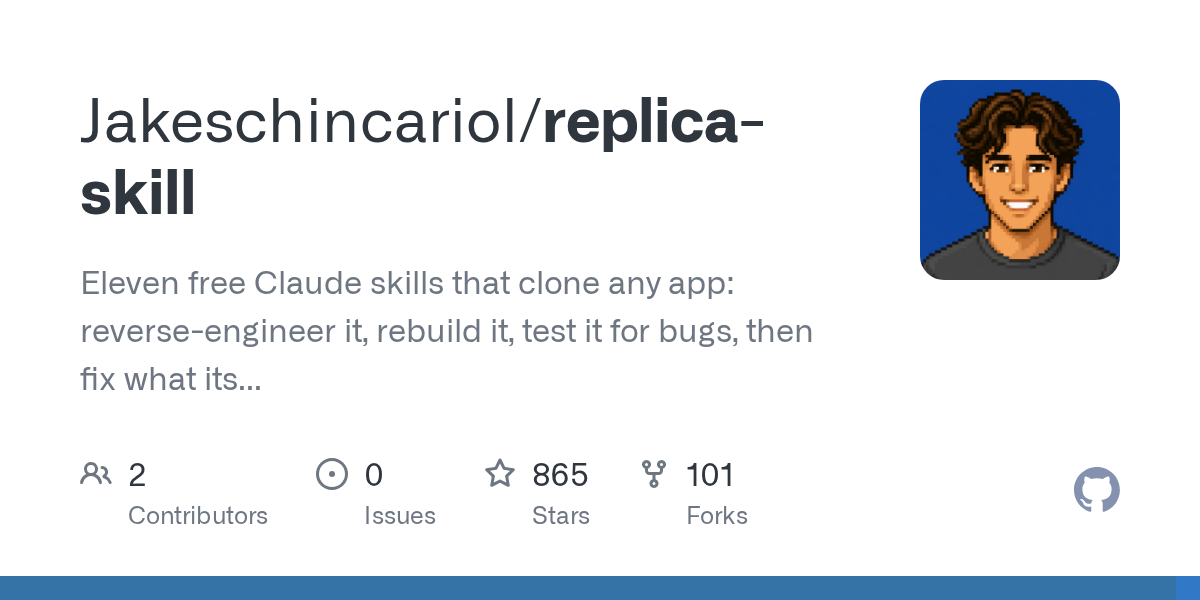
Replica Skill Pack: 11 Chain Claude Skills, from reverse to “Cleanroom” replica of an app (800 + Stars in four days)Replica 技能包:11 个链式 Claude 技能,从逆向到上线「干净室」复刻一款 App(四天冲上 800+ Star)

Seeing a subscription app that says, “I can do this too,” but it only takes a few weeks to sort through its pages, processes, and data models? Replica divided this into 11 Claude skills that can be executed sequentially: reverse the screen, process, component and data model with public pages and screenshots, plan the technology stack and database, rebuild the design system, develop screen by screen, connect to login and pay, run the test again, and finally read the real bad reviews to change the differences and selling points until the deployment is launched. Mit license, free, no API Key, the tool only uses the Python standard library.

看到一款订阅制 App 觉得「这个我也能做」,但光是梳理它的页面、流程和数据模型就要几周?Replica 把这件事拆成 11 个可以顺序执行的 Claude 技能:用公开页面和截图逆向出屏幕、流程、组件与数据模型,规划技术栈与数据库,重建设计系统,逐屏开发,接上登录支付,跑一遍测试,最后再读真实差评改出差异化和卖点,直到部署上线。MIT 许可、免费、无需 API Key,工具只用 Python 标准库。

工具介绍 · 免费好用

OpenCut: 93,000 Star Open Source Clipper, Free Clipping/CapCut Alternative Running LocallyOpenCut:9.3 万 Star 的开源剪辑器,本地运行的免费剪映 / CapCut 替代方案

Editing software is getting more and more expensive, and the export is also watermarked? OpenCut is currently the most popular video clip project in the open source circle. With 93,000 Star and mit licenses, you can run a complete timeline clip in the browser, and the material is not uploaded to a third-party cloud. It turned the "timeline, transition, special effects, text overlay, audio mixing" set of professional tools into a web application, self-hosted one is equivalent to having your own clipping, and easily solved the problem of privacy and subscription fees together.

剪辑软件越来越贵、导出还带水印?OpenCut 是目前开源圈热度最高的视频剪辑项目,9.3 万 Star、MIT 许可,浏览器里就能跑完整时间线剪辑,素材不上传第三方云端。它把「时间线、转场、特效、文字叠加、音频混音」这套专业工具做成了网页应用,自托管一份就等于拥有了自己的剪映,还顺手把隐私和订阅费问题一起解决了。

插件介绍 · 附安装包

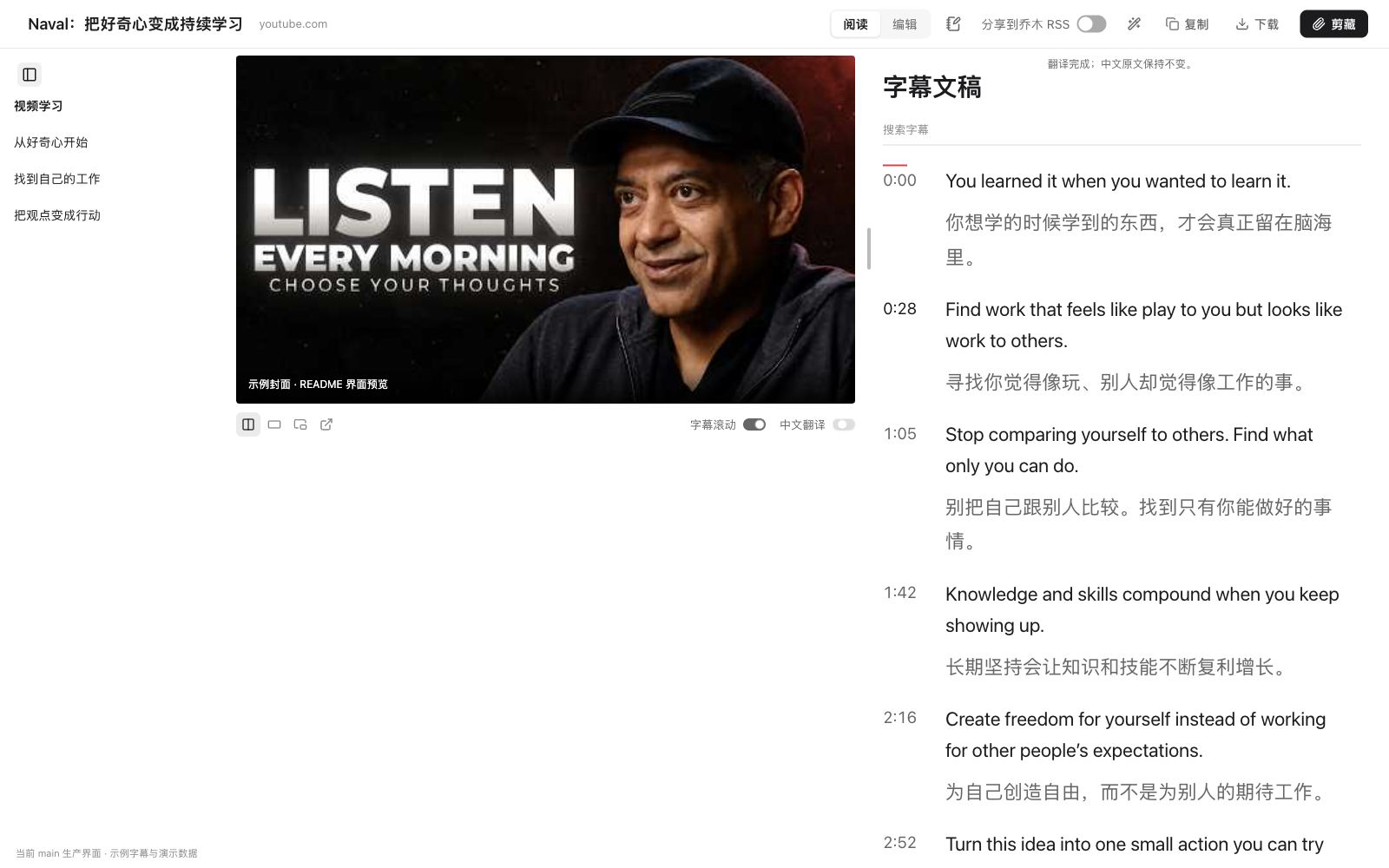
Tree Clipping Qiaomu Clipper: Clip webpages and videos into Obsidian's open source plugin and ask AI while reading (rushing to GitHub Trends for three days)乔木剪藏 Qiaomu Clipper:把网页和视频剪进 Obsidian 的开源插件,边读边问 AI(发布三天冲上 GitHub 趋势榜)

A Chrome extension made by a Chinese team, specializing in "collecting gray": when you read a good article, press aaa to enter a clean reading page, cross the line to ask questions on the spot AI; watch YouTube, B site video, press aaa to open the bilingual subtitle toolbar, click the timestamp to jump back to that sentence; when you see half of the sudden ideas, press N to write a small card, along with the source and time point, automatically added to today's Obsidian diary. Mit is open source, the data is left on the machine, and no model can be used as a pure high-quality clipping tool.

一个中文团队做的 Chrome 扩展,专治「收藏夹吃灰」:读到好文章按 aaa 进入干净阅读页,划线就能就地提问 AI;看 YouTube、B 站视频按 aaa 打开双语字幕工具栏,点时间戳直接跳回那句话;看到一半突然有想法,按 N 写一张小卡片,连同来源与时间点自动追加进今天的 Obsidian 日记。MIT 开源、数据留在本机,不配任何模型也能当纯粹的高质量剪藏工具用。

技能包介绍 · 开箱即用

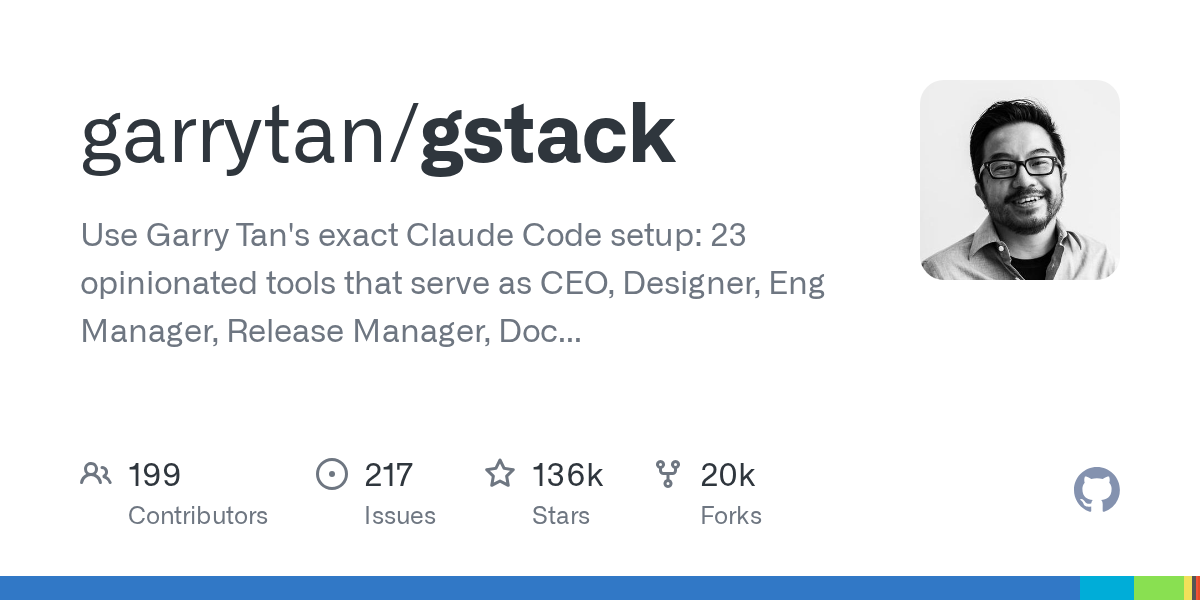
gstack: Claude Code virtual engineering team open sourced by YC President Garry Tan, 23 characters at a time (135,000 Stars)gstack:YC 总裁 Garry Tan 开源的 Claude Code 虚拟工程团队,23 个角色一次装齐(13.5 万 Star)

Garry Tan loaded his 20-year engineering process into Claude Code: a CEO who re-examined the product, an engineering manager who locked down the architecture, a designer who specialized in AI spam code, a QA supervisor who really opened the browser for acceptance, a security officer who ran the OWASP + stride audit, and a release engineer who was responsible for the release - 23 expert roles, 8 tools, all with slash commands and Markdown, and the mit license was taken away for free. He claims that with this set of things, the output of logic code is 810 times faster than in 2013.

Garry Tan 把自己二十年的工程流程装进了 Claude Code:一个重新审视产品的 CEO、一个锁死架构的工程经理、一个专抓 AI 垃圾代码的设计师、一个真开浏览器做验收的 QA 主管、一个跑 OWASP + STRIDE 审计的安全官,外加负责发布的发布工程师——23 个专家角色、8 件工具,全是斜杠命令和 Markdown,MIT 许可免费拿走。他自称靠这套东西,逻辑代码产出速度达到了 2013 年的 810 倍。

工具介绍 · 免费好用

e2e: Open Source AI Testing Framework for Apps Powered by Natural Language, # 1 on GitHub Trends (6300 + Star)e2e:用自然语言驱动 App 的开源 AI 测试框架,GitHub 趋势日榜第一(6300+ Star)

TesterArmy's next-generation end-to-end test framework: use one sentence to describe the goal (such as "upgrade the workspace to the Pro package"), the agent will go to the page, fill out the form, go through the process, and then verify the result with the locator and assertion in the same test. The web and mobile end are omnipresent, and the built-in agent steps to record and playback - the application does not change and does not burn the model repeatedly, and ordinary test cases do not need to call AI at all.

TesterArmy 出品的下一代端到端测试框架:用一句人话描述目标(比如「把工作区升级到 Pro 套餐」),智能体自己去点页面、填表单、走完流程,再用同一条测试里的定位器和断言验证结果。Web 和移动端通吃,自带智能体步骤录制回放——应用没变就不重复烧模型,普通测试用例更是完全不需要调用 AI。

插件介绍 · 附安装包

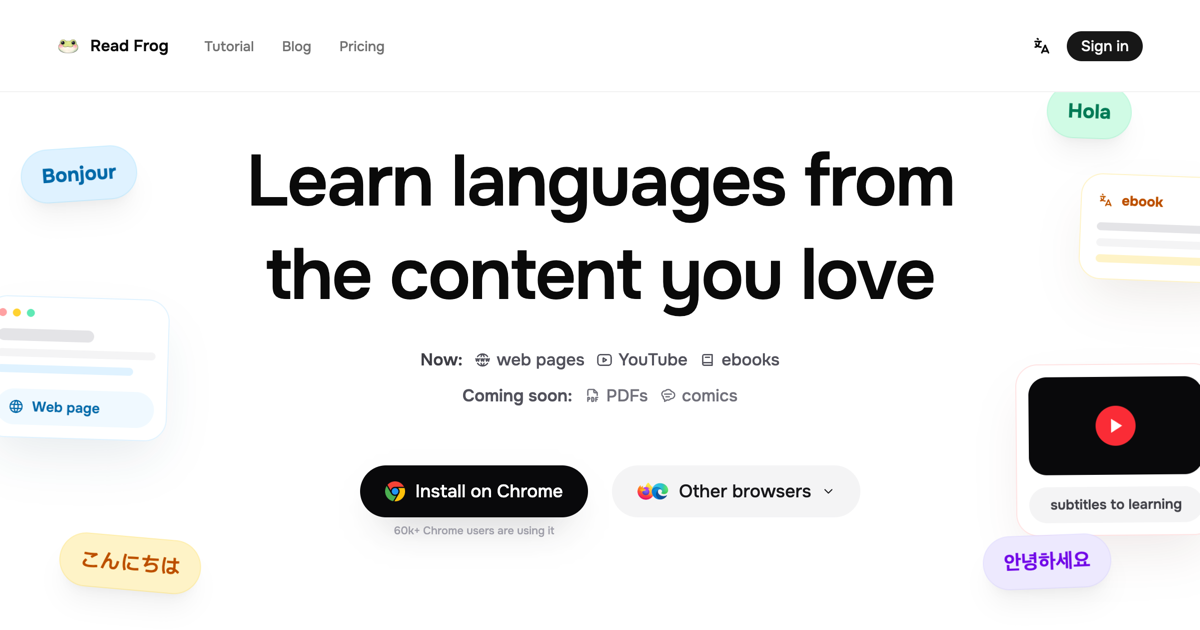
Read Frog: Open source bilingual control reading plugin, webpage, YouTube subtitles, e-books together (nearly 10,000 stars)Read Frog 陪读蛙:开源双语对照阅读插件,网页、YouTube 字幕、电子书一起翻(近万 Star)

An open-source browser plug-in that turns "reading foreign websites" into "learning foreign languages": full-page bilingual contrast, transcription translation with explanation, YouTube bilingual subtitles, e-book translation, support for more than 20 models such as OpenAI, DeepSeek, Gemini, Ollama, and a free Google/Microsoft translation engine. Bulk requests can save up to 70% on API fees, while local connections to Ollama are completely free and data is local.

一款把「读外网」变成「学外语」的开源浏览器插件:整页双语对照、划词翻译带讲解、YouTube 双语字幕、电子书翻译一站搞定,支持 OpenAI、DeepSeek、Gemini、Ollama 等 20 多家模型,也内置免费的谷歌/微软翻译引擎。批量请求合并最高能省 70% 的 API 费用,本地接 Ollama 则完全免费、数据不出本机。

技能包介绍 · 开箱即用

Karpathy Tips Principle Skill Pack: 216,000 Stars, a page of CLAUDE.md, specializing in AI coding "self-determination"Karpathy 提示原则技能包:21.6 万 Star 的一页 CLAUDE.md,专治 AI 写码「自作主张」

Andrej Karpathy publicly complained about the three major problems of AI coding assistants: making assumptions for you without asking, writing 100 lines of capable things into 1000 lines, and easily changing the code that you don’t understand. This repository condenses his observations into a directly installable CLAUDE.md (with Cursor rules attached). After installation, Claude Code will first clarify before starting, only do the simplest implementation, and only change the lines that need to be changed. GitHub has reached 216,000 stars, making it the most popular agent "behavior patch" this month.

Andrej Karpathy 公开吐槽过 AI 编码助手的三大毛病:不问就替你做假设、把 100 行能干的事写成 1000 行、顺手改掉自己没看懂的代码。这个仓库把他的观察浓缩成一份可直接安装的 CLAUDE.md(附 Cursor 规则),装上后 Claude Code 会先澄清再动手、只做最简实现、只改该改的行。GitHub 已冲到 21.6 万 Star,是本月最火的智能体「行为补丁」。

工具介绍 · 免费好用

Camofox Browser: An "invisible browser" for AI agents, an open source self-hosted solution that passes Cloudflare and anti-crawling detectionCamofox Browser:给 AI 智能体用的「隐身浏览器」,过 Cloudflare 与反爬检测的开源自托管方案

11,400+ stars. It encapsulates the anti-fingerprint browser Camoufox into an HTTP service that is directly compatible with Puppeteer / Playwright: the page that the agent wants to visit must be used first. Cloudflare queries, robot detection, and anti-crawling verification are all solved locally. It can be self-hosted with a single Docker command, and the data does not leave its own server.

11,400+ Star。它把反指纹浏览器 Camoufox 封装成一个对 Puppeteer / Playwright 直接兼容的 HTTP 服务:智能体要访问的页面先用它过一遍,Cloudflare 质询、机器人检测、反爬验证都在本地解决,一条 Docker 命令即可自托管,数据不出自己服务器。

插件介绍 · 附安装包

Oh My Hermes: One command to arm Hermes Agent into an all-round workstation - long-term memory, intelligent routing, and HUD panel all installed at onceOh My Hermes:一条命令把 Hermes Agent 武装成全能工作站——长期记忆、智能路由、HUD 面板一次装齐

Hermes Agent (250,000+ Stars) is one of the most popular terminal agents at the moment, and Oh My Hermes is its "family bucket" enhancement plug-in: one installation can handle multi-agent parallel scheduling, automatic routing models according to difficulty, long-term memory, real-time HUD panel and a set of omh-* expert skills. Official actual testing has reduced the cost of the same code task from US$4.29 to US$0.66, and the time taken from 23 minutes to 5 minutes.

Hermes Agent(25 万+ Star)是当下最火的终端智能体之一,而 Oh My Hermes 是它的「全家桶」增强插件:一次安装搞定多智能体并行调度、按难度自动路由模型、长期记忆、实时 HUD 面板和一组 omh-* 专家技能。官方实测把同一个代码任务的成本从 4.29 美元打到 0.66 美元,耗时从 23 分钟缩到 5 分钟。

技能包介绍 · 开箱即用

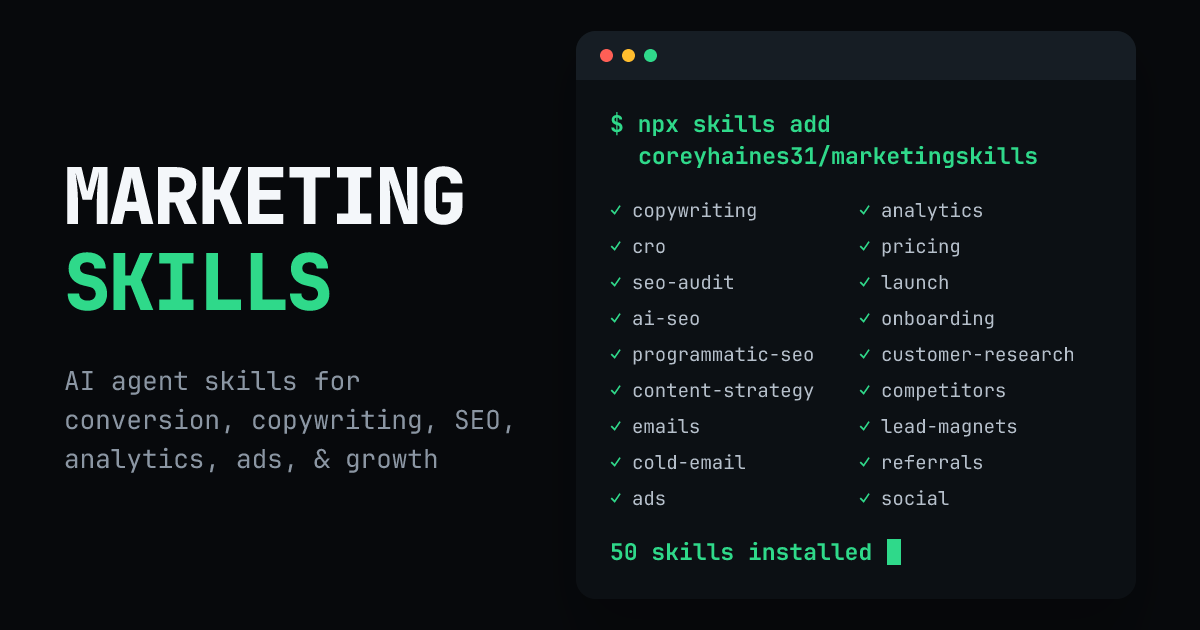
Marketing Skills: 50+ marketing skills package to turn an AI programming assistant into a marketing teamMarketing Skills:50+ 营销技能包,把 AI 编程助手变成一支营销团队

53,000 Stars, a newcomer on GitHub trend list this week. It writes a complete set of marketing strategies such as conversion optimization, copywriting, SEO, delivery, data analysis, and growth into 50+ Markdown skill files loaded on demand, and feeds them to Claude Code, Codex, Cursor and other agents that support the Agent Skills specification. The core is a basic product-marketing skill: first explain your product, audience, and positioning clearly once, and other skills will automatically reference it, and the output will no longer be a general cliché.

5.3 万 Star、本周 GitHub 趋势榜新贵。它把转化优化、文案、SEO、投放、数据分析、增长等一整套营销打法,写成 50+ 个按需加载的 Markdown 技能文件,喂给 Claude Code、Codex、Cursor 等支持 Agent Skills 规范的智能体。核心是一个 product-marketing 基础技能:先把你产品、受众、定位讲清楚一次,其他技能都会自动引用它,输出就不再是泛泛而谈的套话。

工具介绍 · 免费好用

Strix: an open source AI penetration testing tool that allows AI to run applications like a real hacker, find vulnerabilities and provide repair patchesStrix:开源 AI 渗透测试工具,让 AI 像真黑客一样把应用跑起来、找出漏洞并给出修复补丁

An autonomous penetration testing agent with 66,000 stars. The biggest difference between it and traditional scanners is "verification": AI does not just report a suspicious point, but actually runs the application, constructs a reproducible PoC to prove the existence of the vulnerability, and then provides patches and compliance-level reports. The entire attack toolchain—HTTP interception proxy, browser exploits, shell, Python vulnerability runtime, reconnaissance and OSINT, SAST+DAST—is available out of the box.

6.6 万 Star 的自主渗透测试智能体。它和传统扫描器最大的区别是「验证」:AI 不是只报一个可疑点,而是真的把应用跑起来、构造可复现的 PoC 证明漏洞存在,再给出补丁与合规级报告。整套攻击工具链——HTTP 拦截代理、浏览器利用、Shell、Python 漏洞运行时、侦察与 OSINT、SAST+DAST——都是开箱即用。

插件介绍 · 附安装包

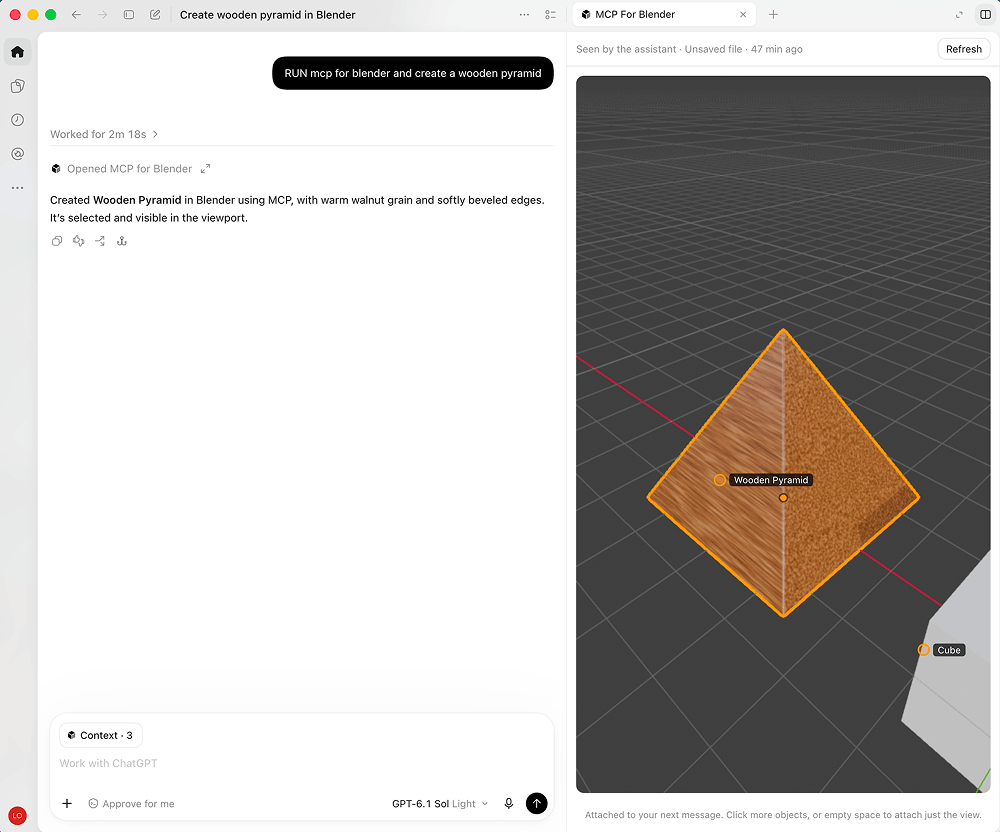
MCP for Blender: Let AI directly take over Blender and create 3D scenes in one sentence (30,000 Star open source plug-in)MCP for Blender:让 AI 直接接管 Blender,一句话建出 3D 场景(3 万 Star 开源插件)

It has 30,000 stars on GitHub and has long dominated the 3D and AI tool list. It is a Blender plug-in plus an MCP server: after installing it, you say in Chinese in Claude, Cursor, and Codex "Make a dungeon scene, with a dragon guarding the treasure chest." The AI ​​will model, add materials, lighting, and adjust the camera in Blender itself, and it can also send back screenshots at any time to check whether it is done correctly. In addition to do-it-yourself modeling, it can also directly adjust the free model libraries of Poly Haven, Sketchfab, and Poly Pizza, as well as Vincent 3D interfaces such as Hyper3D and Tencent Hunyuan 3D.

GitHub 3 万 Star、长期霸榜 3D 与 AI 工具榜。它是一个 Blender 插件加一个 MCP 服务端:装好之后,你在 Claude、Cursor、Codex 里用中文说「做一个地下城场景,有条龙守着宝箱」,AI 就自己在 Blender 里建模、加材质、布光、调相机,还能随时回传截图核对做得对不对。除了自己动手建模,它还能直接调 Poly Haven、Sketchfab、Poly Pizza 的免费模型库,以及 Hyper3D、腾讯混元 3D 这类文生 3D 接口。

技能包介绍 · 开箱即用

Claude Skills 388 Collection: Ready-made methods for engineering, marketing, security, and compliance, one warehouse adapts to 13 AI programming toolsClaude Skills 388 合集:工程、营销、安全、合规的现成打法,一个仓库适配 13 个 AI 编程工具

A large collection of skill packages worth about 27,000 stars, which is still rising today. 388 production-level skills, 118 Agents, 150 commands, 7 sets of Persona, plus 727 zero-dependency Python gadgets and 823 template lists, covering engineering, DevOps, marketing (including AEO for LLM references), security hooks, compliance and executive consultant perspectives, one package armed to the teeth with AI programming tools.

约 2.7 万 Star 的技能包大合集,今天仍在上涨。388 个生产级技能、118 个 Agent、150 条命令、7 套 Persona,外加 727 个零依赖 Python 小工具和 823 份模板清单,覆盖工程、DevOps、营销(含面向 LLM 引用的 AEO)、安全钩子、合规与高管顾问视角,一个包把 AI 编程工具武装到牙齿。

工具介绍 · 免费好用

Pi Programming Agent: A minimalist agent framework with 110,000 stars. Extensions, skills, and themes are all decided by you.Pi 编程智能体:11 万 Star 的极简智能体框架,扩展、技能、主题全由你定

GitHub continues to dominate the AI ​​agent toolkit list this week, with about 112,000 stars. Pi is a "minimalist but buildable" programming agent: a unified LLM interface, agent loop, TUI terminal interface and programming CLI are all available, but it deliberately does not have sub-agent and planning mode - whatever you need, let Pi write an extension by itself, or install a package made by others from npm.

GitHub 本周持续霸榜的 AI agent toolkit,约 11.2 万 Star。Pi 是一个「极简但可造」的编程智能体:统一 LLM 接口、agent 循环、TUI 终端界面和编程 CLI 一应俱全,但故意不带子智能体和计划模式——你需要什么,让 Pi 自己写一个扩展,或从 npm 装一个别人做好的包。

插件介绍 · 附安装包

Agent Reach: Equip AI agents with Internet capabilities in one sentence, and they can read Twitter, Bilibili, YouTube, and XiaohongshuAgent Reach:一句话给 AI 智能体装上互联网能力,推特、B站、YouTube、小红书都能读

This week's GitHub hot list Top 1 projects, about 89,000 stars. It packages the reading capabilities of more than a dozen platforms such as web pages, YouTube subtitles, RSS, GitHub, Twitter/X, Bilibili, Reddit, Xiaohongshu, and Boss Direct Recruitment into an installer: you just need to say a word to the agent, and it will select the access method, install dependencies, and perform a physical examination for you. Web pages, YouTube, and RSS platforms can be used out of the box with zero configuration.

本周 GitHub 热榜 Top1 级项目,约 8.9 万 Star。它把网页、YouTube 字幕、RSS、GitHub、Twitter/X、B站、Reddit、小红书、Boss直聘等十几个平台的读取能力打包成一个安装器:你只要对智能体说一句话,它就替你选好接入方式、装好依赖、做好体检。网页、YouTube、RSS 三个平台零配置开箱即用。

手把手教程 · 图文步骤

Teletext tutorial: Five minutes to build a no-vector rag with PageIndex that costs nothing图文教程:五分钟用 PageIndex 搭一个不花一分钱的无向量 RAG

Teach you how to use the PageIndex warehoused today: no vector database, no Embedding service, use the free quota LLM to build a tree-like index for your PDF, and then connect any large model for question and answer. Attached are diagrams of official benchmark data.

手把手教你用今天入库的 PageIndex:不用向量数据库、不买 Embedding 服务,拿免费额度的 LLM 给自己的 PDF 建树状索引,再接上任何大模型做问答。附官方基准数据图解。

This tutorial corresponds to PageIndex v0.2.21 (2026-10-03 inventory). The installation package has a green button at the top of this page; see the VectifyAI/PageIndex official repository for cloud APIs and more examples.查看 →
手把手教程 · 图文步骤

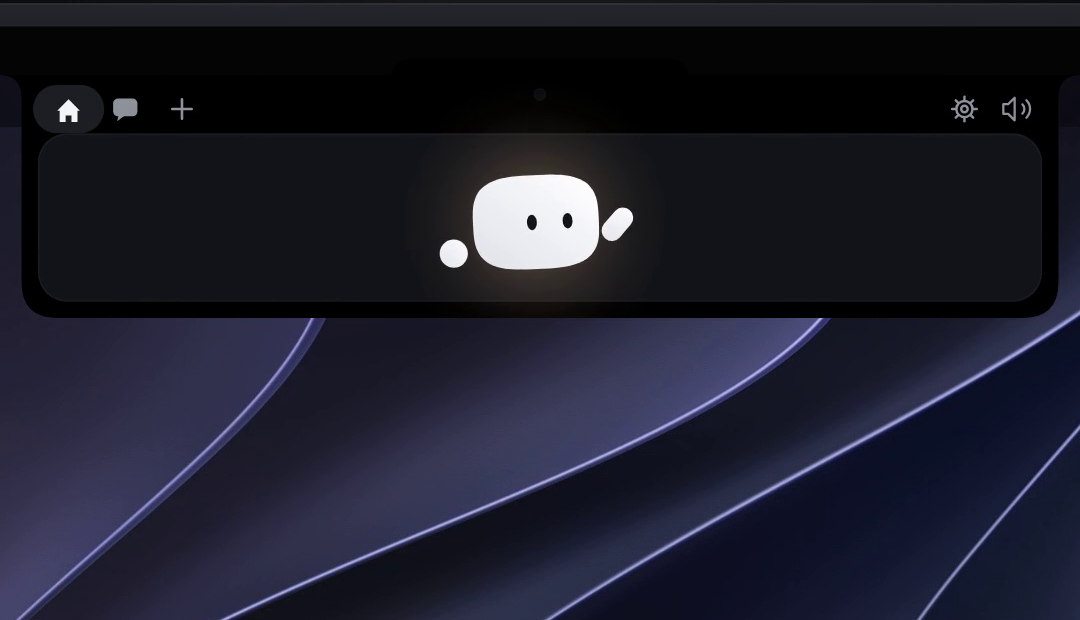
Graphic tutorial: 3 steps to install Coucou, Claude Code permission request one-click approval图文教程:三步装好 Coucou,Claude Code 权限请求一键批准

Hands-on instructions for installing today's Coucou: From downloading and unzipping, authorization to accessing Claude Code hooks, click through the screenshot steps, and let the screen bang for 5 minutes to stare at a small creature for your conversation.

手把手教你安装今天入库的 Coucou:从下载解压、授权到接入 Claude Code hooks,全部点击级截图步骤,5 分钟让屏幕刘海多一只帮你盯会话的小生物。

This tutorial corresponds to Coucou v0.1.2 (2026-10-03 inventory). The green button at the top of this page for the installation package. For Windows users, please go to the Louis-CFM/coucou repository Releases to get the corresponding version.查看 →
技能包介绍 · 开箱即用

Google's Official Agent Skills Collection: Equipping Agents with Google Family Bucket SkillsGoogle 官方 Agent Skills 合集:给智能体装上 Google 全家桶技能

Google's official open source agent skills warehouse (20,000 + stars): wraps Google product capabilities such as search, YouTube, Google Sheets, and Maps into standard Agent Skill, and 77 + clients such as Claude Code and Gemini CLI are directly installed and used. This site has packaged the latest version of all skill files in October, with Chinese installation instructions.

Google 官方开源的智能体技能仓库(2 万+ Star):把搜索、YouTube、Google 表格、地图等 Google 产品能力封装成标准 Agent Skill,Claude Code、Gemini CLI 等 77+ 客户端直接安装即用。本站已打包 10 月最新版全部技能文件,附中文安装说明。

Google official open source project (google/skills, Apache-2.0), this site to save the source code snapshot and add Chinese instructions. Skill files are continuously updated and repackaged once a month.查看 →
工具介绍 · 附下载文件

PageIndex v0.2.21: Do not index “vectorless rag” documents for vector databasesPageIndex v0.2.21:不要向量数据库的「无向量 RAG」文档索引

VectifyAI open source, 38,000 Star rag new idea: do not cut the document, do not do Embedding, do not build a vector library, but let LLM directly generate a tree-like directory index for the document, retrieved like a human flip book according to directory reasoning positioning, accuracy in FinanceBench and other benchmarks inverse traditional vector rag, indexing cost is also one order of magnitude cheaper.

VectifyAI 开源、3.8 万 Star 的 RAG 新思路:不给文档切块、不做 Embedding、不建向量库,而是让 LLM 直接给文档生成一棵树状目录索引,检索时像人翻书一样按目录推理定位,准确率在 FinanceBench 等基准上反超传统向量 RAG,索引成本还便宜一个量级。

PageIndex is open-sourced by VectifyAI (mit protocol), and this site transfers the official Release original files. If you are connecting the agent to the knowledge base, try using it instead of the vector library first, there is a high probability that you will not be able to go back.查看 →
插件介绍 · 附安装包

Coucou: Claude Code companion who lives in the bangs of the screen (v0.1.2 official installation package)Coucou:住在屏幕刘海里的 Claude Code 小伴侣(v0.1.2 官方安装包)

Top 8 gadgets on the GitHub daily list: a small animated creature that lives in your Mac Liu Hai (Windows is at the top of the screen), staring at every Claude Code session in real time - it flips over when the agent is working, it raises its hand when you approve the permission request, and releases or rejects it with a tap. 2982 Star, open source free, purely local operation.

登上 GitHub 日榜前八的小工具:一只住在你 Mac 刘海(Windows 则在屏幕顶部)里的动画小生物,实时盯着每一个 Claude Code 会话——智能体干活时它翻跟头,等你批准权限请求时它举手示意,点一下就放行或拒绝。2982 星、开源免费、纯本地运行。

Coucou is a completely free and open source project (Louis-CFM/coucou). This site transfers the official Release original files without any modifications. If you work with Claude Code on a daily basis, this gadget is worth a stay.查看 →
手把手教程 · 图文步骤

Tutorial: Four steps to build an agent sandbox with strategy教程:四步给智能体建一个带策略的沙箱

4-Step Running Pass: Confirm the platform, install the CLI and local gateway, build the first sandbox, run a real agent with OpenCode, and experience the process of "approving new permissions". Works with today's NVIDIA OpenShell clients.

四步跑通:确认平台、一行装好 CLI 与本地网关、建第一个沙箱、再用 OpenCode 跑一个真实智能体并体验「批准新权限」的流程。配合今天的 NVIDIA OpenShell 客户端使用。

Tutorial resources: github.com/NVIDIA/OpenShell. It is a very new project (0.1.x is only beginning to release at a steady pace). Before getting started, it is recommended to read the two sections of support-matrix and policies before moving the production environment.查看 →
手把手教程 · 图文步骤

Tutorial: Render your first MP4 in 4 steps with HTML教程:四步用 HTML 渲染出第一条 MP4

4-Step Running Pass: Confirm the environment dependency, initialize the project, preview in the browser in real time, and render to MP4. Add another step to hand over the skills to your agent, and the verbal description of the needs will be released in the future. Works with today's HyperFrames plugin packages.

四步跑通:确认环境依赖、初始化项目、在浏览器里实时预览、渲染成 MP4。再补一步把技能交给你的智能体,以后口头描述需求就能出片。配合今天的 HyperFrames 插件包使用。

Tutorial resources: github.com/heygen-com/hyperframes. Documentation is available at hyperframes.heygen.com with Quickstart, Catalog (off-the-shelf components), and Showcase (finished videos that you can watch, read, and change).查看 →
技能包介绍 · 开箱即用

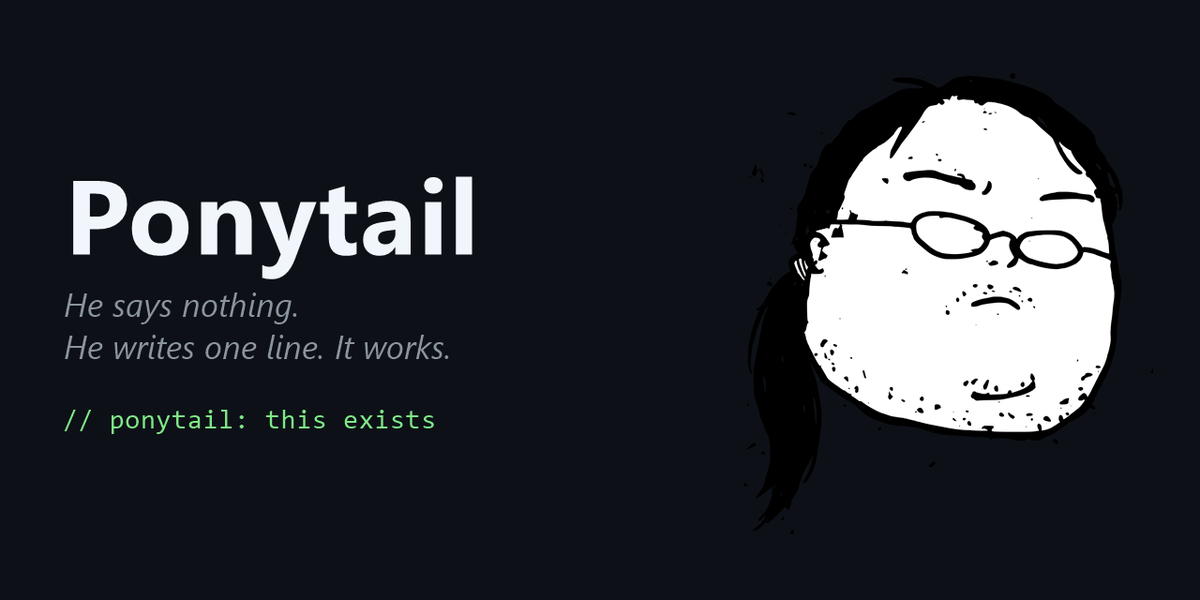
Ponytail v4.10.0: Let AI write code like the laziest senior engineer, write 54% less in practicePonytail v4.10.0:让 AI 像最懒的资深工程师那样写代码,实测少写 54%

150,000 Stars, a regular skill pack that is still rising on the day. It's an interesting setup - stuff your AI with the kind of senior engineer who “has a long ponytail, elliptical glasses, and starts before version control”: he doesn't talk, he writes one line, but it works. Officials measured in the real Claude Code session that the average number of lines of code was 54% less, the number of tokens was 22% less, the cost was 20% less, the time was 27% less, and the security did not decline. About 1.24 MB.

15 万 Star、当天仍在涨的规则型技能包。它的设定很有趣——把那种「留着长马尾、戴椭圆眼镜、比版本控制还早入职」的资深工程师塞进你的 AI 里:他不说话,他只写一行,但它管用。官方在真实 Claude Code 会话里实测,代码行数平均少 54%,token 少 22%,花费少 20%,耗时少 27%,安全性没有下降。约 1.24MB。

Project address: github.com/DietrichGebert/ponytail (MIT). Benchmark test scripts and results are included in the package with benchmarks/directories, methods, task-by-task forms, and limitations descriptions that are public and do not believe the numbers can be reproduced on their own.查看 →
工具介绍 · 附下载文件

NVIDIA OpenShell v0.1.2: Give the agent a "locked room", the official Linux version is about 9.96 MBNVIDIA OpenShell v0.1.2:给智能体一间「上锁的房间」,官方 Linux 版约 9.96MB

When Nvidia's open source agents are running safely, GitHub's hot list is the first echelon on the day. It solves a very real problem: the more capable the agent is, the more it needs to read files, load dependencies, call APIs, use credentials - and these permissions are difficult to take back once they are released. OpenShell allows agents to retain these capabilities without giving them unlimited access to your data, keys, and network.

英伟达开源的智能体安全运行时,当天 GitHub 热榜第一梯队。它要解决的是一个很现实的问题:智能体越能干,就越需要读文件、装依赖、调 API、用凭据——而这些权限一旦放开就很难收回。OpenShell 让智能体保有这些能力,同时不给它对你数据、密钥和网络的无限访问权。

Project address: github.com/NVIDIA/OpenShell (Apache 2.0). This is a very new project (0.1.x is just beginning to go steady release rhythm), the document is at docs.nvidia.com/openshell, it is recommended to read the support-matrix to confirm the platform availability before getting started.查看 →
插件介绍 · 附安装包

HyperFrames v0.8.107: Writing videos in HTML, HeyGen's official rendering plugin for agentsHyperFrames v0.8.107:用 HTML 写视频,HeyGen 官方给智能体的渲染插件

On the same day, it was on the GitHub Hot List, an open source project of 55,000 Stars. The idea is very clean: the video is no longer dragged on the timeline, but written as an HTML-CSS animation, GSAP timeline, media materials are put in, and finally definitively rendered into MP4. The agent-oriented plug-in package (including 21 skills) was officially released with v0.8.107, about 11.87 MB.

当天登上 GitHub 热榜、5.5 万 Star 的开源项目。思路很干净:视频不再用时间轴拖拽,而是写成一份 HTML——CSS 动画、GSAP 时间轴、媒体素材都放进去,最后确定性渲染成 MP4。官方随 v0.8.107 发布了面向智能体的插件包(含 21 个技能),约 11.87MB。

Project address: github.com/heygen-com/hyperframes (Apache 2.0). Requires Node.js 22 + with FFmpeg. Playground and Showcase are also officially available. If you want to see the effect before loading, you can try it directly on the webpage.查看 →
手把手教程 · 图文步骤

Tutorial: Four steps to give your coding agent an answer-first style教程:四步给编程智能体装上「先说答案」技能

Four steps: install the marketplace and the skill, verify it with one prompt, make it load automatically in every session, and learn how to exit the style when you actually want a long explanation. About five minutes, and the shorter replies are obvious immediately.

四步跑通:装插件市场与技能、用一条提示词验证是否生效、设为每次会话自动加载、需要详细解释时临时退出。约五分钟,装完立刻能感觉到回复变短。

Tutorial resources: github.com/ayghri/i-have-adhd. The skill rules are plain text, and there is no threshold to change - if you don't like a certain one, you can delete it directly in SKILL.md.查看 →
手把手教程 · 图文步骤

Tutorial: Give your agent long-term memory in four steps (self-hosted Hindsight)教程:四步给智能体接上长期记忆(自建 Hindsight)

Four steps end to end: start the memory service with Docker, create a memory bank and retain your first fact, plug the MCP endpoint into Claude Code, then verify that recall survives a new session. Everything runs locally, so your data never leaves the machine.

四步跑通:Docker 起记忆服务、建一个记忆库并写入第一条记忆、把 MCP 端点接进 Claude Code、最后验证跨会话是否真的记住了。全程本机运行,数据不出机器。

Tutorial resources: github.com/vectorize-io/hindsight (MIT). The complete documentation is available at hindsight.vectorize.io, with separate pages for configuration items, the SDK, and the MCP section.查看 →
技能包介绍 · 开箱即用

I-have-adhd skill pack: make your coding agent answer first, explain lateri-have-adhd 技能包:让编程智能体把答案说在最前面

A small skill with around 52,000 stars that does exactly one thing: it makes the agent lead with the command, the file path and numbered steps instead of burying the answer in the third paragraph. The whole pack is about 226 KB and works with 20+ clients including Claude Code, Codex, Cursor, Gemini CLI and opencode, with official Simplified Chinese install docs inside.

约 5.2 万 Star 的小技能,只干一件事:让智能体先给命令、路径和编号步骤,再谈解释。砍掉「好问题」「希望有帮助」这类铺垫。整包约 226KB,兼容 Claude Code、Codex、Cursor、Gemini CLI、opencode 等 20 多个客户端,自带官方简体中文安装文档。

Project address: github.com/ayghri/i-have-adhd. Skills are plain text rules, it is recommended to read SKILL.md before installation - third party skills are essentially instructions to your agent to see clearly before use.查看 →
工具介绍 · 附下载文件

Hindsight v0.10.2: Long-term memory that lets your agent actually learnHindsight v0.10.2:给智能体一套会「学」的长期记忆

One of the fastest-rising memory systems today, around 43,500 stars. It stores facts, entity relationships and temporal reasoning in PostgreSQL plus pgvector, so an agent remembers people, events and time, and forms opinions under configurable disposition traits. One docker run starts the service, and an MCP endpoint comes built in.

当天涨星最猛的记忆系统之一,约 4.35 万 Star。它把事实、实体关系和时序推理存进 PostgreSQL + pgvector:智能体能记住人、事、时间,还能按可配置的性格倾向形成判断。一条 docker run 起服务,自带 MCP 端点。

Project address: github.com/vectorize-io/hindsight (MIT). The service default port is 8888, and the memory is stored in the native PostgreSQL; the large model of the call is configured by yourself, and the local ollama can be connected completely offline.查看 →
插件介绍 · 附安装包

OpenRig v0.6.2: Turn Claude Code and Codex into one agent squad with a single YAML fileOpenRig v0.6.2:用一份 YAML 把 Claude Code 和 Codex 编成一支智能体小队

A GitHub Trending project that shipped v0.6.2 today, around 2,700 stars. The idea is plain: a harness wraps one model, a rig wraps all of your harnesses. Define the team in YAML, boot it with one command, and run Claude Code plus Codex side by side inside the same rig. Official npm offline package, about 5.95 MB.

当天发布 v0.6.2 的 GitHub 热榜项目,约 2700 Star。它的思路很直白:harness 包的是一个模型,rig 包的是你所有的 harness——把队伍写进 YAML,一条命令启动,Claude Code 与 Codex 同处一个 rig 里按图编队。官方 npm 离线包约 5.95MB。

Project address: github.com/mvschwarz/openrig (Apache 2.0). For the starting path, see the warehouse docs/reference/getting-started.md: Install it, start a team of two agents in the warehouse, and get the changes reviewed once.查看 →
手把手教程 · 图文步骤

Tutorial: Set up your own Octop multi-agent AI assistant station in four steps教程:四步搭起自己的 Octop 多智能体 AI 助手站

From downloading the 15.7 MB source code package to start the service, to talking to the first expert agent in the browser, to accessing IM group chats and natural language scheduled tasks - a set of assistants that run entirely on your own machine.

从下载 15.7 MB 源码包启动服务,到在浏览器里和第一个专家智能体对话,再到接进 IM 群聊与自然语言定时任务——一套完全跑在自己机器上的助手。

Tutorial supporting resources: github.com/TencentCloud/Octop. Self-hosting means that you are responsible for both data backup and credential security. It is recommended to use only test data to run through the entire process.查看 →
手把手教程 · 图文步骤

Tutorial: Install Codex into Claude Code and let two programming agents review each other教程:把 Codex 装进 Claude Code,让两个编程智能体互相复核

Four steps: add the official plug-in market, complete the self-inspection, let Codex independently review a change, and then transfer the entire package of stuck tasks to the backend and manage the results. The whole journey takes less than ten minutes.

四步跑通:添加官方插件市场、完成自检、让 Codex 独立审查一次改动、再把卡住的任务整包转交后台并管理结果。全程不到十分钟。

Tutorial supporting resources: github.com/openai/codex-plugin-cc. Reviewing and backend delegation will consume Codex usage. For formal projects, please evaluate the quota cost first.查看 →
技能包介绍 · 开箱即用

Anthropic's official open source financial intelligence skill library: ready-made methods for investment banking, stock research, private equity, and wealth managementAnthropic 官方开源金融智能体技能库:投行、股票研究、私募、财富管理的现成打法

The official Anthropic repository with approximately 38,000 Stars. It is not a model that makes decisions for you, but breaks down the most time-consuming repetitive work of financial analysts - building models, writing memos, and organizing research notes - into a skill package that can be directly executed by an intelligent agent, and the final judgment is still signed by a human.

约 3.8 万 Star 的 Anthropic 官方仓库。它不是替你拍板的模型,而是把金融分析师最耗时的重复劳动——搭模型、写备忘录、整理研究笔记——拆成智能体能直接执行的技能包,最终判断仍然由人签字。

Project address: github.com/anthropics/financial-services (Anthropic official open source warehouse; skills are only used for drafting and organizing, compliance judgment and final decision-making should be checked by licensed professionals).查看 →
工具介绍 · 附下载文件

Tencent Cloud open source Octop 1.0.2b4: a multi-user, multi-agent self-hosted AI assistant installed in one process腾讯云开源 Octop 1.0.2b4:一个进程装下多用户、多智能体的自托管 AI 助手

This week's GitHub hot list project, about 5.5k stars. A single process startup provides a web console, command line, eight major IM channels (Feishu, DingTalk, QQ, WeChat, Telegram, Discord, Enterprise WeChat, etc.) and natural language scheduled tasks. All data falls in the ~/.octop/ directory of the local machine.

本周 GitHub 热榜项目,约 5.5k Star。单进程启动就同时提供 Web 控制台、命令行、八大 IM 渠道(飞书、钉钉、QQ、微信、Telegram、Discord、企业微信等)与自然语言定时任务,所有数据落在本机 ~/.octop/ 目录里。

Project address: github.com/TencentCloud/Octop (Tencent Cloud official open source, MIT license; self-hosted deployment, please keep your local credentials and data properly).查看 →
插件介绍 · 附安装包

OpenAI official Codex plug-in is installed into Claude Code: commanding two programming agents at the same time in one terminalOpenAI 官方 Codex 插件装进 Claude Code:一个终端里同时指挥两个编程智能体

GitHub hot list project this week, about 34,000 stars. It directly connects Codex to Claude Code: you can let Claude do the work, let Codex review it independently, or you can dump a stuck task in its entirety to the Codex background for running. The plug-in itself is only about 118 KB and can be installed with three commands from Claude Code’s plug-in market.

本周 GitHub 热榜项目,约 3.4 万 Star。它把 Codex 直接接进 Claude Code:你可以让 Claude 干活、让 Codex 独立复核,也能把一个卡住的任务整包甩给 Codex 后台跑。插件本体仅约 118 KB,靠 Claude Code 的插件市场三条命令装好。

Project address: github.com/openai/codex-plugin-cc (OpenAI official open source, used to call Codex within Claude Code for review and task transfer).查看 →
手把手教程 · 图文步骤

Graphic tutorial: Use OpenSpec to standardize the AI ​​programming process, and turn "casual requests" into acceptable specifications in four steps图文教程:用 OpenSpec 规范 AI 编程流程,四步把「随口提需求」变成可验收的规格

How to use OpenSpec after installing it? From initializing the specification catalog, writing change proposals, breaking down tasks to acceptance according to specifications, the entire set of actions is broken down into four steps to explain clearly.

装好 OpenSpec 后怎么用?从初始化规格目录、写变更提案、拆任务到按规格验收,一整套动作拆成四步讲清楚。

Corresponding to the "OpenSpec v1.13.2" entry in the "AI Tools" column of this site, the source code package can be downloaded directly.查看 →
手把手教程 · 图文步骤

Graphic tutorial: Four steps to use the Claude Cowork official plug-in library to let AI claim your position图文教程:四个步骤用上 Claude Cowork 官方插件库,让 AI 认领你的岗位

Install the 22 official domain plug-ins you just downloaded into your AI client, step by step from selecting plug-ins, placing them in directories, configuring connectors, and verifying the results.

把刚下载的 22 个官方领域插件装进你的 AI 客户端,从挑插件、放目录、配连接器到验证效果,一步步来。

Corresponding to the "Claude Cowork Official Plug-in Library" entry in the "AI Plug-in" column of this site, the plug-in package can be downloaded directly.查看 →
技能包介绍 · 开箱即用

ECC Intelligent Agent Skill Pack: 286 production-level skills, arm your AI assistant to your teeth at onceECC 智能体技能包:286 个生产级技能,一次把 AI 助手武装到牙齿

From the GitHub weekly top project affaan-m/ECC (approximately 268,000 Stars). This site has extracted all the skills from the 50MB+ complete source code and packaged them in a slim form: 286 skills, 1.34 MB, just install it and use it.

来自 GitHub 周榜头部项目 affaan-m/ECC(约 26.8 万 Star)。本站已从 50MB+ 完整源码里抽出全部技能本体并瘦身打包:286 个技能、1.34 MB,装上就能用。

Project address: github.com/affaan-m/ECC (the original project comes with README.zh-CN.md simplified Chinese instructions, please go to the source warehouse to obtain the complete source code).查看 →
工具介绍 · 附下载文件

OpenSpec v1.13.2: Write specifications first and then code, and put an "anti-deviation" constraint on AI programmingOpenSpec v1.13.2:先写规格再写代码,给 AI 编程上个「防跑偏」约束

A specification-driven development tool with about 70.5k stars, a GitHub weekly list project in September 2026. It allows AI to first write requirements into verifiable specification documents, and then write code according to the specifications, fundamentally solving the old problem of "changing to the fifth round is no longer the original requirement."

约 70.5k Star 的规格驱动开发工具,2026 年 9 月 GitHub 周榜项目。它让 AI 先把需求写成可验证的规格文件,再照着规格写代码,从根上解决「改到第五轮已经不是原来的需求」这个老毛病。

Project address: github.com/Fission-AI/OpenSpec (MIT-like open source license, can be used for personal and commercial projects).查看 →
插件介绍 · 附安装包

Claude Cowork official plug-in library: 22 domain plug-ins to turn AI into an expert in your positionClaude Cowork 官方插件库:22 个领域插件,把 AI 变成你岗位的专家

Anthropic is an official open source knowledge work plug-in library, about 25.7k stars. A compressed package contains 22 out-of-the-box domain plug-ins, from finance, legal affairs, human resources to design, scientific research, and data analysis. Install them and let AI work according to your job process.

Anthropic 官方开源的知识工作插件库,约 25.7k Star。一个压缩包内含 22 个开箱即用的领域插件,从财务、法务、人力到设计、科研、数据分析,装上就让 AI 按你的岗位流程干活。

Project address: github.com/anthropics/knowledge-work-plugins (Anthropic is officially open source, and the copyright belongs to the original author. This package is reproduced as is for learning and use).查看 →
手把手教程 · 图文步骤

Graphic tutorial: Install Sepia skills in three steps so that things written by AI no longer have a machine-like feel图文教程:三步装好 Sepia 技能,让 AI 写的东西不再有机器味

Download the Sepia skill package, install it on your agent client, and use four operations to modify "human-written" articles. Each step has instructions.

下载 Sepia 技能包、安装到你的智能体客户端、用四种操作改出「人写的」文章,每一步都有操作说明。

Corresponding to the Sepia entry in the "AI Skill Pack" column of this site, the skill pack can be downloaded directly.查看 →
手把手教程 · 图文步骤

Graphic tutorial: Use Jianying Headless to let AI help you edit, and the draft can be refined directly图文教程:用 Jianying Headless 让 AI 帮你剪映,草稿可直接精修

The complete process from downloading the source code package to generating the first editable cut draft: preparing materials, writing an editing plan, constructing the draft, and registering to the cut homepage, with pictures for every step.

从下载源码包到生成第一个可编辑剪映草稿的完整流程:准备素材、写剪辑计划、构建草稿、登记到剪映首页,每一步都有图。

Corresponding to the Jianying Headless entry in the "AI Plug-in" column of this site, the source code package can be downloaded directly. If you encounter a version verification error, first confirm that the clipping version is 11.5.0 or 11.4.2.查看 →
技能包介绍 · 开箱即用

Sepia goes AI-flavored writing skill pack: 2700+ stars in three weeks, compatible with 77+ agentsSepia 去 AI 味写作技能包:三周 2700+ 星,兼容 77+ 智能体

Sepia is a writing skill that lets AI text bid farewell to the "machine-like" feel: three-level corrections from narrative structure, literary flow to word choice and sentence making. It is compatible with 77+ clients and is not bound to a single ecosystem. The package comes with simplified Chinese instructions.

让 AI 文本告别「机器味」的写作技能 Sepia:从叙事架构、文气流动到遣词造句三层修正,兼容 77+ 客户端,不绑定单一生态,包内附简体中文说明。

Project address: github.com/Nanako0129/sepia (MIT license).查看 →
工具介绍 · 附下载文件

PR Lens open source tool: automatically generate architecture and data flow walkthrough diagrams during code reviewPR Lens 开源工具:在代码评审里自动生成架构与数据流走查图

Can’t understand the code review, and the PR backlog is unattended? PR Lens generates animated architecture diagrams and data flow walkthrough diagrams directly in Pull Requests, allowing reviewers to understand the change path at a glance. Approximately 1,300 stars on GitHub.

代码评审看不懂、PR 积压没人盯?PR Lens 直接在 Pull Request 里生成动画版架构图与数据流走查图,让评审者一眼看懂改动路径,GitHub 约 1300 星。

Project address: github.com/coldteadotai/pr-lens. The sample image is taken from the official showcase of the warehouse.查看 →
插件介绍 · 附安装包

Jianying Headless AI editing plug-in: allows the agent to directly generate editable drafts剪映 AI 剪辑插件 Jianying Headless:让智能体直接生成可编辑草稿

An editing automation project with 2,700+ stars launched on GitHub in two weeks: AI writes an editing plan, generates multi-track editable drafts with one click, and can also call the native editing engine to directly export MP4, making it a powerful tool for making short videos in batches.

GitHub 上线两周 2700+ 星的剪映自动化项目:AI 写好剪辑计划,一键生成多轨可编辑草稿,还能调用本机剪映引擎直接导出 MP4,批量做短视频的利器。

Project address: github.com/mcncarl/jianying-headless (personal study and non-commercial use license). Cutting is the official product of Cutting Professional, and this project is not the official SDK.查看 →
手把手教程 · 图文步骤

Graphic tutorial: Use LiteLLM to build a unified large model gateway in ten minutes图文教程:十分钟用 LiteLLM 搭一个统一大模型网关

Download the LiteLLM official source code package from this site. After installing it, you can use one address and a set of OpenAI format interfaces to simultaneously call hundreds of models such as DeepSeek, Tongyi Qianwen, and Gemini. You can also manage your budget and monitor usage.

下载本站的 LiteLLM 官方源码包,装好后用一个地址、一套 OpenAI 格式接口同时调用 DeepSeek、通义千问、Gemini 等上百种模型,还能管预算、看用量。

This tutorial corresponds to the LiteLLM entry in the "AI Tools" column of this site. The official source code package can be downloaded directly from this site.查看 →
手把手教程 · 图文步骤

Graphic tutorial: Install the AIChats extension in three steps, and hang 5 AIs in the sidebar at the same time图文教程:三步装好 AIChats 扩展,侧栏里同时挂 5 个 AI

Download the AIChats source code package of this site, load it in Chrome developer mode, then add commonly used AI websites to the sidebar, and say goodbye to switching back and forth between tabs.

下载本站的 AIChats 源码包,用 Chrome 开发者模式加载,再把常用 AI 网站添加进侧栏,从此告别标签页来回切换。

This tutorial corresponds to the AIChats entry in the "AI Plug-in" column of this site. The source code package can be downloaded directly from this site.查看 →
技能包介绍 · 开箱即用

Matt Pocock Skills Package: TypeScript’s top open source engineer skills library (70,000+ Stars)Matt Pocock 技能包:TypeScript 圈顶流开源的工程师技能库(7 万+ Star)

Matt Pocock, the author of "TypeScript Tutorial", has open sourced all the real engineering skills in his .claude directory: code review, testing, debugging, and daily R&D workflow. This site has attached Chinese instructions.

《TypeScript 教程》作者 Matt Pocock 把自己 .claude 目录里的真实工程技能全部开源:代码审查、测试、调试、日常研发工作流,本站已附加中文使用说明。

Source: github.com/mattpocock/skills (MIT License). For the installation steps, see the "Skill Pack Installation Graphical Tutorial" on this site.查看 →
工具介绍 · 附下载文件

LiteLLM v1.102.1: One gateway to access more than 100 large models, new streaming guardrail upgradeLiteLLM v1.102.1:一个网关接入 100 多家大模型,流式护栏全新升级

LiteLLM, a star open source project with more than 20,000 stars on GitHub, has released version v1.102: Guardrails can finally take effect in real-time in streaming responses, and can be rewritten while being generated without waiting for the entire output to end.

GitHub 2 万多星的明星开源项目 LiteLLM 发布 v1.102 版本:护栏(Guardrails)终于能在流式响应中实时生效,边生成边改写,不用等整段输出结束。

Source: github.com/BerriAI/litellm (MIT License). For the construction steps, see the "LiteLLM Gateway Construction Graphical Tutorial" on this site.查看 →
插件介绍 · 附安装包

AIChats: Open source Chrome sidebar extension, one window switch ChatGPT/DeepSeek/Claude/Kimi/DoubaoAIChats:开源 Chrome 侧栏扩展,一个窗口切换 ChatGPT/DeepSeek/Claude/Kimi/豆包

Centrally manage multiple AI chat websites in the sidebar of Chrome. Right-click on the text to ask questions or translate. Switching between conversations and drafts is not lost. The interface comes with Chinese language and is ready to use after installation.

在 Chrome 侧边栏集中管理多个 AI 聊天网站,右键选中文本即可提问或翻译,会话和草稿切换不丢失,界面自带中文,安装即用。

Source: github.com/syeplz/AIChats (MIT License). For the installation steps, please refer to the "AIChats Installation Graphic Tutorial" on this site.查看 →
手把手教程 · 图文步骤

Graphic tutorial: Install the Superpowers skill framework and let the agent write code according to the methodology图文教程:安装 Superpowers 技能框架,让智能体按方法论写代码

Install Superpowers, a popular GitHub project, step by step. Equip your programming agent with dozens of "martial arts moves" such as debugging, testing, and refactoring, and say goodbye to blindly generating code at once.

手把手装好 GitHub 热榜项目 Superpowers,给你的编程智能体装上调试、测试、重构等几十种「武功招式」,告别一次性瞎生成代码。

This tutorial corresponds to the Superpowers entry in the "AI Skill Pack" column of this site. The skill pack can be downloaded directly from this site.查看 →
手把手教程 · 图文步骤

Graphic tutorial: Install persistent memory for AI programming assistant (claude-mem installation guide)图文教程:给 AI 编程助手装上持久记忆(claude-mem 安装指南)

Install claude-mem in five minutes and let programming agents such as Claude Code automatically remember your project background and historical decisions. Say goodbye to the embarrassment of having to explain it again every time you open a session.

五分钟装好 claude-mem,让 Claude Code 等编程智能体自动记住你的项目背景和历史决策,从此告别每次开会话都要重新交代的尴尬。

This tutorial corresponds to the claude-mem entry in the "AI Plug-in" column of this site. The installation package can be downloaded directly from this site.查看 →
技能包介绍 · 开箱即用

Superpowers Agent Skills Framework v6.4.1: Let programming agents work according to methodology (including Chinese instructions)Superpowers 智能体技能框架 v6.4.1:让编程智能体按方法论干活(含中文说明)

GitHub Trending's top project: a set of modular and composable agent skills framework + software development methodology, covering dozens of skills such as debugging, testing, refactoring, brainstorming, etc., with Chinese usage instructions compiled by this site.

GitHub Trending 登顶项目:一套模块化、可组合的智能体技能框架 + 软件开发方法论,覆盖调试、测试、重构、头脑风暴等数十种技能,附本站整理的中文使用说明。

For more intelligent agent skill packages, please see the "AI Skill Package" column of this site, all of which can be downloaded for free.查看 →
工具介绍 · 附下载文件

Google open source agent orchestrator ax v0.3.0: Manage AI agents like a cluster谷歌开源智能体编排器 ax v0.3.0:像管集群一样管 AI 智能体

Google's official open-source agent orchestration runtime is on the GitHub trend list: a YAML file declares a task, a sandbox starts the agent, and SSHs in to watch it work. It can be called the "Kubernetes of the agent world."

谷歌官方开源的智能体编排运行时登上 GitHub 趋势榜:一个 YAML 文件声明任务,沙箱启动智能体,SSH 进去围观它干活,堪称「智能体界的 Kubernetes」。

For more AI developer tools, please see the "AI Tools" column of this site, all of which can be downloaded for free.查看 →
插件介绍 · 附安装包

Claude-mem persistent memory plug-in v13.25.3: Let the AI ​​programming assistant remember everything about youclaude-mem 持久记忆插件 v13.25.3:让 AI 编程助手记住你的一切

Does the AI ​​lose its memory every time you open a new session? claude-mem is a popular persistent memory plug-in on the GitHub trend list. It automatically compresses historical sessions and injects relevant context. It is compatible with mainstream tools such as Claude Code, Copilot, and Gemini.

每次开新会话 AI 就失忆?claude-mem 是 GitHub 趋势榜热门的持久记忆插件,自动压缩历史会话并注入相关上下文,兼容 Claude Code、Copilot、Gemini 等主流工具。

For more AI performance-improving plug-ins, please see the "AI Plug-ins" section of this site, all of which can be downloaded for free.查看 →
手把手教程 · 图文步骤

Graphic tutorial: Use markitdown to convert Word/PDF into Markdown with one click and feed it to AI图文教程:用 markitdown 把 Word/PDF 一键转成 Markdown 喂给AI

Is the effect poor if the document is thrown directly to AI? Follow this tutorial to install Microsoft's open source markitdown, and convert any office document into clean Markdown with one command before sending it to AI.

文档直接丢给AI效果差?跟着本教程装好微软开源的 markitdown,一条命令把任何办公文档转成干净的Markdown再发给AI。

This tutorial corresponds to the markitdown entry in the "AI Tools" column of this site. The installation package can be downloaded directly from this site.查看 →
技能包介绍 · 开箱即用

Chart design skill package: Let AI draw editorial-level professional charts (38 types of graphics, global hot list open source)图表设计技能包:让AI画出编辑级专业图表(38种图型,全球热榜开源)

Are the architecture diagrams drawn by AI always crooked? This hot-listed open source skills package has built-in design specifications for 38 types of charts, allowing AI drawings to directly reach a level that can be included in formal documents.

AI画的架构图总是歪歪扭扭?这个热榜开源技能包内置38种图表的设计规范,让AI出图直接达到能放进正式文档的水准。

The content is taken from the official GitHub repository of diagram-design. This package does not modify any skill files.查看 →
插件介绍 · 附安装包

VOT: Video AI subtitle translation plug-in, one-click Chinese subtitles for foreign language videos (open source)VOT:视频AI字幕翻译插件,外语视频一键出中文字幕(开源)

Watch foreign language videos on YouTube without subtitles? VOT automatically recognizes speech and generates Chinese translated subtitles, covering several major mainstream video websites. It is open source and free.

看YouTube等外语视频没有字幕?VOT自动识别语音并生成中文翻译字幕,覆盖几大主流视频网站,开源免费。

Taken from VOT’s official GitHub release page, and the Firefox version can be obtained from its official page.查看 →
手把手教程 · 图文步骤

Graphical tutorial: Install the official skill package on AI, it takes three minutes from downloading to taking effect图文教程:给AI装上官方技能包,三分钟从下载到生效

You have downloaded the skill pack, but there are a bunch of unintelligible folders lying on your computer but you dare not move them? This tutorial takes the two official skill packs of Hugging Face and Vercel that were put into the database today as examples to explain clearly "what the skills are, where to put them, and how to verify that they have been installed successfully."

技能包下好了,电脑里躺着一堆看不懂的文件夹却不敢动?这篇教程以今天入库的 Hugging Face 与 Vercel 两个官方技能包为例,讲清「技能到底是什么、放哪里、怎么验证装成功了」。

Today’s Resource Practice·Skill Pack Installation查看 →
手把手教程 · 图文步骤

Graphic tutorial: Hand over the browser to AI and use Nanobrowser to automatically do price comparison and data collection图文教程:把浏览器交给AI,用 Nanobrowser 自动做比价和资料收集

Downloaded the multi-agent browser plug-in but don’t know how to open it? This tutorial uses the real task of "selecting three products to make a comparison table" and walks through the entire process from installation, model matching to writing task descriptions. You can get started in just ten minutes.

下载了多智能体浏览器插件却不知道怎么开口?这篇教程用「选三款商品做对比表」这个真实任务,把从安装、配模型到写任务描述的全过程走一遍,跟着做十分钟就能上手。

Today’s Resource Practice · Browser Agent查看 →
技能包介绍 · 开箱即用

Vercel official front-end skills package (9 items): Let AI write front-end and follow the rulesVercel 官方前端技能包(9 个):让AI写前端守规矩

The Vercel team has open sourced its front-end engineering rules into a skills package. After it is installed, when AI writes React/Next.js code, it will automatically change it according to the performance list, accessibility list and copywriting specifications of major manufacturers, instead of generating a bunch of code that can run but is slow, accessible and messy.

Vercel 团队把自己的前端工程规矩开源成了技能包。装上以后,AI 写 React / Next.js 代码时会自动按大厂的性能清单、可访问性清单和文案规范来改,而不是生成一堆能跑但很慢、无障碍稀烂的代码。

Official open source · Front-end engineering specifications查看 →
技能包介绍 · 开箱即用

Hugging Face official skill pack (25 pieces): Let AI stop deploying models blindlyHugging Face 官方技能包(25 个):让AI别再瞎部署模型

Hugging Face and AWS jointly open sourced the official skills collection, which includes 25 skills. The core is to fix an old problem of the coding assistant - it always likes to select outdated inference containers, causing repeated deployment failures and burning GPUs. Equipped with this set of skills, the AI ​​will choose the right plan before taking action, and will automatically set up expansion and contraction and alarms.

Hugging Face 和 AWS 一起开源的官方技能合集,打包收录 25 个技能,核心是修复编码助手的一个老毛病——它总爱选过时的推理容器,导致部署反复失败、白烧 GPU。装上这套技能,AI 在动手前就会选对方案,还会自动挂上扩缩容与告警。

Official open source · Model deployment skills查看 →
工具介绍 · 附下载文件

MarkItDown: Microsoft’s open source universal converter, convert PDF/Word/PPT into Markdown with one clickMarkItDown:微软开源的万能转换器,PDF/Word/PPT 一键变 Markdown

If the document format fed to AI is incorrect, the model will lose content when reading it. Microsoft's open source MarkItDown specializes in this: converting PDF, Word, Excel, PPT, pictures, audio, and HTML into clean Markdown. The structure, titles, and tables are all preserved, and can be directly inserted into large models.

喂给 AI 的文档格式不对,模型读起来就会丢内容。微软开源的 MarkItDown 专治这件事:把 PDF、Word、Excel、PPT、图片、音频、HTML 统统转成干净的 Markdown,结构、标题、表格都保留下来,直接就能塞给大模型。

Official open source · Document format conversion查看 →
工具介绍 · 附下载文件

Chrome DevTools MCP: Let AI really know how to open the browser, look at the console, and check performanceChrome DevTools MCP:让AI真的会开浏览器、看控制台、查性能

MCP server officially maintained by the Google Chrome team. After installation, the AI ​​assistant no longer relies on screenshots to guess pages, but can directly open a real browser, read console errors, capture network requests, and run performance tracking - front-end debugging has changed from "describing the problem" to "doing it yourself."

谷歌 Chrome 团队官方维护的 MCP 服务器。装上之后,AI 助手不再靠截图猜页面,而是能直接开真实浏览器、读控制台报错、抓网络请求、跑性能追踪——前端调试从「描述问题」变成「自己动手验证」。

Official open source · Browser automated debugging查看 →
插件介绍 · 附安装包

Nanobrowser: Put an entire AI team into the browser sidebar (open source and free)Nanobrowser:把一整支AI小分队塞进浏览器侧边栏(开源免费)

It is not a sidebar that only chats, but splits the "researcher, executive, and checker" into multiple roles: one is responsible for browsing the page to find information, the other is responsible for comparing and organizing, and finally it is up to you to make the final decision. It is completely open source and comes with its own browser plug-in. You can run it with your own API Key and can also connect to local Ollama.

它不是一个只会聊天的侧边栏,而是把「研究员、执行员、核对员」拆成多个角色分工干活:一个负责逛页面找信息,一个负责对比和整理,最后由你拍板。完全开源、自带浏览器插件形态,用自己的 API Key 就能跑,也能接本地 Ollama。

Open source plug-in · Browser multi-agent查看 →
手把手教程 · 图文步骤

Graphic tutorial: Before installing the AI ​​skill package, let it go through security inspection (SkillSpector)图文教程:装AI技能包之前,先让它过一遍安检(SkillSpector)

Is the skill pack downloaded from the Internet safe? Follow this tutorial and use NVIDIA's open-source SkillSpector to scan through it and see clearly prompt word injection, data outgoing and supply chain risks in five minutes.

从网上下载的技能包到底安不安全?跟着这篇教程用英伟达开源的 SkillSpector 扫一遍,五分钟看清提示词注入、数据外传和供应链风险。

Today’s resource practice · Skill package security查看 →
手把手教程 · 图文步骤

Graphic tutorial: Use the security audit skills package to conduct a vulnerability physical examination of your own project图文教程:用安全审计技能包,给自己的项目做一次漏洞体检

Download the Cloudflare security audit skills package that was added to the database today. In four steps, let AI scan the project according to the six-stage process, and finally get a list of vulnerabilities that can locate files and lines.

下载今天入库的 Cloudflare 安全审计技能包,四步让AI按六阶段流程把项目扫一遍,最后拿到一份能定位到文件和行的漏洞清单。

Today’s resource practice · AI security audit查看 →
技能包介绍 · 开箱即用

Addy Osmani Engineering Skills Collection: 98,000-Star AI Programming Discipline (including Chinese instructions)Addy Osmani 工程技能合集:9.8万星的AI编程纪律(含中文说明)

The former Google Chrome engineering leader wrote down his ten years of engineering habits into documents - code review, testing rigor, debugging methodology, API design specifications, all made into skills that can be loaded by AI. It reached 98,000 stars within a few days of its launch, making it the most popular collection of AI programming skills currently.

前 Google Chrome 工程负责人把自己十年的工程习惯写成了文件——代码审查、测试严谨性、调试方法论、API 设计规范,全部做成AI能加载的技能。上线几天就冲到 9.8 万星,成为当前最受关注的AI编程技能合集。

Engineering discipline · 98,000 stars · Team unified standards查看 →
技能包介绍 · 开箱即用

Security audit skills package: Let AI check its own vulnerabilities (Cloudflare open source, including Chinese instructions)安全审计技能包:让AI自己查自己的漏洞(Cloudflare开源,含中文说明)

It is easy for AI to write code, but difficult for it to carefully check for loopholes - it always loves to praise itself. Cloudflare's open source security auditing technology breaks the audit into six stages. Independent "verifiers" are sent to try to overturn each suspicious point, and only defensible conclusions are allowed to be written into the report.

让AI写代码容易,让它认真查漏洞难——它总爱自我表扬。Cloudflare 开源的安全审计技能把审计拆成六个阶段,每个可疑点都要派独立的"验证员"去尝试推翻,只有站得住脚的结论才准写进报告。

AI security audit · Six-stage workflow · Self-review查看 →
工具介绍 · 附下载文件

SkillSpector: Packing a security gate for AI skills (NVIDIA open source)SkillSpector:给AI技能包装一道安检门(英伟达开源)

The AI ​​skill package you download from the Internet may contain prompt word injection, data external transmission, and supply chain poisoning. Nvidia's open source SkillSpector is designed to handle this: before installing any skills, let it unpack the package and scan it.

你从网上下载的AI技能包里,可能藏着提示词注入、数据外传、供应链投毒。英伟达开源的 SkillSpector 就是专治这个的:安装任何技能之前,先让它把包拆开过一遍扫描。

AI security · Skill package scanning · NVIDIA open source查看 →
插件介绍 · 附安装包

Context Mode: Save 98% of context for AI programming assistant (MCP plug-in)Context Mode:给AI编程助手省下98%的上下文(MCP插件)

In the middle of the conversation, the AI ​​"loses its memory" and forgets which file it just modified? Context Mode blocks the tool output into the sandbox process at the MCP protocol layer, and the original data does not enter the context window. According to official tests, it can reduce the usage by 98%, and it once topped the list of Hacker News.

聊到一半AI就"失忆",忘了刚改过哪个文件?Context Mode 在 MCP 协议层把工具输出拦进沙箱子进程,原始数据不进上下文窗口,官方实测能削减 98% 的占用,曾冲上 Hacker News 榜首。

MCP plug-in · Context optimization · Long tasks will not be dropped查看 →
插件介绍 · 附安装包

BrowserSkill: Let AI directly use the browser you are logged in to (Tencent open source, including Windows version)BrowserSkill:让AI直接用你已登录的浏览器(腾讯开源,含Windows版)

Every time you let AI help operate a web page, do you have to log in again and go through the verification code? Tencent's open source BrowserSkill allows AI to directly borrow your daily logged-in browser: it opens another visible window to work, and only takes away the required tabs, so your work is not interrupted.

每次让AI帮忙操作网页,都要重新登录、重过验证码?腾讯开源的 BrowserSkill 让AI直接借用你日常那个已登录的浏览器:它另开一个可见窗口干活,只拿走需要的标签页,你的工作不被中断。

Browser Automation · Tencent Open Source · Official Release查看 →
手把手教程 · 图文步骤

Graphic tutorial: Conduct a safety check on the AI ​​environment, and then run the first large model locally图文教程:给AI环境做一次安全体检,再在本地跑通第一个大模型

Combining the two tools added to the database today, I will teach you step by step to first scan the security risks of the AI ​​environment, and then use llmfit to run the large model locally with one command.

结合今日入库的两款工具,手把手教你先扫描AI环境的安全风险,再用 llmfit 一条命令在本地跑通大模型。

Safety physical examination + local deployment · Today’s resource practice查看 →
技能包介绍 · 开箱即用

Archify Skill Pack: Let AI draw verifiable architecture diagrams (No. 1 on the global hot list in September)Archify 技能包:让AI画出可验证的架构图(9月全球热榜第一)

Are the architecture diagrams drawn by AI always serious nonsense? Archify allows Agent to output real architecture diagrams that are verifiable, comparable, and exportable. This month, GitHub received 47,000 stars, ranking first on the Fault Hot List.

AI 画的架构图总是一本正经胡说八道?Archify 让 Agent 输出可验证、可对比、可导出的真实架构图,本月 GitHub 狂揽 4.7 万星,断层热榜第一。

Architecture diagram · Agent skills · No. 1 on GitHub monthly hot list查看 →
工具介绍 · 附下载文件

Llmfit: One command to find out which large model your computer can runllmfit:一条命令查出你的电脑能跑哪个大模型

No more guessing "whether my graphics card can run 70B". llmfit reads hardware and configures models with one command. It has 37,000 stars on GitHub and is one of the top five popular tools in terms of growth rate this month.

不用再瞎猜“我这显卡能不能跑 70B”。llmfit 一条命令读硬件、配模型,GitHub 3.7万星,本月增速排名前五的爆款工具。

Local deployment · Model selection · Open source and free查看 →
工具介绍 · 附下载文件

AI-Infra-Guard: AI infrastructure security scanner produced by Tencent ZhuqueAI-Infra-Guard:腾讯朱雀出品的AI基础设施安全扫描器

Scan your Agent, Skill, MCP server and AI infrastructure with one click to identify jailbreak risks and security vulnerabilities. Produced by Tencent Suzaku Labs, with 6,000+ stars on GitHub.

一键扫描你的 Agent、Skill、MCP 服务器和AI基础设施,找出越狱风险与安全漏洞,腾讯朱雀实验室出品,GitHub 6千+星。

AI security · Tencent Zhuque Lab · Open source and free查看 →
手把手教程 · 图文步骤

Graphic tutorial: Pack AI skills into your AI and start automated office work in three steps图文教程:把AI技能包装进你的AI,三步开始自动化办公

What is a skill pack, how to install it, and how to use it? This tutorial uses the Word document skills package as an example, and installs it in three steps and completes the first task.

技能包是什么、怎么装、怎么用?本教程用Word文档技能包举例,三步装好并跑通第一个任务。

Getting started with skill packs · Three steps to get started查看 →
手把手教程 · 图文步骤

Graphic tutorial: Install immersive translation in three steps, and foreign language web pages will become bilingual in seconds图文教程:三步装好沉浸式翻译,外文网页秒变双语

From downloading the installation package to seeing the bilingual web page, it only takes three steps. There is a schematic diagram for each step, follow it and you will be done in 5 minutes.

从下载安装包到看见双语网页,只需要三步。每步都有示意图,照着做5分钟搞定。

Get started in 5 minutes · Bilingual reading查看 →
技能包介绍 · 开箱即用

PDF processing skills package: split, merge, extract text, fill in formsPDF处理技能包:拆分、合并、提取文字、填表单

Install it, and AI can help you batch process PDFs: merge and split, extract text, and fill in forms. The smallest entry-level skills package, with Chinese installation instructions.

装上它,AI就能帮你批量处理PDF:合并拆分、提取文字、填写表单。体积最小的入门技能包,附中文安装说明。

Official open source · PDF automation查看 →
技能包介绍 · 开箱即用

Excel spreadsheet skills package: Let AI organize data, calculate formulas, and produce reportsExcel表格技能包:让AI会整理数据、算公式、出报表

After installing it, AI can directly read and write Excel: data cleaning, formula calculation, perspective summary, and chart generation. From the official open source skills library, with Chinese installation instructions.

装上它,AI就能直接读写Excel:数据清洗、公式计算、透视汇总、生成图表。来自官方开源技能库,附中文安装说明。

Official open source · Form automation查看 →
技能包介绍 · 开箱即用

Word document skill package: Let AI know how to write and modify Word documents (official open source, including Chinese instructions)Word文档技能包:让AI会做会改Word文档(官方开源,含中文说明)

With this skill pack installed, AI can directly create and edit Word documents: write reports, change formats, generate catalogs, and set templates. From the official open source skills library, the package comes with Chinese installation instructions.

装上这个技能包,AI就能直接创建和编辑Word文档:写报告、改格式、生成目录、套模板。来自官方开源技能库,包内附中文安装说明。

Official open source · Word automation查看 →
工具介绍 · 附下载文件

Desktop version of Zhuici Translator: Direct download of Windows installation package (open source and free)划词翻译桌面版:Windows安装包直接下载(开源免费)

Don't want to install a browser plug-in? This desktop version is globally available on Windows: select text in any software and press the shortcut key to translate it, and it also supports OCR screenshot translation.

不想装浏览器插件?这个桌面版在Windows上全局可用:任何软件里选中文字按快捷键就出翻译,还支持OCR截图翻译。

Global word delineation · Windows installation package查看 →
插件介绍 · 附安装包

Word Translation Plug-in: Select for instant translation, supports dozens of languages ​​(open source and free)划词翻译插件:选中即译,支持几十种语言(开源免费)

An open-source word-marking translation plug-in: when you select text with the mouse, a translation card will appear. It supports screenshot translation, vocabulary books and dozens of translation engines. It is available in both desktop and browser versions.

开源的划词翻译插件:鼠标选中文字就出翻译卡片,支持截图翻译、生词本和几十种翻译引擎,桌面版和浏览器版都有。

Open source and free · Just translate the words查看 →
插件介绍 · 附安装包

Immersive translation: web bilingual translation plug-in (direct download of installation package)沉浸式翻译:网页双语对照翻译插件(安装包直接下载)

The foreign language webpage remains intact, and the Chinese translation is displayed closely to the original text. It also supports mutual translation of PDF, video subtitles and input boxes. This page provides the official complete installation package, which you can download and unzip to install.

外文网页保持原样、中文译文紧贴原文显示,还支持PDF、视频字幕和输入框互译。本页提供官方完整安装包,下载解压即可安装。

Bilingual reading·Download the installation package directly查看 →
插件介绍 · 附安装包

ChatGPT Box: Call up AI conversations on any web page with one click (open source and free)ChatGPT Box:任意网页一键唤出AI对话(开源免费)

Press the shortcut key on any web page to bring up the AI ​​dialog box: select the text to ask questions, watch the video to get a subtitle summary, and right-click to directly let the AI ​​explain the passage. Open source project, download the installation package directly.

在任意网页按快捷键就能唤出AI对话框:选中文本即问、看视频出字幕总结、右键直接让AI解释这段话。开源项目,安装包直接下载。

Open source and free · Call out the entire web page查看 →
插件介绍 · 附安装包

KISS Translator: bilingual web translation plug-in (open source and free)KISS Translator:双语对照网页翻译插件(开源免费)

Lightweight bilingual translation plug-in: Foreign language web pages retain the original text and the translated text is displayed locally. It supports mouse-over translation and word-marking translation, and takes up very little space.

轻量的双语对照翻译插件:外文网页保留原文、译文就地显示,支持鼠标悬停翻译和划词翻译,占用极小。

Open source and free · Bilingual comparison查看 →
插件介绍 · 附安装包

TWP web page full page translation plug-in: translate foreign language websites into Chinese with one clickTWP 网页整页翻译插件:一键把外文网站翻成中文

With one click, the entire foreign language webpage can be translated into Chinese. The original translation is displayed in comparison. It supports mouse-over translation and voice reading. It is a long-established open source project.

点一下就把整个外文网页翻成中文,原文译文对照显示,支持鼠标悬停翻译和语音朗读,老牌开源项目。

Open source and free · Full page translation查看 →
插件介绍 · 附安装包

Page Assist: Browser sidebar AI assistant, can also connect to local models (open source)Page Assist:浏览器侧边栏AI助手,还能连本地模型(开源)

The resident AI assistant in the browser sidebar: ask questions at any time, summarize the current web page, and talk to local large models. Open source, free, and privacy focused.

浏览器侧边栏常驻AI助手:随时提问、总结当前网页、和本地大模型对话。开源免费,注重隐私。

Open source and free · Sidebar AI查看 →
插件介绍 · 附安装包

Linguist: Web page translation plus new word collection, learning foreign languages ​​and checking information (open source)Linguist:网页翻译加生词收藏,学外语查资料两不误(开源)

Full-page translation, word-marking translation, word search upon selection, and the words you have checked can be included in a vocabulary book for review. Open source, free and ad-free.

整页翻译、划词翻译、选中即查词,还能把查过的词收进生词本复习。开源免费,无广告。

Open source and free · Translation word search查看 →
插件介绍 · 附安装包

Smart Connections: AI plug-in that automatically finds relevant content in notesSmart Connections:自动找出笔记里相关内容的AI插件

When writing notes, the sidebar automatically lists related old notes: relying on AI semantic search, you can retrieve written content without remembering keywords.

写笔记时侧边栏自动列出相关的旧笔记:靠AI语义搜索,不用记得关键词也能找回写过的内容。

Semantic search · Note association查看 →
插件介绍 · 附安装包

Text Generator: Obsidian AI text generation plug-in (official installation package)Text Generator:Obsidian AI文本生成插件(官方安装包)

The old Obsidian AI plug-in: Customize prompt word templates, generate abstracts, outlines, and continuations with one click. You can save the templates by yourself, and the more you use them, the easier it becomes.

老牌Obsidian AI插件:自定义提示词模板,一键生成摘要、大纲、续写,模板可以自己攒,越用越顺手。

Template generation · One-click writing查看 →
工具介绍 · 附下载文件

Aichat: command line all-round AI assistant (direct download for Windows version)aichat:命令行全能AI助手(Windows版直接下载)

A command line AI assistant of less than 5MB: dialogue, translation, summary, and even let AI help you execute commands, all in one tool, open source and free.

一个不到5MB的命令行AI助手:对话、翻译、总结、甚至让AI帮你执行命令,一个工具全包,开源免费。

Command Line AI · 5MB All-Purpose查看 →
工具介绍 · 附下载文件

Fabric: Load hundreds of AI prompt word templates into the command line (Windows version)fabric:把上百个AI提示词模板装进命令行(Windows版)

Open source AI prompt word template library + executor: summarize videos, refine articles, write weekly reports, analyze threat intelligence... hundreds of ready-made patterns, called with one command.

开源的AI提示词模板库+执行器:总结视频、提炼文章、写周报、分析威胁情报……上百个现成模式,一条命令调用。

Prompt word template library · Advanced for masters查看 →
工具介绍 · 附下载文件

ChatGPT desktop version: Direct download of Windows client installation packageChatGPT桌面版:Windows客户端安装包直接下载

There is no need to open a browser, the desktop directly communicates with ChatGPT: global shortcut keys can be called up at any time, permanent tray is available, and multiple windows are supported.

不用开浏览器,桌面直接和ChatGPT对话:全局快捷键随时唤出、常驻托盘、支持多开窗口。

Desktop client · Quick call查看 →
工具介绍 · 附下载文件

Aider: AI pair programming assistant, directly help you change the codeAider:AI结对编程助手,直接帮你改代码

Pair up with AI in the terminal to write code: describe the requirements, and Aider will directly read your project, modify files, submit to git, and run after modifications are made.

在终端里和AI结对写代码:描述需求,Aider直接读你的项目、改文件、提交git,改完能跑。

AI programming · Direct code modification查看 →
工具介绍 · 附下载文件

Open Interpreter: Let AI perform tasks directly on your computerOpen Interpreter:让AI直接在你电脑上执行任务

Use natural language to command the computer: let AI write code and run it, modify files in batches, and process table data. Open source star project, the authority is in your hands.

用自然语言指挥电脑:让AI写代码并运行、批量改文件、处理表格数据。开源明星项目,权限在你手里。

AI Automation · Local Execution查看 →
技能包介绍 · 开箱即用

PPT presentation skills package: let AI know how to make and modify PPT (official open source, including Chinese instructions)PPT演示文稿技能包:让AI会做会改PPT(官方开源,含中文说明)

With this skill package installed, AI can directly create and edit PPT: from outline to finished slides, layout, color matching, and charts can be handled.

装上这个技能包,AI就能直接创建和编辑PPT:从大纲到成品幻灯片,排版、配色、图表都能搞定。

Official open source · PPT automation查看 →
技能包介绍 · 开箱即用

Poster design skills package: Let AI produce posters and visual drafts (official open source, including Chinese instructions)海报设计技能包:让AI出海报和视觉稿(官方开源,含中文说明)

With it installed, AI can design posters, covers, and promotional images: it knows color matching, fonts, composition, and directly outputs finished images.

装上它,AI就能设计海报、封面、宣传图:懂得配色、字体、构图,直接输出成品图片。

Official open source · AI design查看 →
技能包介绍 · 开箱即用

MCP server development skills package: Let AI learn to write AI plug-ins (official open source)MCP服务器开发技能包:让AI学会写AI插件(官方开源)

MCP is a standard protocol for connecting external tools to AI. This skill package teaches AI to help you develop MCP servers so that your AI can connect to databases, adjust interfaces, and control devices.

MCP是给AI接外部工具的标准协议。这个技能包教会AI帮你开发MCP服务器,让你的AI能连数据库、调接口、控设备。

Official open source · AI plug-in development查看 →
技能包介绍 · 开箱即用

Web design skill package: Let AI create design-friendly pages (official open source)网页设计技能包:让AI做出有设计感的页面(官方开源)

Are AI-generated web pages the same? This skill package teaches AI the real design principles: white space, hierarchy, and font rhythm, and the page immediately becomes advanced.

AI生成的网页千篇一律?这个技能包教会AI真正的设计原则:留白、层次、字体节奏,页面立刻高级起来。

Official open source · Page design查看 →
技能包介绍 · 开箱即用

Web page testing skill package: let AI test web pages by itself (official open source)网页测试技能包:让AI自己会测网页(官方开源)

Install it, and AI can open your webpage for actual click operations, screenshot verification, report problems, and accept the page like a real person testing it.

装上它,AI能打开你的网页实际点击操作、截图验证、报告问题,像真人测试一样验收页面。

Official open source · Automated testing查看 →
技能包介绍 · 开箱即用

Web application construction skills package: Generate runnable web applications in one sentence (official open source)网页应用构建技能包:一句话生成可运行网页应用(官方开源)

Teach AI to build web applications according to engineering standards: component splitting, state management, and build configuration are all based on best practices, and they can be run immediately after generation.

教会AI按工程化标准搭网页应用:组件拆分、状态管理、构建配置都按最佳实践来,生成即可运行。

Official open source · Application generation查看 →
技能包介绍 · 开箱即用

Theme Factory Skill Pack: Let AI change the entire color matching style with one click (official open source)主题工厂技能包:让AI一键换整套配色风格(官方开源)

One command generates a complete set of themes: color matching, fonts, rounded corners, and shadows are all unified, and can be applied to existing pages in batches.

一个指令生成整套主题:配色、字体、圆角、阴影全套统一,还能批量应用到已有页面。

Official open source · Theme color matching查看 →
手把手教程 · 图文步骤

Graphic tutorial: Install ChatGPT Box in three steps, and call out AI from any web page图文教程:三步装好 ChatGPT Box,任意网页唤出AI

No need to cut the window: after installing this open source plug-in, press Ctrl+B on any web page to bring up the AI ​​dialog box. This tutorial takes you from downloading to using it.

不用切窗口:装好这个开源插件,任何网页按 Ctrl+B 就能唤出AI对话框。本教程带你从下载到用起来。

Steps with pictures and text · Get ​​started in 5 minutes查看 →
手把手教程 · 图文步骤

Graphic tutorial: Use KISS Translator to achieve bilingual comparison of web pages图文教程:用 KISS Translator 实现网页双语对照

When a foreign language website is opened, Chinese and English will be compared, and the translation will be performed by hovering the mouse. This tutorial covers everything from installation to daily use, and can be completed in 5 minutes.

外文网站打开就是中英对照,鼠标悬停即翻译。本教程从安装讲到日常使用,5分钟搞定。

Picture and text steps · Bilingual reading查看 →
手把手教程 · 图文步骤

Graphic tutorial: Run AI Assistant (Page Assist) in the browser sidebar图文教程:浏览器侧边栏跑起 AI 助手(Page Assist)

Look at the webpage on the left and ask the AI ​​on the right, and it can also summarize the current page. Advanced gameplay: connect to the local model, the data does not leave the computer.

左边看网页右边问AI,还能总结当前页面。进阶玩法:接本地模型,数据不出电脑。
Graphic steps · Sidebar AI查看 →