Archify Skill Pack: Let AI draw verifiable architecture diagrams (No. 1 on the global hot list in September)Archify 技能包:让AI画出可验证的架构图(9月全球热榜第一)
Are the architecture diagrams drawn by AI always serious nonsense? Archify allows Agent to output real architecture diagrams that are verifiable, comparable, and exportable. This month, GitHub received 47,000 stars, ranking first on the Fault Hot List.
AI 画的架构图总是一本正经胡说八道?Archify 让 Agent 输出可验证、可对比、可导出的真实架构图,本月 GitHub 狂揽 4.7 万星,断层热榜第一。
What is the difference from ordinary drawing?和普通画图有什么区别
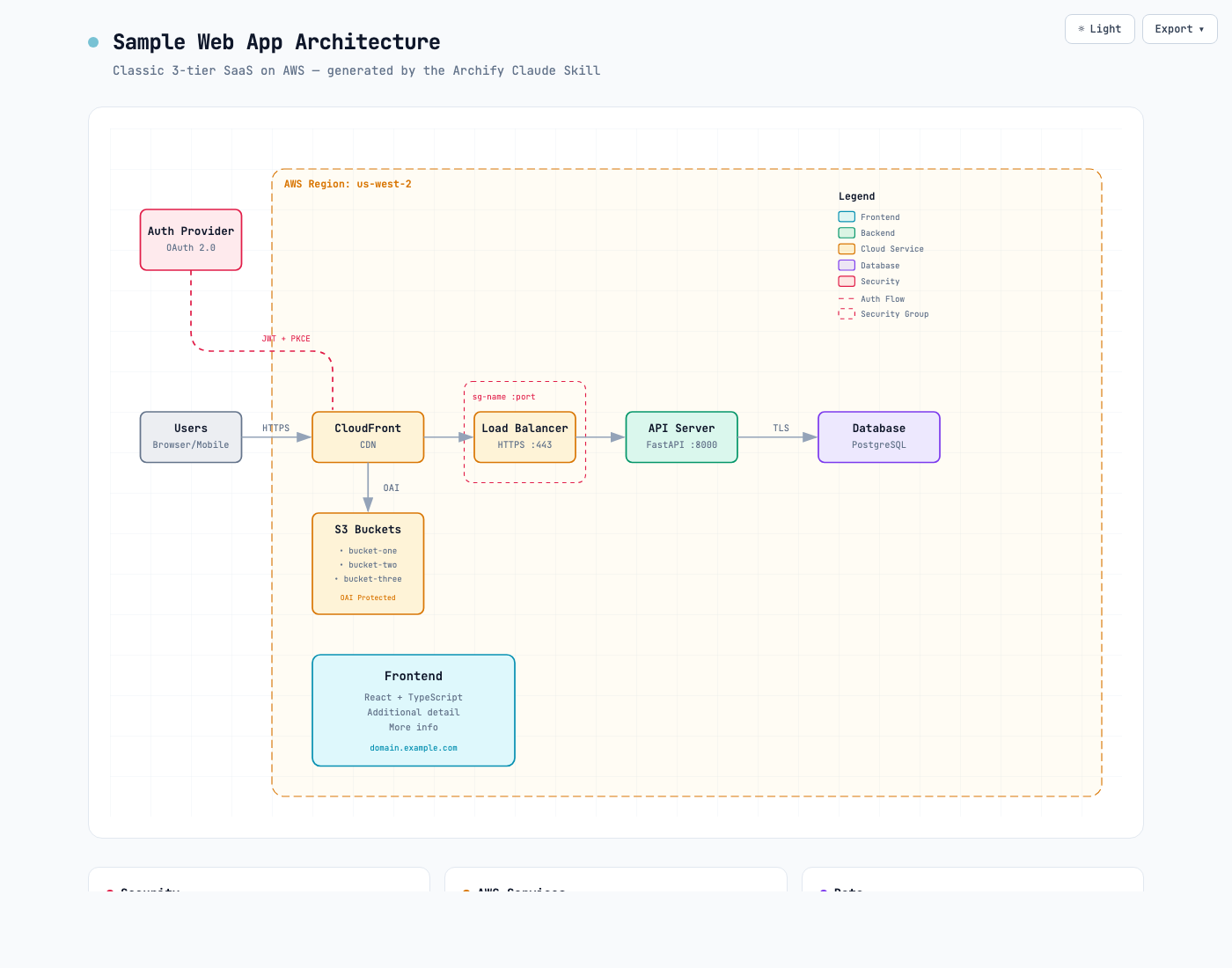
Asking AI to "draw a system architecture diagram" usually results in a bunch of Mermaid code, and the nodes are all programmed. Archify's idea is different: it lets the Agent actually read your code and configuration first, and then generates an architecture diagram based on the facts, and each node can be retroactively verified.
The generated results support two sets of light and dark themes, which can be directly exported and shared, and can also be compared with the previous version to see the evolution of the architecture.
让 AI "画个系统架构图",通常得到一堆 Mermaid 代码,节点全靠编。Archify 的思路不同:它让 Agent 先去真实读取你的代码和配置,再基于事实生成架构图,每个节点都可回溯验证。
生成结果支持亮色/暗色两套主题,可以直接导出分享,也能与上一版对比看架构演进。
What's in the skill pack?技能包里有什么
This is a standard Agent skills package (zip contains skill descriptions and workflow files), which can be put into effect by loading into AI programming tools that support skills such as Claude Code and Cursor.
After installing it, say to AI "Use archify to draw the architecture diagram for this project", and it will automatically execute the three-step process of reading, verifying and drawing.
这是一个标准的 Agent 技能包(zip 内含技能说明与工作流文件),装进 Claude Code、Cursor 等支持技能的 AI 编程工具即可生效。
装好后对 AI 说"用 archify 给这个项目画架构图",它会自动执行读取-校验-绘制三步流程。
Installation method安装方法
Click the green button below to download the archify skill package and unzip it to get the skill folder.
Put the folder into the skill directory of the AI programming tool (such as Claude Code's skill directory) and restart the session.
The new session says "Use archify to analyze the current project and generate an architecture diagram", and after it finishes scanning, it will output a verifiable architecture diagram.
点下方绿色按钮下载 archify 技能包,解压得到技能文件夹。
把文件夹放进 AI 编程工具的技能目录(如 Claude Code 的技能目录),重启会话。
新会话里说"用 archify 分析当前项目并生成架构图",等它扫描完就会输出可验证的架构图。
Notes使用提醒
This article is compiled from public sources and ships with the matching resource. Product features and pricing are subject to the official page. Resources are for learning and exchange only — please respect the original license.
本文整理自公开资料并附上配套资源;涉及产品的功能与价格以官方页面为准。资源仅供学习交流,请遵循来源许可。
⬇ Download · 点击下载:Archify v2.16.0 技能包.zip(1.3MB)
取自官方 GitHub Release v2.16.0,解压后放入技能目录即用。
阅读与点赞数据保存在你的浏览器本地,欢迎留下你的想法。
 今日正能量学一点,用一点;今天种下的种子,会长成明天的能力。去免费下载专区 →广告
评论 文明发言,让讨论更有价值